> ## Documentation Index
> Fetch the complete documentation index at: https://parabola.io/docs/llms.txt
> Use this file to discover all available pages before exploring further.
# How do I schedule certain flow steps to run only on specific days?
## Context
When running automated flows, you may want certain steps (like sending emails or notifications) to execute only on specific days of the week, while allowing other steps (like data processing or sheet updates) to run normally every time the flow is triggered.
## How it works
You can control when specific steps in your flow execute by using either of these methods:
### Method 1: Using Custom Transform (Recommended)
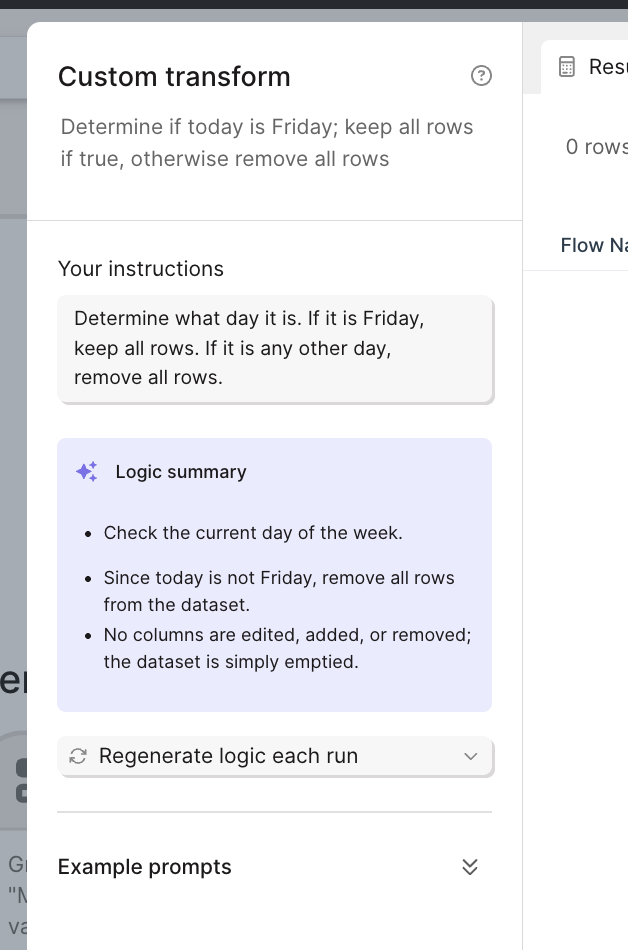
1\. Add a Custom Transform step before the actions you want to schedule\
2\. Enter a prompt that specifies your scheduling logic, such as: "Determine what day it is. If it is Friday, keep all rows. If it is any other day, remove all rows."
 ### Method 2: Using Standard Steps
Alternatively, you can achieve this using a combination of standard steps:
Add a "Add date/time column" step
Reformat the value to show day of week
Add a Filter step to keep rows only on your desired day
### Method 2: Using Standard Steps
Alternatively, you can achieve this using a combination of standard steps:
Add a "Add date/time column" step
Reformat the value to show day of week
Add a Filter step to keep rows only on your desired day
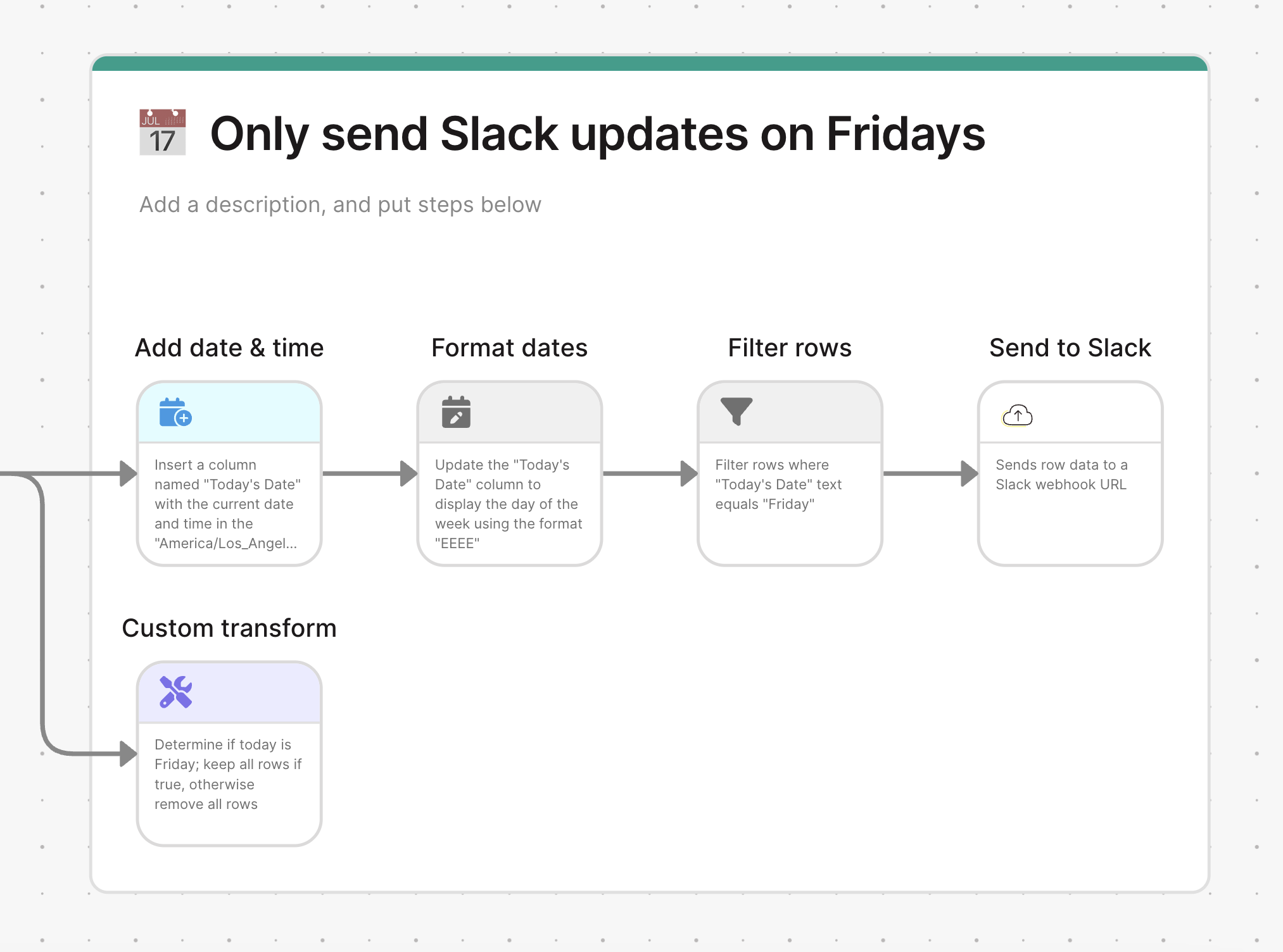 By placing either of these methods before your scheduled actions (like email sends or notifications), those steps will only execute on the specified day while allowing other branches of your flow to continue running normally.