> ## Documentation Index
> Fetch the complete documentation index at: https://parabola.io/docs/llms.txt
> Use this file to discover all available pages before exploring further.
# Transforming data
In this lesson, you'll learn the three broad categories of data transformations — calculations, business logic, and formatting — and see how to apply them in your flow.
***
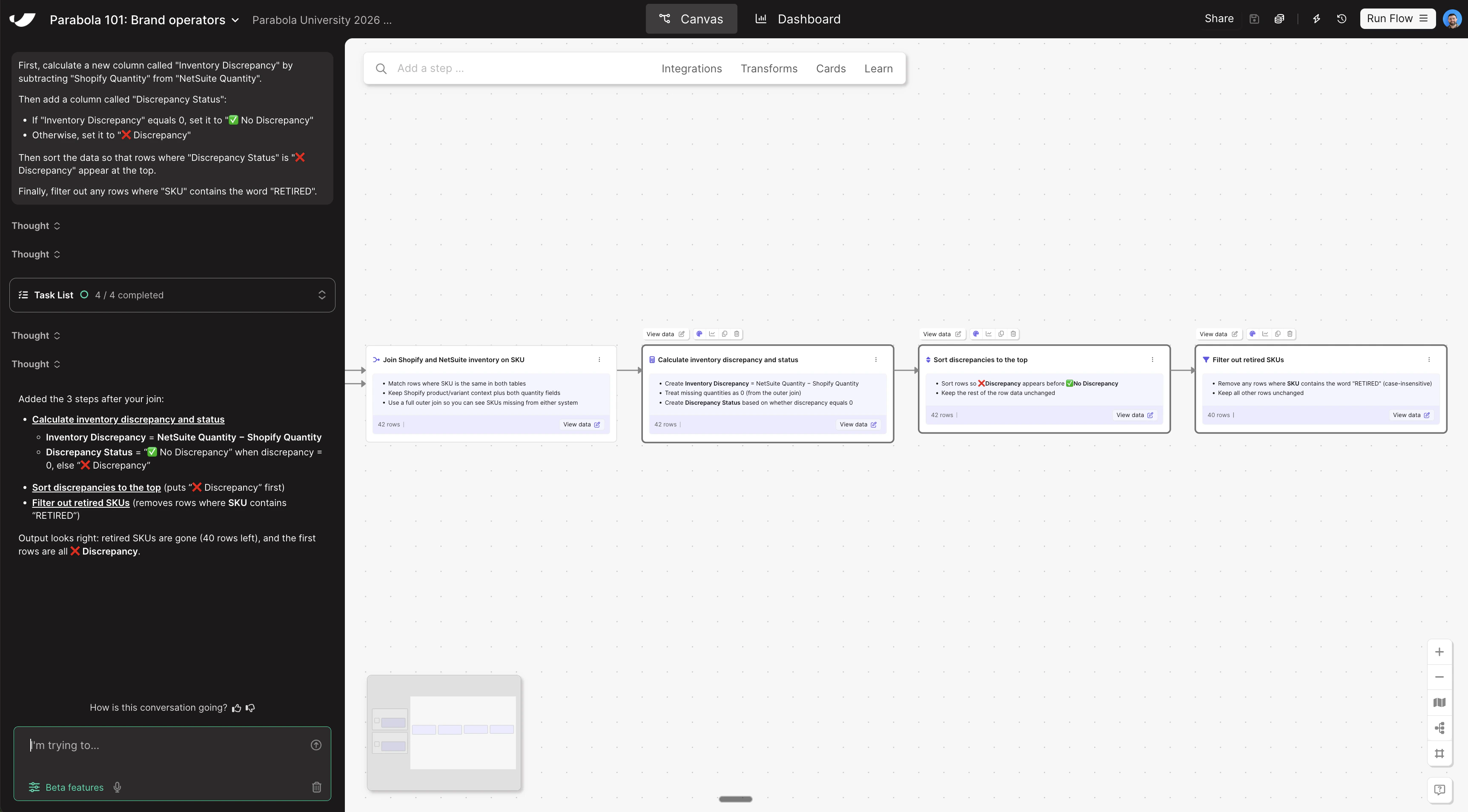
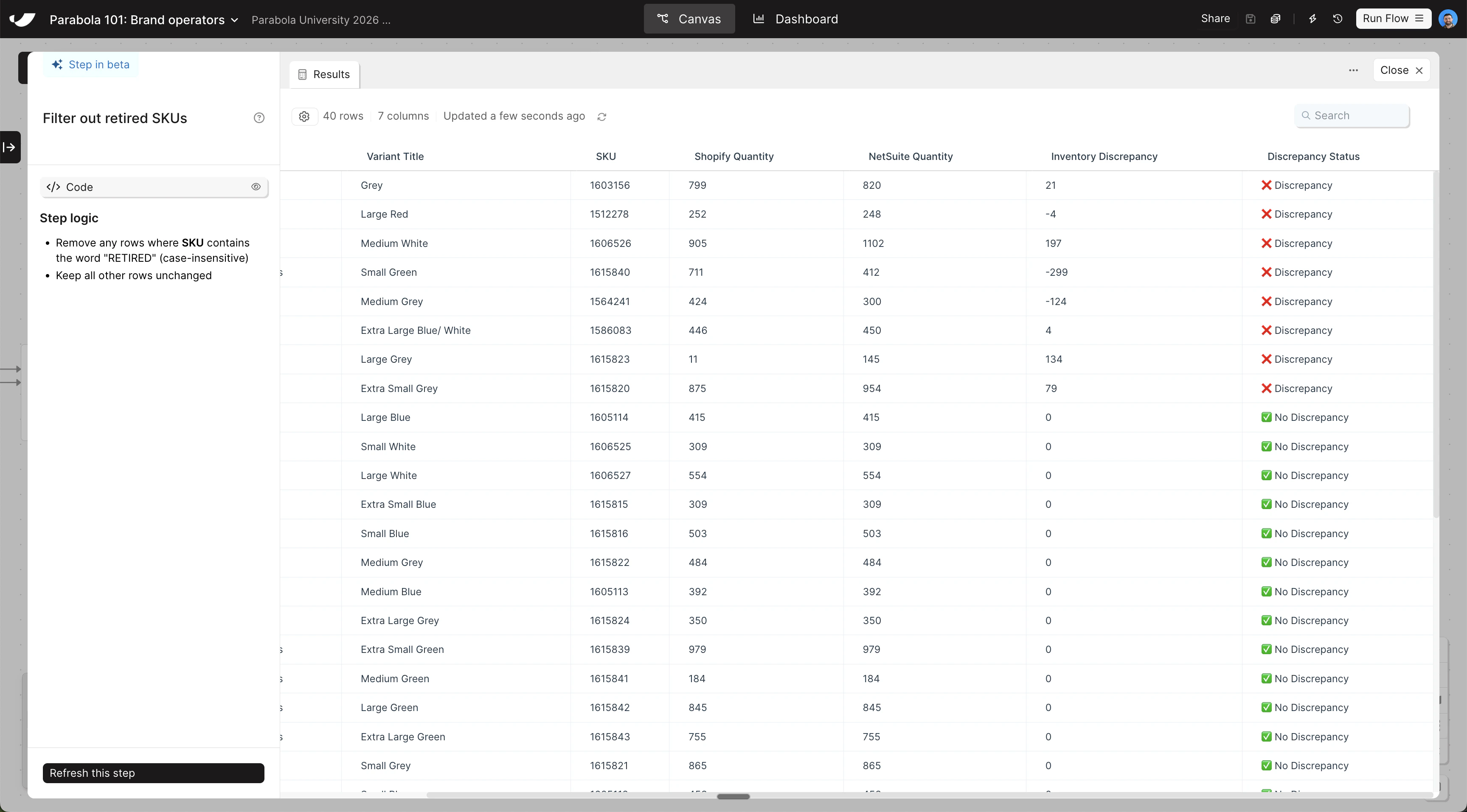
With your inventory data combined, calculate discrepancies, flag which SKUs are out of sync, and sort the results so discrepancies appear first. Copy and paste this prompt into Parabola:
```text wrap theme={null}
First, calculate a new column called "Inventory Discrepancy" by subtracting "Shopify Quantity" from "NetSuite Quantity".
Then add a column called "Discrepancy Status":
- If "Inventory Discrepancy" equals 0, set it to "✅ No Discrepancy"
- Otherwise, set it to "❌ Discrepancy"
Then sort the data so that rows where "Discrepancy Status" is "❌ Discrepancy" appear at the top.
Finally, filter out any rows where "SKU" contains the word "RETIRED".
```
The steps added to your canvas and their exact documentation may differ from what you see below — every AI response is unique. The important thing is that your resulting data set matches what you see here.