> ## Documentation Index
> Fetch the complete documentation index at: https://parabola.io/docs/llms.txt
> Use this file to discover all available pages before exploring further.
# Cleaning data
In this lesson, you'll learn the three main types of data cleanup — columns, rows, and values — and get prompting tips to get the best results when cleaning data in Parabola.
***
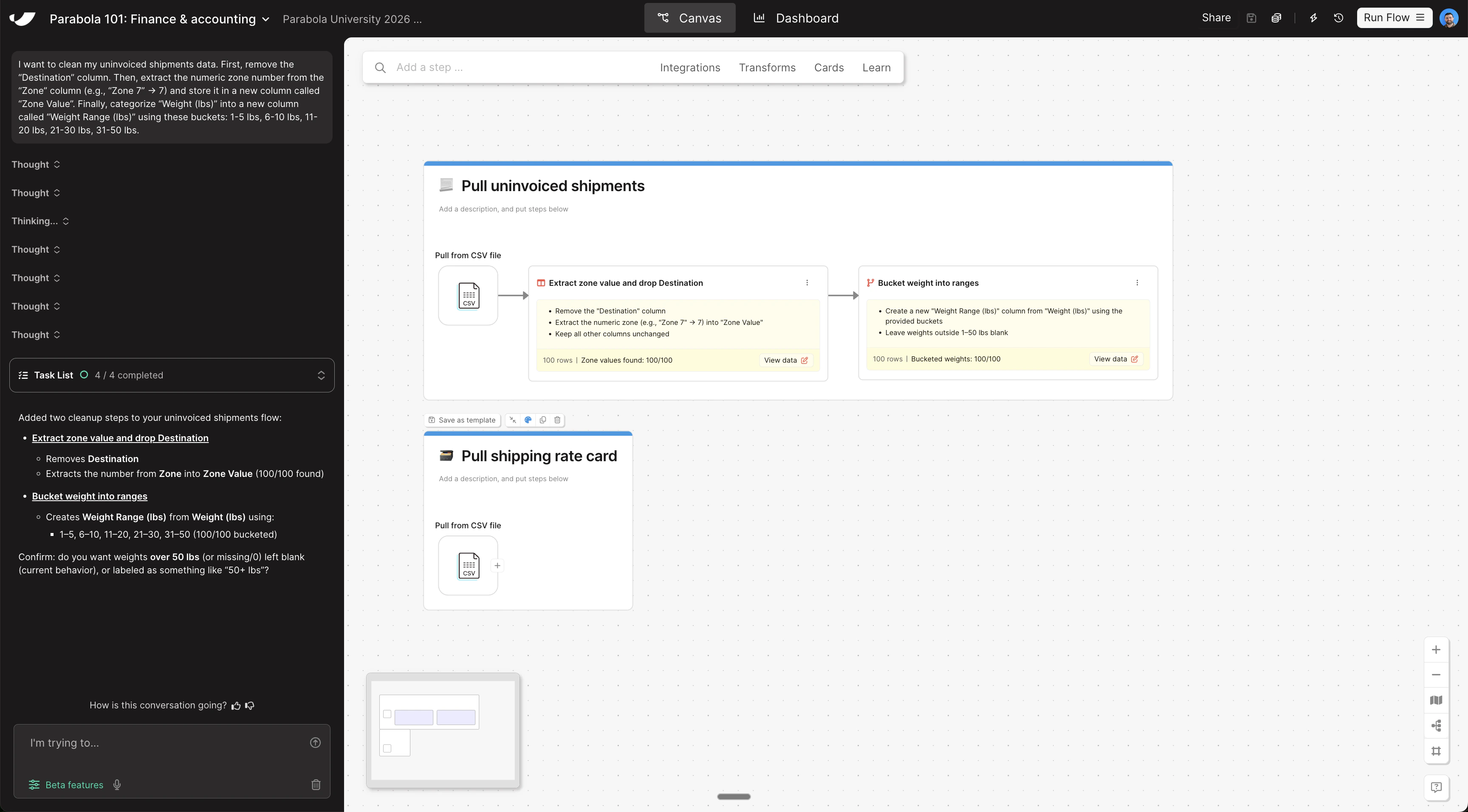
Before combining your data sets, clean the uninvoiced shipments data so it can be matched to the rate card. Copy and paste this prompt into Parabola:
```text wrap theme={null}
I want to clean my uninvoiced shipments data.
First, remove the "Destination" column.
Then, extract the numeric zone number from the "Zone" column (e.g., "Zone 7" → 7) and store it in a new column called "Zone Value".
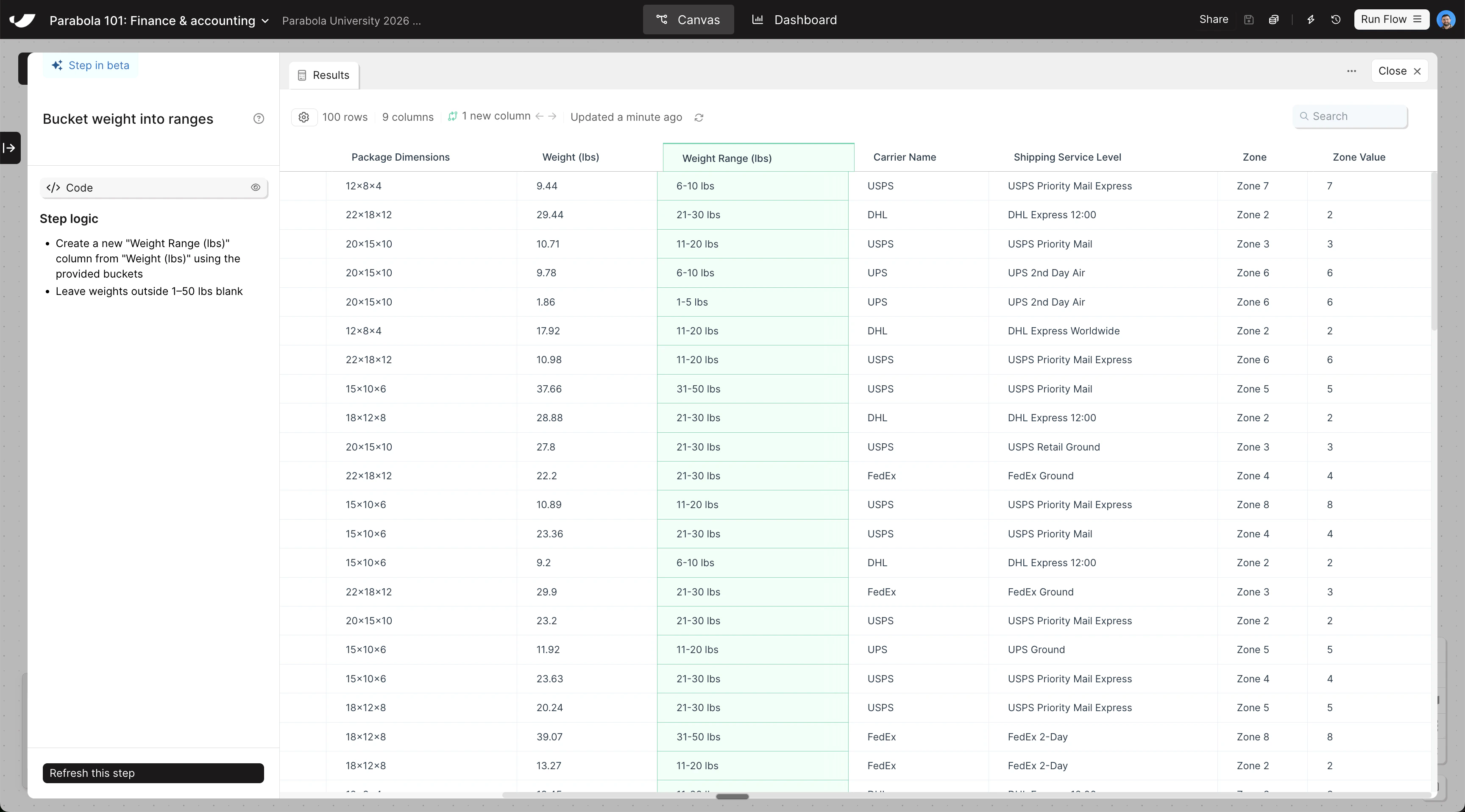
Finally, categorize "Weight (lbs)" into a new column called "Weight Range (lbs)" using these buckets: 1-5 lbs, 6-10 lbs, 11-20 lbs, 21-30 lbs, 31-50 lbs.
```
The steps added to your canvas and their exact documentation may differ from what you see below — every AI response is unique. The important thing is that your resulting data set matches what you see here.