> ## Documentation Index
> Fetch the complete documentation index at: https://parabola.io/docs/llms.txt
> Use this file to discover all available pages before exploring further.

# Combining data

<Frame>
  <iframe src="https://www.youtube.com/embed/xvXljuH19Rc" title="Combining data" frameborder="0" allow="accelerometer; autoplay; clipboard-write; encrypted-media; gyroscope; picture-in-picture; web-share" referrerpolicy="strict-origin-when-cross-origin" allowfullscreen />
</Frame>

In this lesson, you'll learn the three methods for combining data in Parabola — joining on shared IDs, stacking tables, and comparing tables to find overlap.

***

<Card icon="sparkles" title="Building challenge">
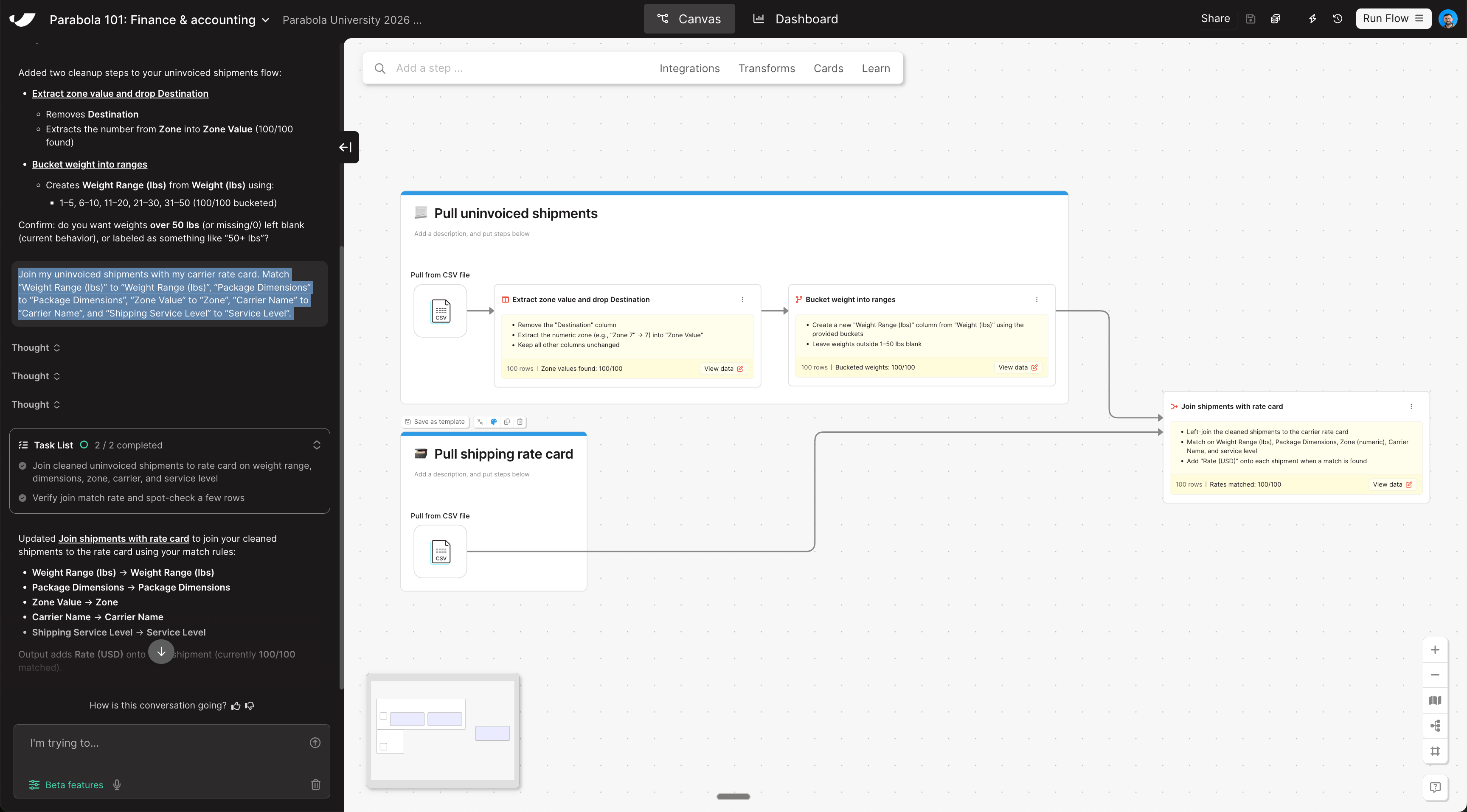
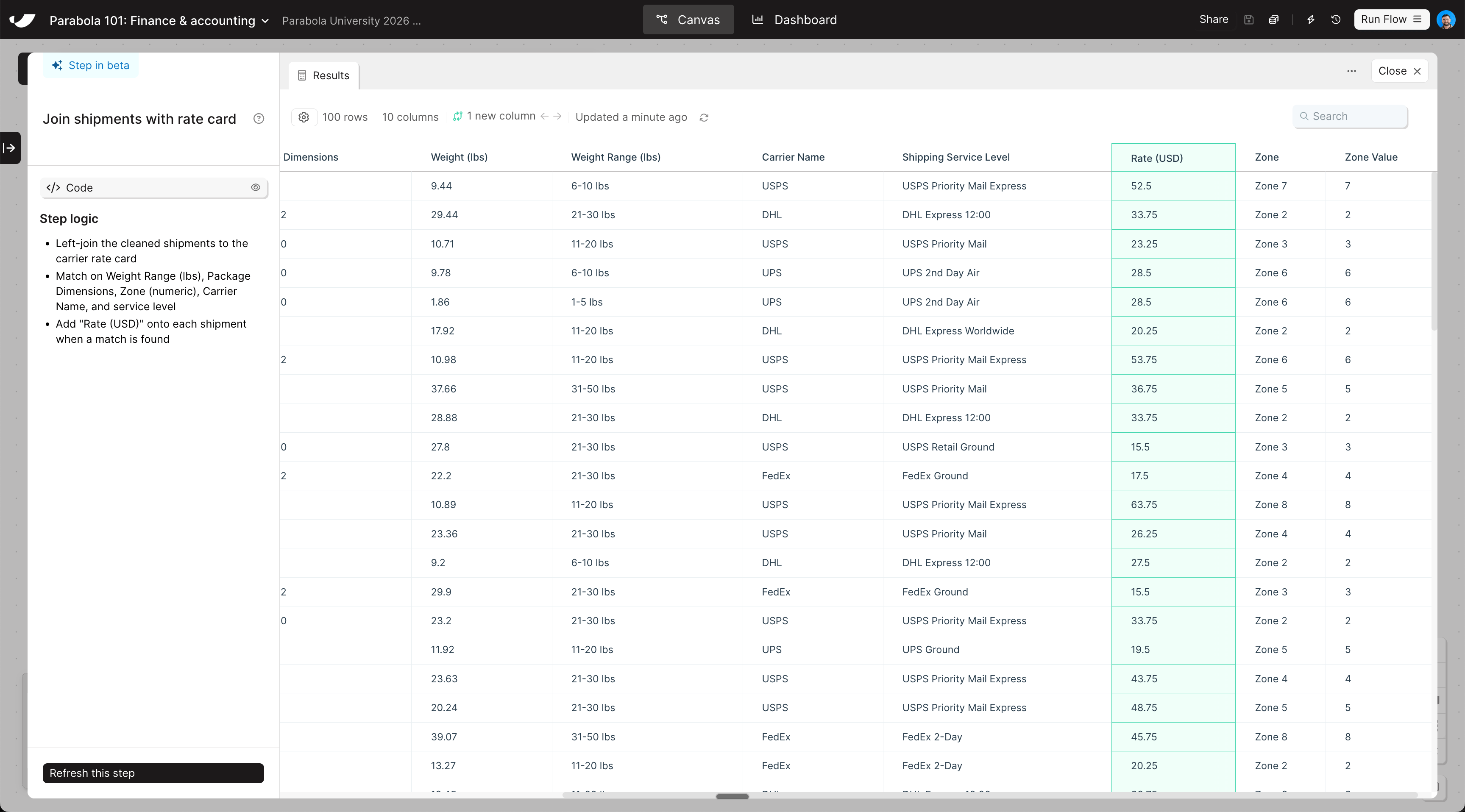
  Now that your shipments data is prepared, join it to the rate card to look up the expected shipping cost for each uninvoiced shipment.

  <Steps>
    <Step title="Copy and paste this prompt into Parabola to combine your data sets">
      ```text wrap theme={null}
      Join my uninvoiced shipments with my carrier rate card on the following fields:

      - "Weight Range (lbs)" → "Weight Range (lbs)"
      - "Package Dimensions" → "Package Dimensions"
      - "Zone Value" → "Zone"
      - "Carrier Name" → "Carrier Name"
      - "Shipping Service Level" → "Service Level"
      ```
    </Step>

    <Step title="Rearrange the combined step so it sits to the right of your two pull data cards">
      The join step should live outside of any card, connected directly to the outputs of both pull steps.
    </Step>
  </Steps>
</Card>

<Accordion title="Check your work">
  <Note>The steps added to your canvas and their exact documentation may differ from what you see below — every AI response is unique. The important thing is that your resulting data set matches what you see here.</Note>

  <Frame>
    <img src="https://mintcdn.com/parabola-7119dfb0/qVX2afyBTA9i5QTy/images/finance-accounting-combine-canvas.png?fit=max&auto=format&n=qVX2afyBTA9i5QTy&q=85&s=b2bcf640e6cb2089c96361f006bd9bf2" alt="Combine data canvas view" width="3456" height="1914" data-path="images/finance-accounting-combine-canvas.png" />

    <img src="https://mintcdn.com/parabola-7119dfb0/qVX2afyBTA9i5QTy/images/finance-accounting-combine-data.png?fit=max&auto=format&n=qVX2afyBTA9i5QTy&q=85&s=a651f11b3c733c74ee2b38294f51adfd" alt="Combine data step results" width="3456" height="1916" data-path="images/finance-accounting-combine-data.png" />
  </Frame>
</Accordion>