> ## Documentation Index
> Fetch the complete documentation index at: https://parabola.io/docs/llms.txt
> Use this file to discover all available pages before exploring further.

# Combining data

<Frame>
  <iframe src="https://www.youtube.com/embed/xvXljuH19Rc" title="Combining data" frameborder="0" allow="accelerometer; autoplay; clipboard-write; encrypted-media; gyroscope; picture-in-picture; web-share" referrerpolicy="strict-origin-when-cross-origin" allowfullscreen />
</Frame>

In this lesson, you'll learn the three methods for combining data in Parabola — joining on shared IDs, stacking tables, and comparing tables to find overlap.

***

<Card icon="sparkles" title="Building challenge">
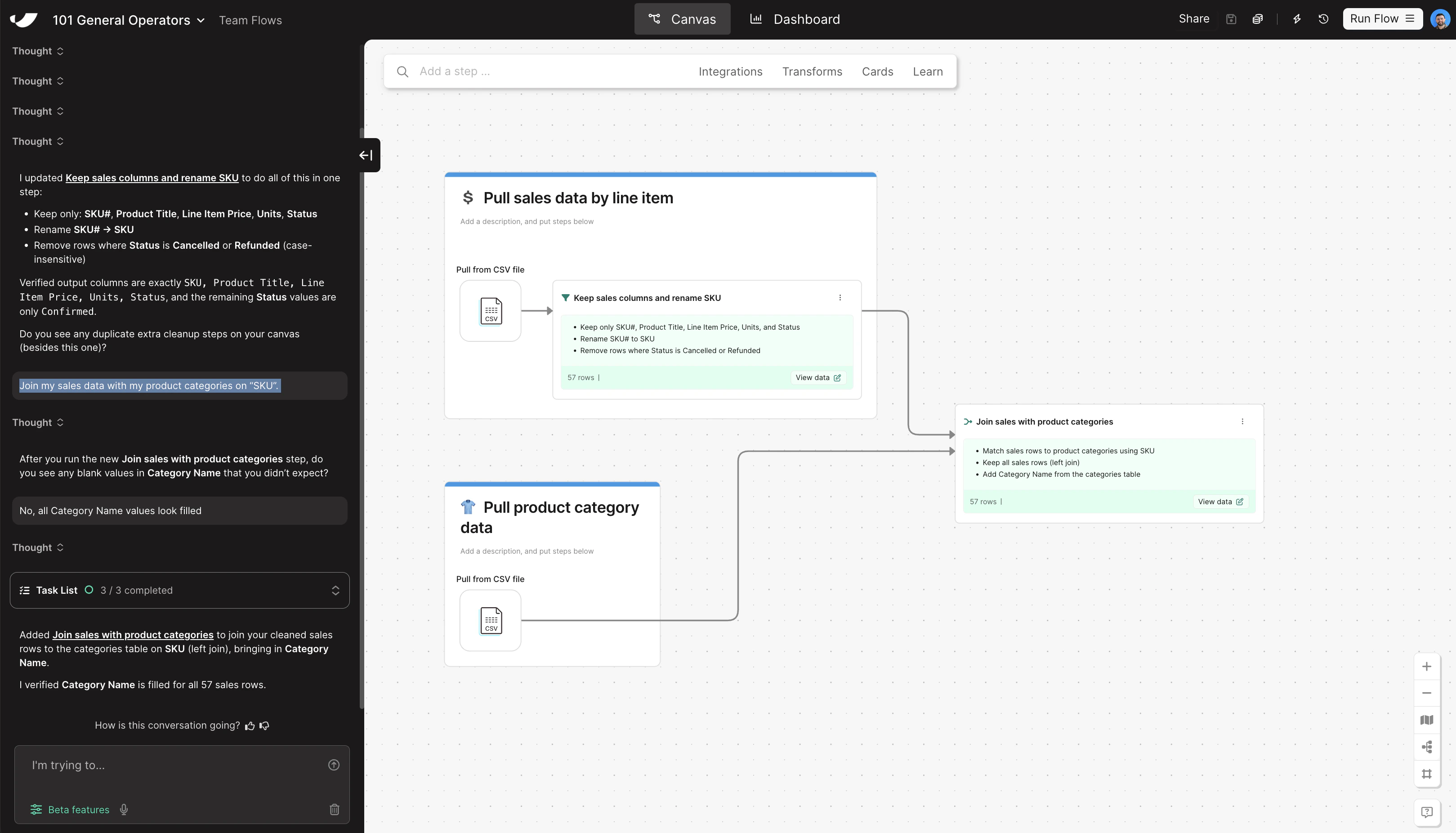
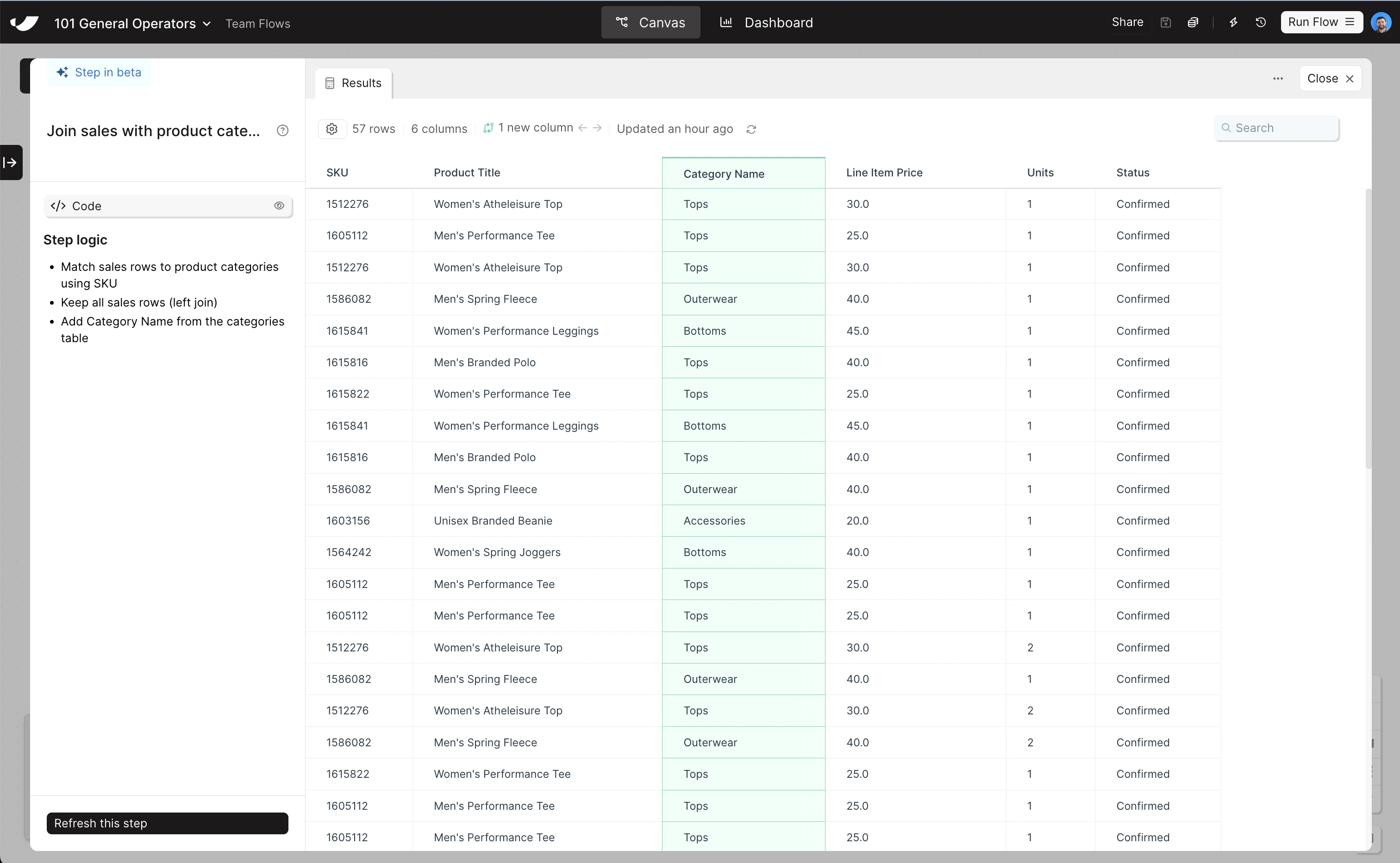
  Now that your sales data is clean, bring in the product category information so you can break Total Sales down by category.

  <Steps>
    <Step title="Copy and paste this prompt into Parabola to combine your data sets">
      ```text wrap theme={null}
      Join my sales data with my product categories on "SKU".
      ```
    </Step>

    <Step title="Rearrange the combined step so it sits to the right of your two pull data cards">
      The join step should live outside of any card, connected directly to the outputs of both pull steps.
    </Step>
  </Steps>
</Card>

<Accordion title="Check your work">
  <Note>The steps added to your canvas and their exact documentation may differ from what you see below — every AI response is unique. The important thing is that your resulting data set matches what you see here.</Note>

  <Frame>
    <img src="https://mintcdn.com/parabola-7119dfb0/CAGXdc7-yLmtAwae/images/general-operators-combine-canvas.png?fit=max&auto=format&n=CAGXdc7-yLmtAwae&q=85&s=17b0c0879d85965596b0c2878de09060" alt="Combine data canvas view" width="3238" height="1852" data-path="images/general-operators-combine-canvas.png" />

    <img src="https://mintcdn.com/parabola-7119dfb0/CAGXdc7-yLmtAwae/images/general-operators-combine-data.png?fit=max&auto=format&n=CAGXdc7-yLmtAwae&q=85&s=636b9cdbe99c70561a5ba040cc272910" alt="Combine data step results" width="3024" height="1864" data-path="images/general-operators-combine-data.png" />
  </Frame>
</Accordion>