> ## Documentation Index
> Fetch the complete documentation index at: https://parabola.io/docs/llms.txt
> Use this file to discover all available pages before exploring further.

# Transforming data

<Frame>
  <iframe src="https://www.youtube.com/embed/nvzGZwGsZWI" title="Transforming data" frameborder="0" allow="accelerometer; autoplay; clipboard-write; encrypted-media; gyroscope; picture-in-picture; web-share" referrerpolicy="strict-origin-when-cross-origin" allowfullscreen />
</Frame>

In this lesson, you'll learn the three broad categories of data transformations — calculations, business logic, and formatting — and see how to apply them in your flow.

***

<Card icon="sparkles" title="Building challenge">
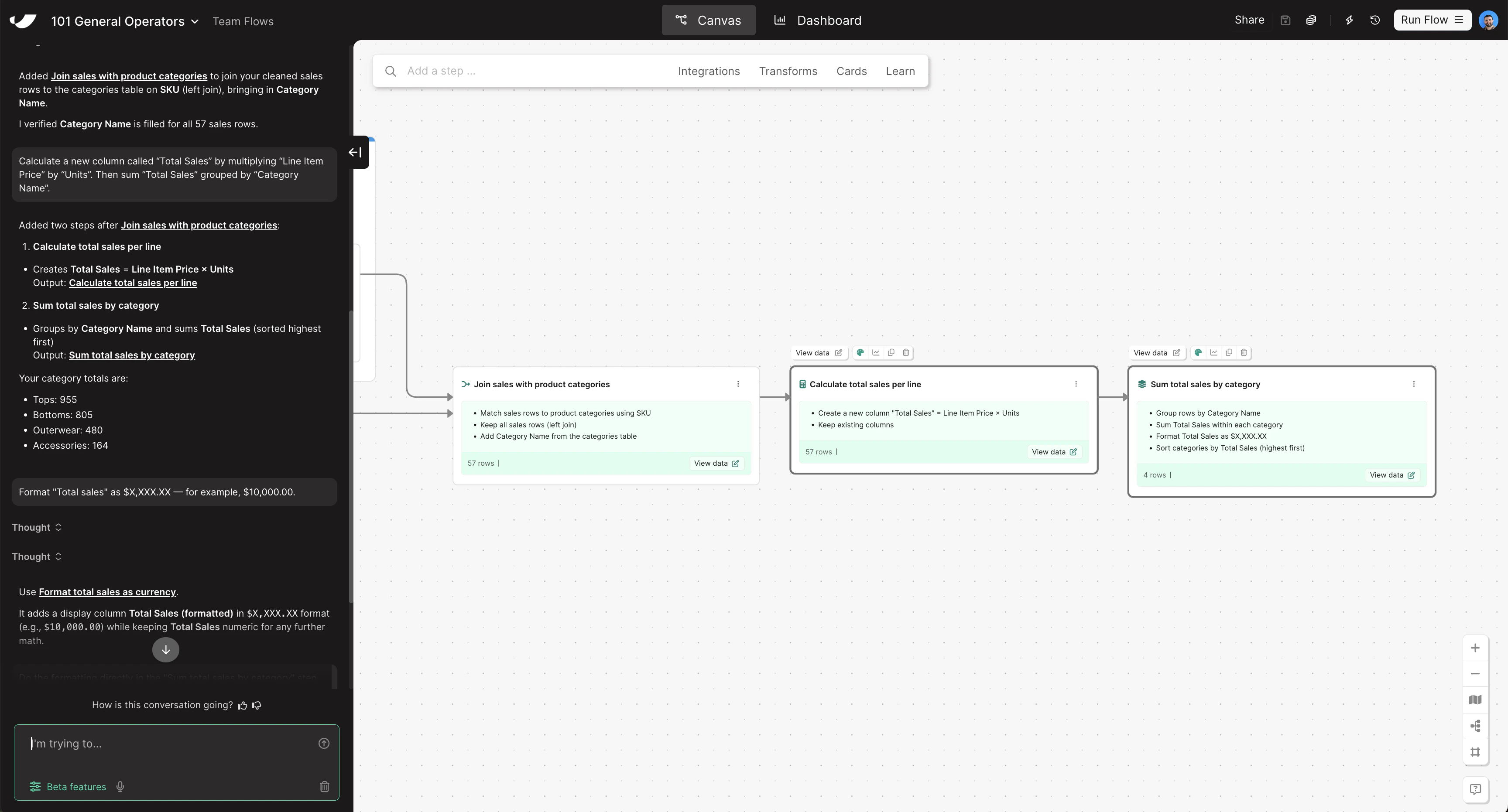
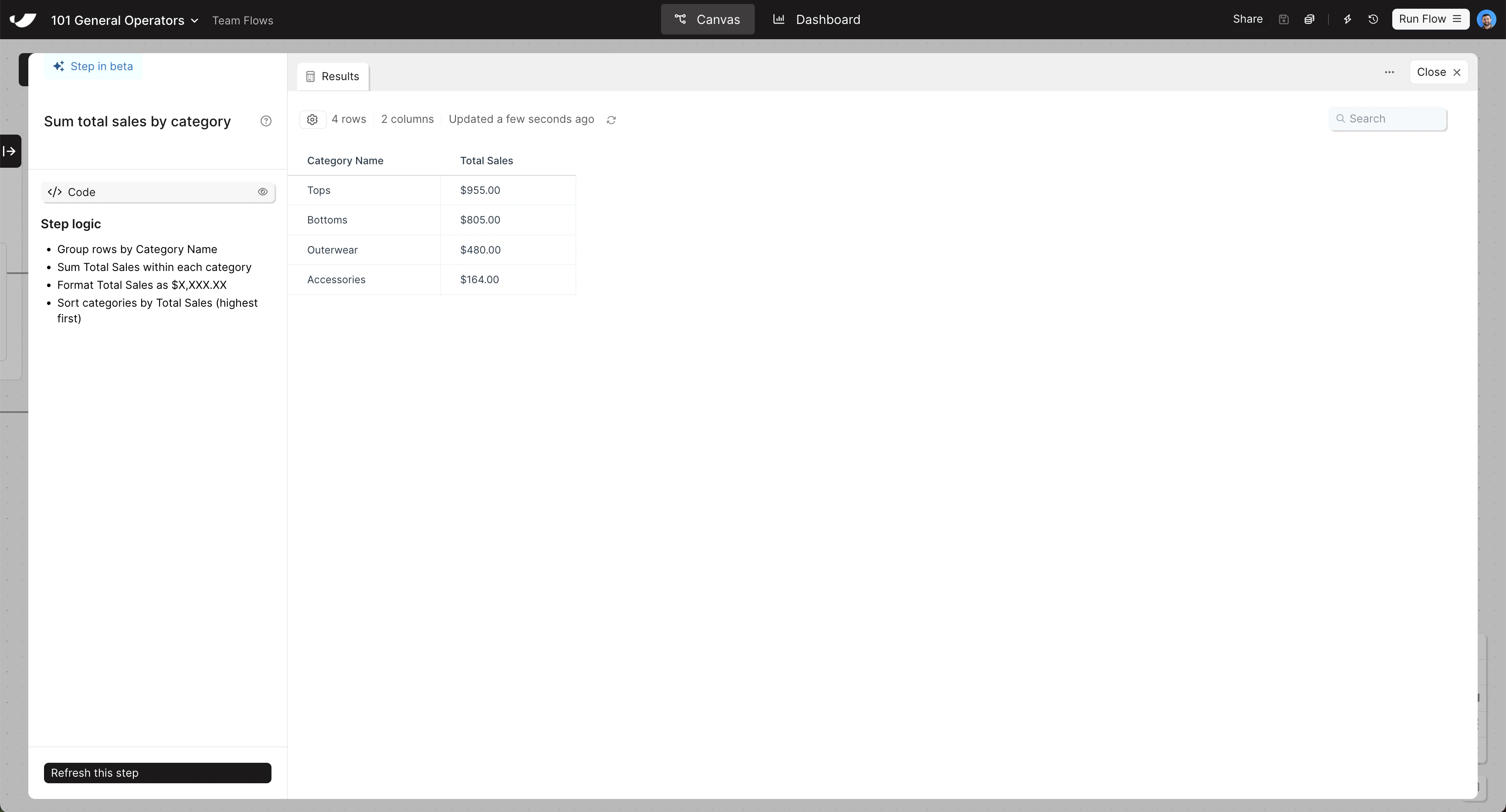
  With your data combined, calculate revenue per line item and roll it up by category to produce the final Sales by Category summary. Copy and paste this prompt into Parabola:

  ```text wrap theme={null}
  Calculate a new column called "Total Sales" by multiplying "Line Item Price" by "Units". Then sum "Total Sales" grouped by "Category Name". Format "Total Sales" as currency with two decimal places — for example, $10,000.00.
  ```
</Card>

<Accordion title="Check your work">
  <Note>The steps added to your canvas and their exact documentation may differ from what you see below — every AI response is unique. The important thing is that your resulting data set matches what you see here.</Note>

  <Frame>
    <img src="https://mintcdn.com/parabola-7119dfb0/CAGXdc7-yLmtAwae/images/general-operators-transform-canvas.png?fit=max&auto=format&n=CAGXdc7-yLmtAwae&q=85&s=85b23fce02758eaa30b1216222748448" alt="Transform data canvas view" width="3456" height="1862" data-path="images/general-operators-transform-canvas.png" />

    <img src="https://mintcdn.com/parabola-7119dfb0/CAGXdc7-yLmtAwae/images/general-operators-transform-data.png?fit=max&auto=format&n=CAGXdc7-yLmtAwae&q=85&s=8244433522b72b22feac2ecbdf06d428" alt="Transform data step results" width="3456" height="1864" data-path="images/general-operators-transform-data.png" />
  </Frame>
</Accordion>