> ## Documentation Index
> Fetch the complete documentation index at: https://parabola.io/docs/llms.txt
> Use this file to discover all available pages before exploring further.
# Sharing artifacts
> Send an Artifact as a live link, choose who can view it, refresh to the latest run, and download the data behind it.
A chart or dashboard only helps if the people who need it can actually see it. Sharing an Artifact means the trend you spotted, the exception you flagged, or the number you're building toward doesn't stay stuck in your flow: one link, and anyone in your org is looking at the same live view you are.
## Sharing an Artifact
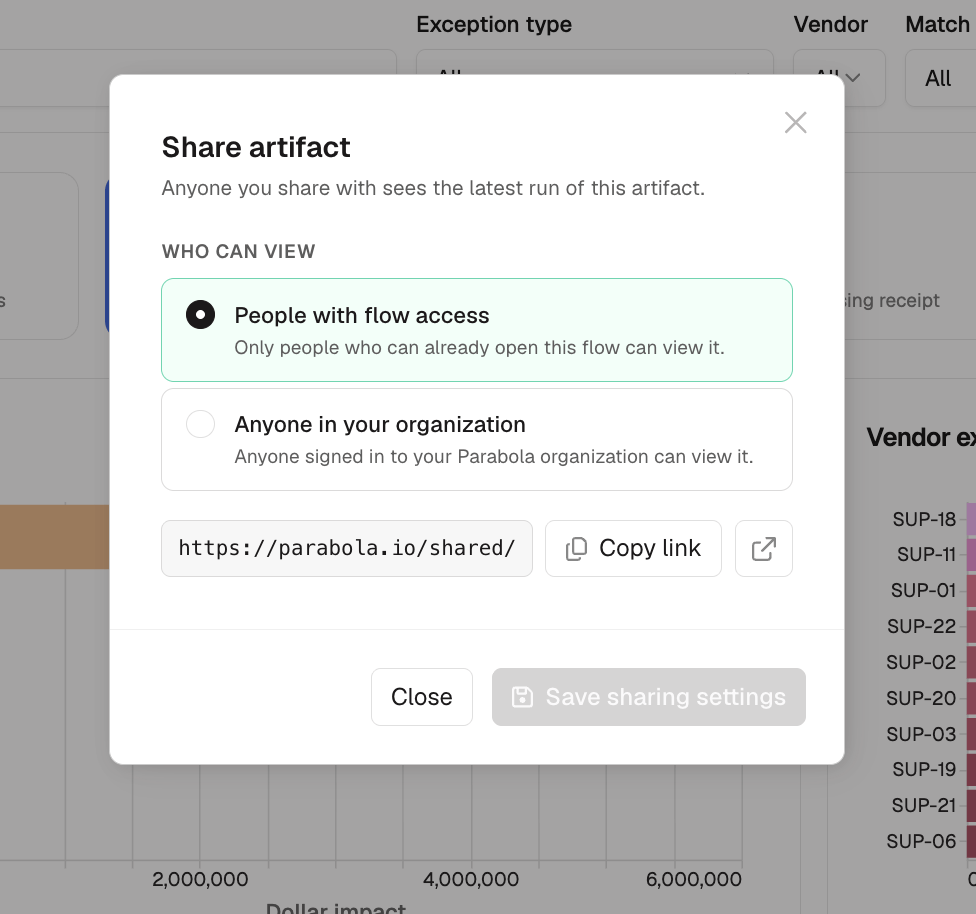
Click **Share** on the Artifact. You get a copyable link (plus an **Open in a new tab** option) and a **Who can view** picker with two levels:
| Option | Who can see it |
| ------------------------------------- | ----------------------------------------- |
| **People with flow access** (default) | Only people who can already open the flow |
| **Anyone in your organization** | Anyone signed in to your Prowork org |
Recipients open the Artifact inside Prowork's own viewer page, which shows the Artifact's name, when it last ran, and a **Refresh** button.
### Permissions to know
* Only someone who can edit or share the flow can create a link or change who can view it. Everyone else gets the existing link.
## Refreshing an Artifact
Each time the flow runs, the Artifact regenerates on the latest data. The interactivity (filtering, sorting, and searching) works on the snapshot from that run, and new data shows up the next time the flow runs.
If you're viewing an Artifact that has an update, click **Refresh** to see the latest version.
## Download an Artifact's data
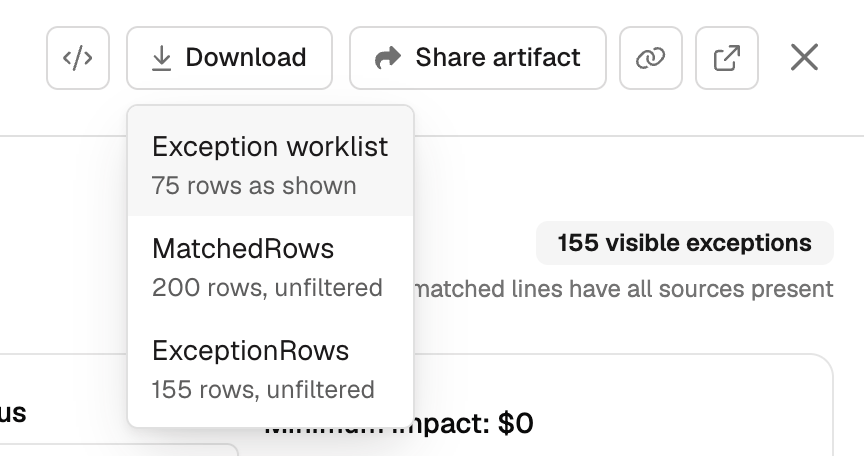
Click **Download** on the Artifact and pick a dataset. The top option gives you whatever's currently on the page, filtered, sorted, and searched exactly as you're viewing it. The others give you the underlying tables unfiltered.
This is the way to get an Artifact's data to someone outside your org, since the share link only works for people already in it.