> ## Documentation Index
> Fetch the complete documentation index at: https://parabola.io/docs/llms.txt
> Use this file to discover all available pages before exploring further.
# Split names
> Use the **Split names** step to split a full name value into smaller parts (first, middle, last, etc.).
## Input/output
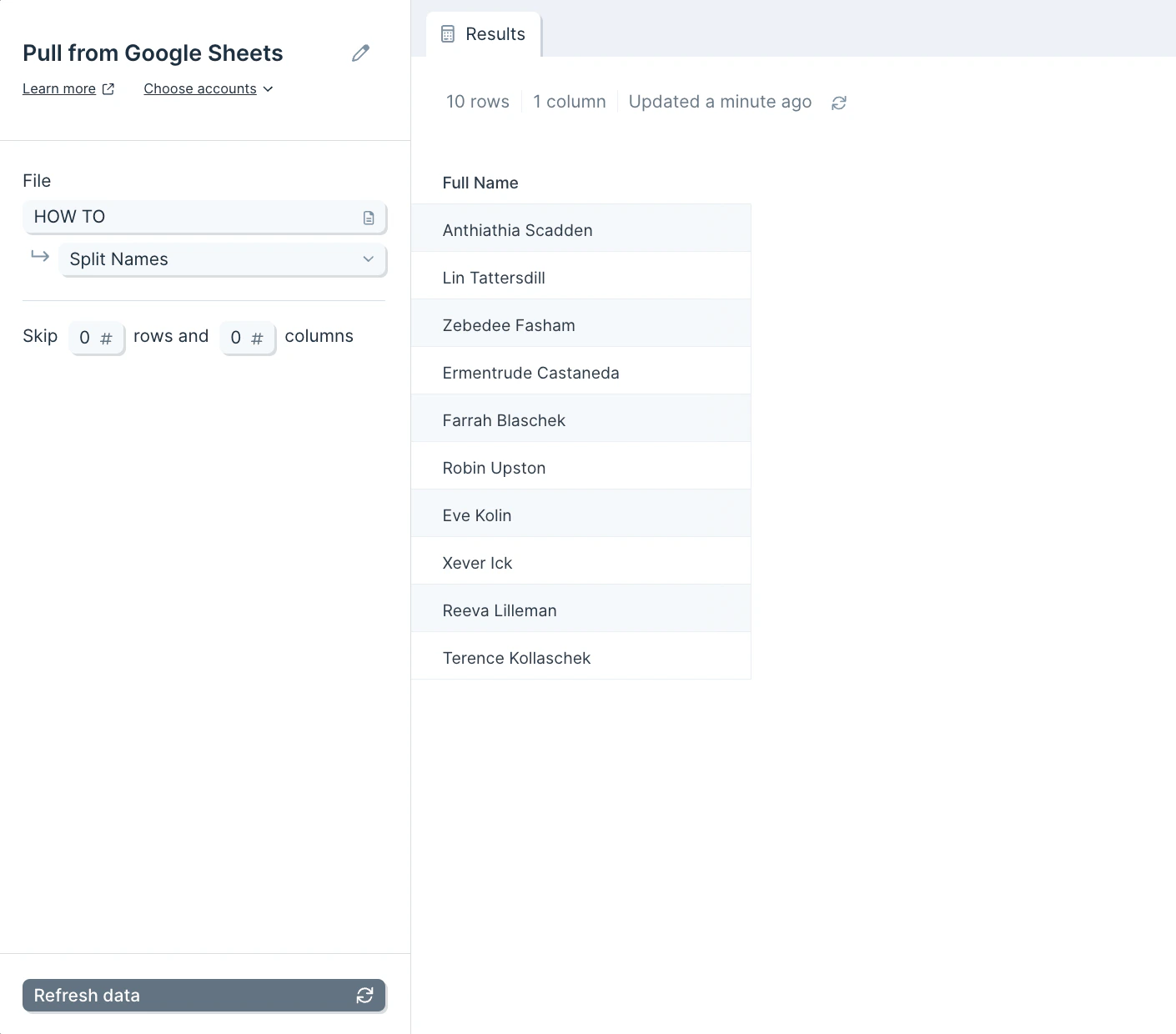
Your input data should consist of a column of full names.
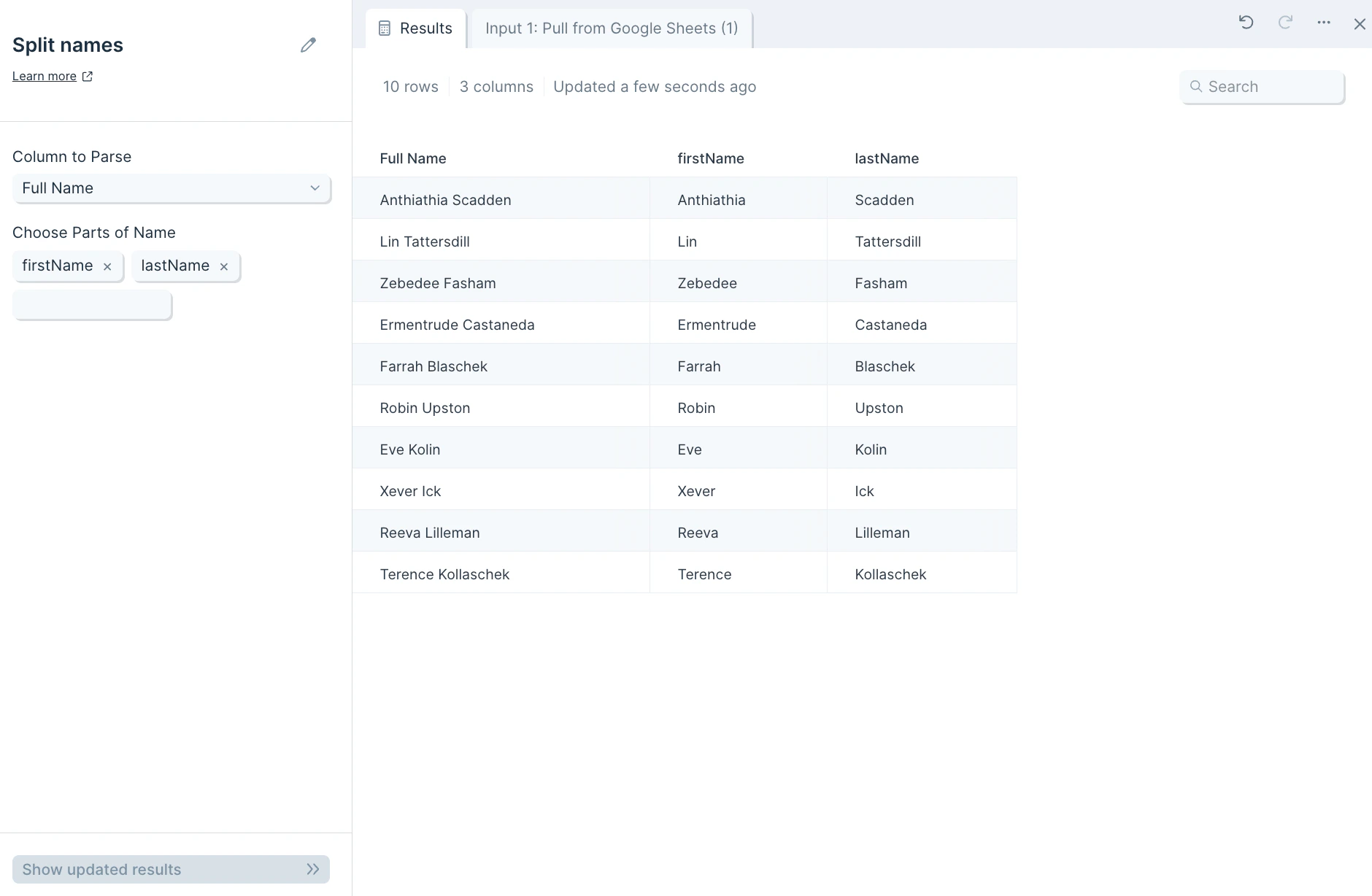
 Your output will have multiple new columns of your names, separated into their parts, depending on the parts of the name you chose to split.
 ## Custom settings
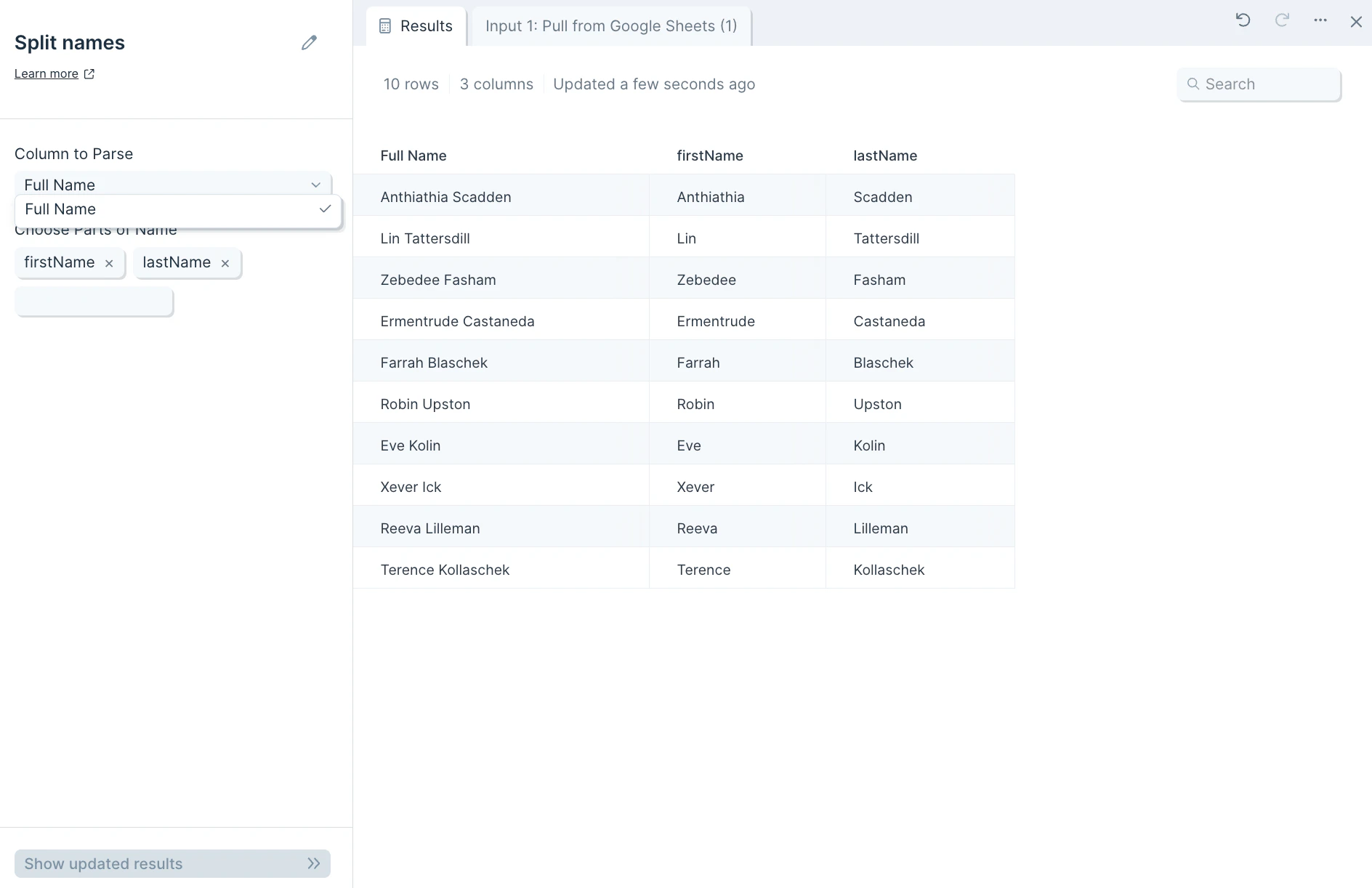
First, select the column that has the names you'd like to split by selecting it in the **Column to Parse** dropdown.
## Custom settings
First, select the column that has the names you'd like to split by selecting it in the **Column to Parse** dropdown.
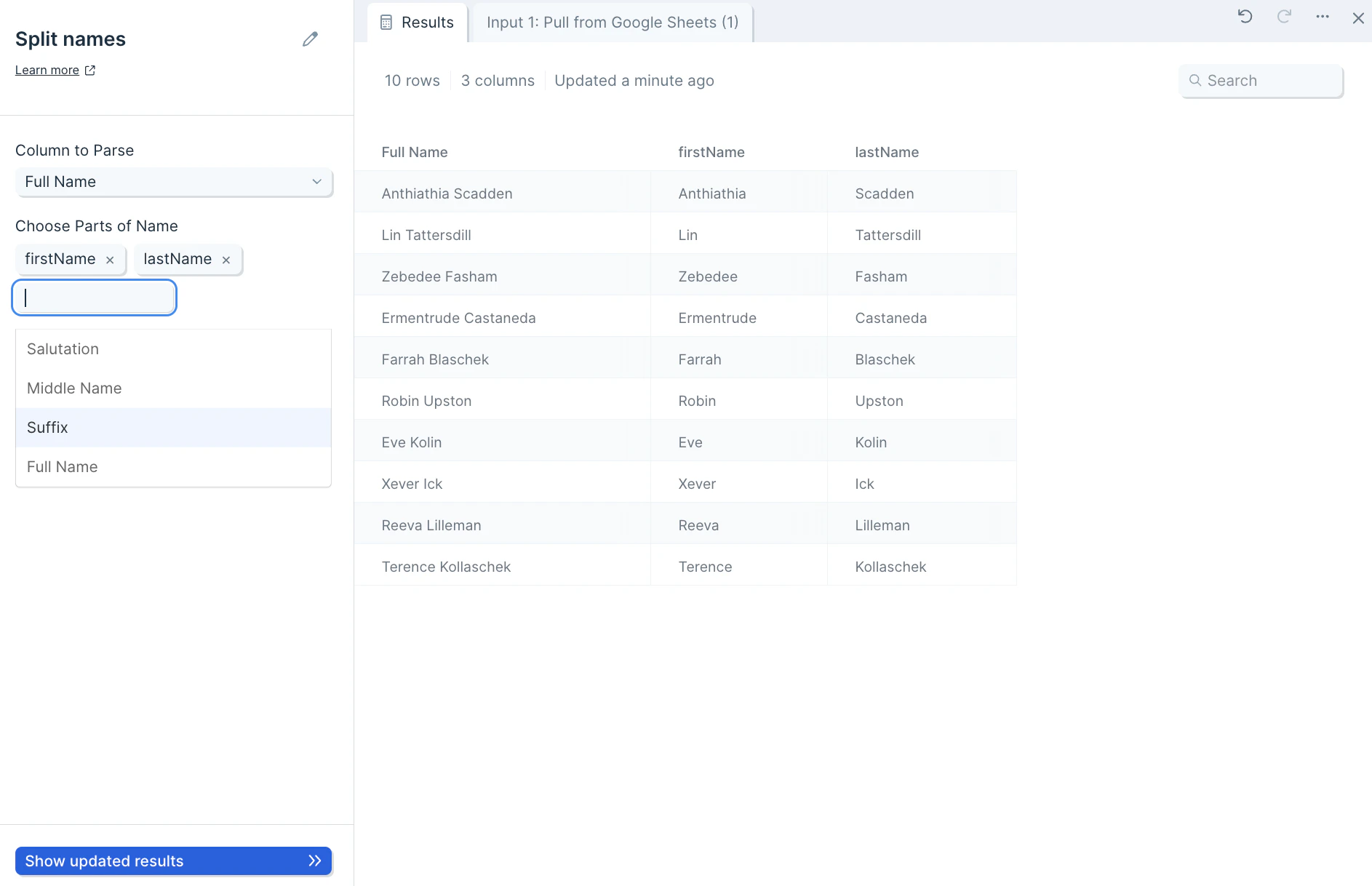
 Next, pick the category that you want your full names broken down into by selecting them in the **Choose Parts of Name** dropdown.
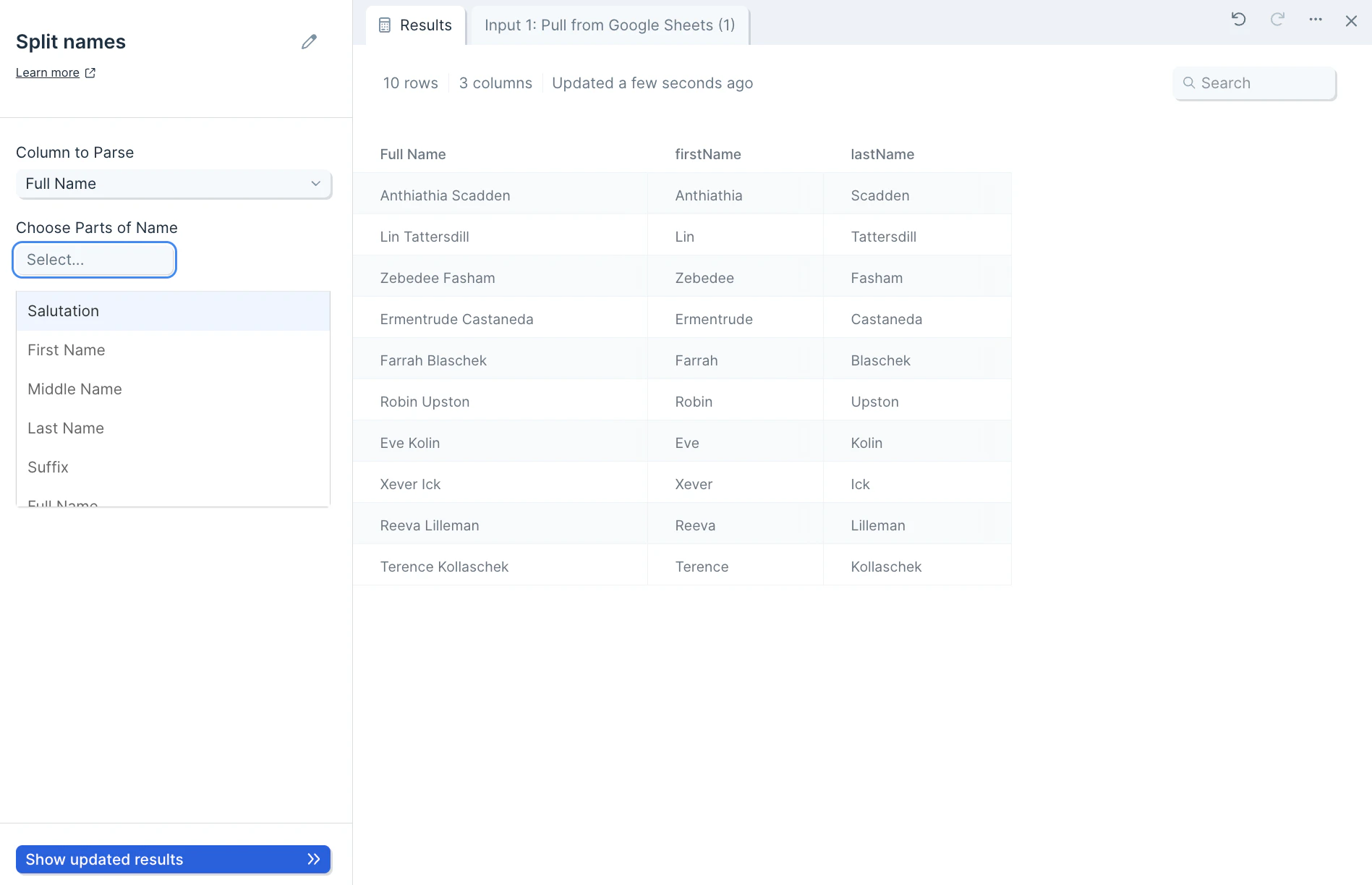 You can select multiple parts in this dropdown, including *Salutation*, *First Name*, *Middle Name*, *Last Name*, *Suffix*, and *Full Name*.
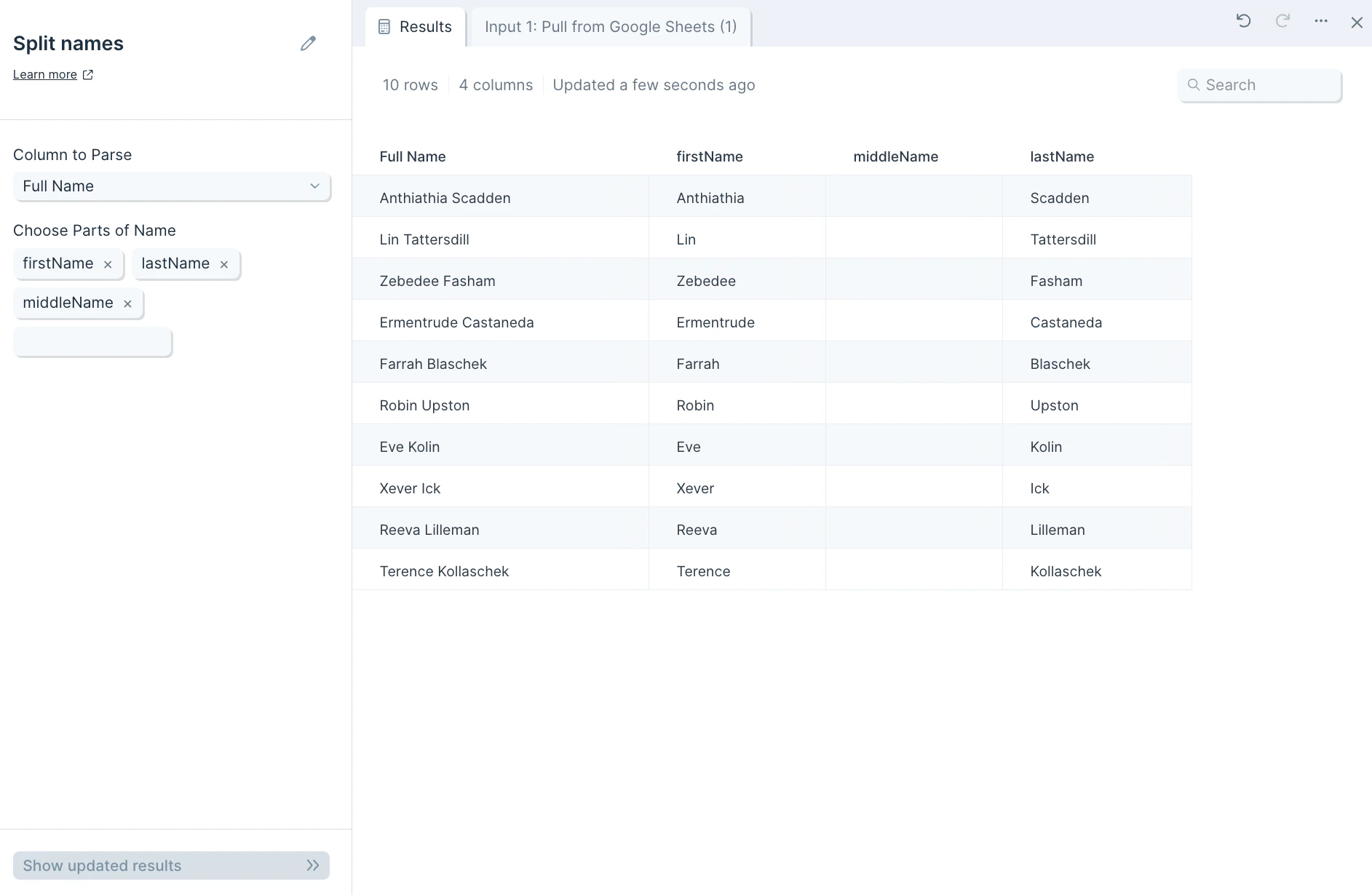
 If you select a part that does not exist in a name, the row's column will appear blank.
 ## Helpful tips
* Names ending in a comma may not be parsed.
* Names such as "Mister" may be parsed as the salutation, as opposed to the name.
## Related steps
* [Split column](/product/transform/split-column) — split arbitrary delimited columns when names aren't involved.
* [Combine columns](/product/transform/combine-columns) — reassemble first, middle, and last name parts into a single field.
* [Change text casing](/product/transform/change-text-casing) — normalize the casing of name parts after splitting.
* [Find and replace](/product/transform/find-and-replace) — clean up unusual characters before parsing names.
* [Clean data](/product/transform/clean-data) — strip whitespace and standardize name formatting.
## Helpful tips
* Names ending in a comma may not be parsed.
* Names such as "Mister" may be parsed as the salutation, as opposed to the name.
## Related steps
* [Split column](/product/transform/split-column) — split arbitrary delimited columns when names aren't involved.
* [Combine columns](/product/transform/combine-columns) — reassemble first, middle, and last name parts into a single field.
* [Change text casing](/product/transform/change-text-casing) — normalize the casing of name parts after splitting.
* [Find and replace](/product/transform/find-and-replace) — clean up unusual characters before parsing names.
* [Clean data](/product/transform/clean-data) — strip whitespace and standardize name formatting.