# Team folders and a new Flows page

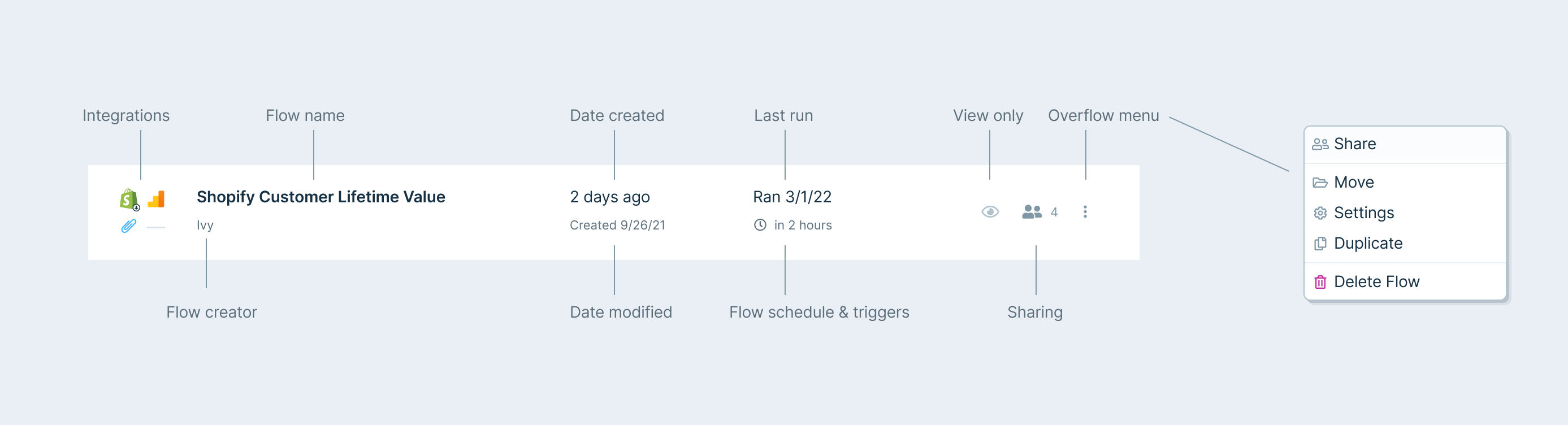
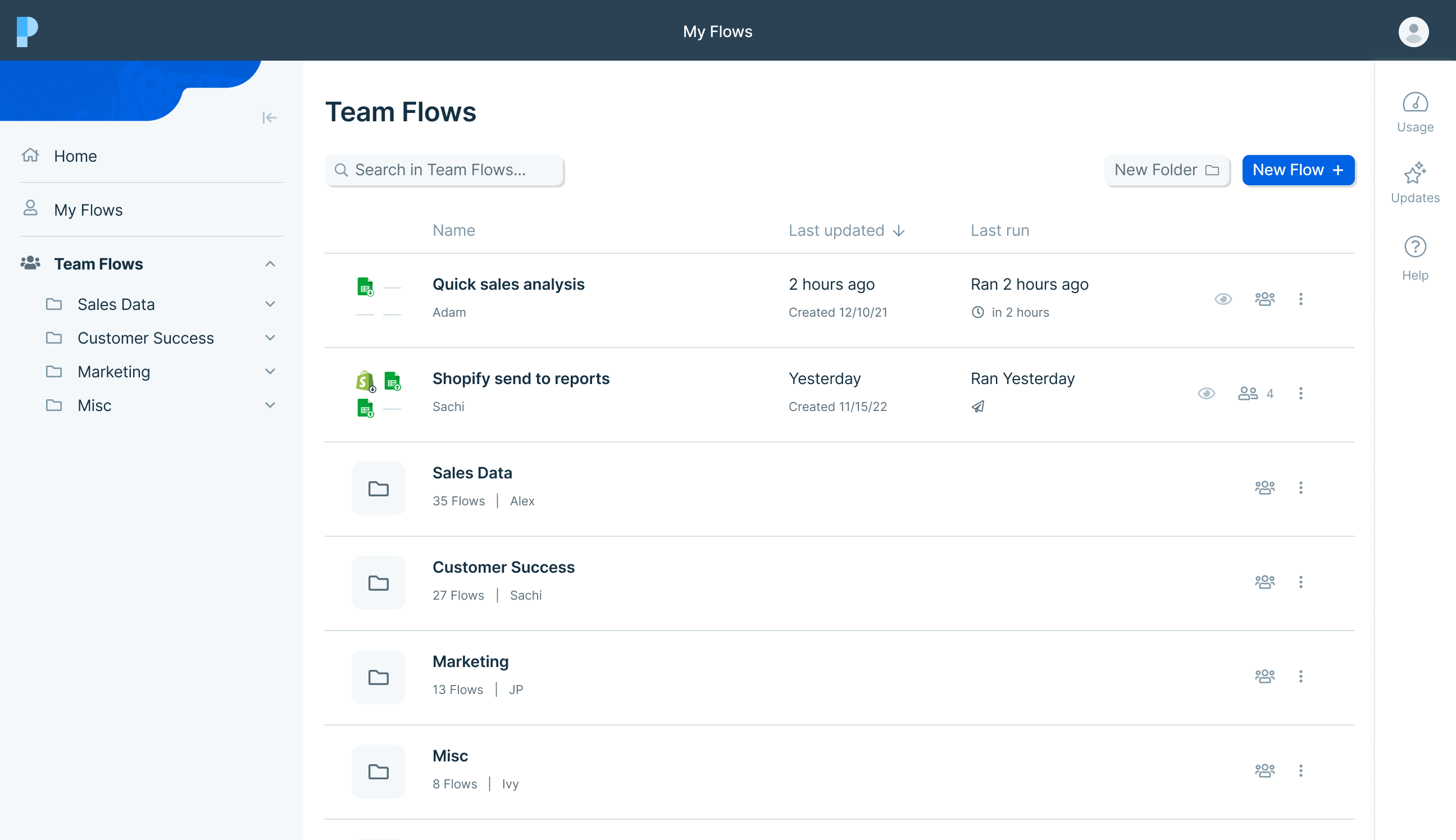
> <p id="">We are thrilled to announce the launch of <strong id="">team folders!</strong> You can now create folders to easily organize and work on Flows with your team. <a id="" href="/product-overview/organizing-flows"><strong id=""><em id="">Read about all of the changes in detail here</em></strong></a><strong id=""><em id="">.</em></strong></p><p id="">We also completely redesigned the Flows page to make it easier to find, organize, and manage your Flows. What was previously one page is now <strong id="">three</strong> distinct spaces:</p><ol id=""><li id=""><strong id="">Home</strong> - this is your default landing page, and lists the Flows updated most recently</li><li id=""><strong id="">My Flows</strong> - this is where your personal Flows live. This includes your private Flows, Flows you created and shared with specific people, and Flows that were shared <em id="">with you</em> directly.</li><li id=""><strong id="">Team Flows</strong> - this is where your team Flows live. Here you can group Flows into folders (and sub-folders)! Flows in the team space are shared with your entire team, meaning anyone can find and access them.</li></ol><figure id="" class="w-richtext-figure-type-image w-richtext-align-fullwidth" style="max-width:2592px" data-rt-type="image" data-rt-align="fullwidth" data-rt-max-width="2592px"><div id=""><img id="" alt="" src="/images/cms/aHR0cHM6-68d5afb7a4640e636f5c090e_62477a28ca8b0a4bb2f8d509_team-flows.png" width="auto" height="auto" loading="auto"></div></figure><p id="">You’ll also notice that Flows are now displayed in <strong id="">rows</strong>, designed to make it easier to identify the Flow you’re looking for:</p><figure id="" class="w-richtext-figure-type-image w-richtext-align-fullwidth" style="max-width:2774px" data-rt-type="image" data-rt-align="fullwidth" data-rt-max-width="2774px"><div id=""><img id="" alt="" src="/images/cms/aHR0cHM6-66bfd917852f621b38253386_62477a38f09334581603994e_reading-a-row.png" width="auto" height="auto" loading="auto"></div></figure><p id="">To get started, we recommend <strong id="">creating folders</strong> and <strong id="">moving Flows</strong> into your team space. This will enable you to create a shared organizational system for your entire team, and make it much easier to find and collaborate on Flows.</p><figure id="" class="w-richtext-figure-type-image w-richtext-align-fullwidth" style="max-width:2592px" data-rt-type="image" data-rt-align="fullwidth" data-rt-max-width="2592px"><div id=""><img id="" alt="" src="/images/cms/aHR0cHM6-68d5afb7a4640e636f5c090b_624c8f6ca1f7a71ea81de98b_using-folders-(new).png" width="auto" height="auto" loading="auto"></div></figure><p id="">There’s lots more to come, so please send us your feedback and ideas!</p><p id="">‍</p>

Source: https://parabola.io/updates/team-folders-and-a-new-flows-page