Documentation Index

Fetch the complete documentation index at: https://parabola.io/docs/llms.txt

Use this file to discover all available pages before exploring further.

In this lesson, you’ll learn the three main types of data cleanup — columns, rows, and values — and get prompting tips to get the best results when cleaning data in Parabola.

Building challenge

Before combining your data sets, clean the uninvoiced shipments data so it can be matched to the rate card. Copy and paste this prompt into Parabola:
I want to clean my uninvoiced shipments data.

First, remove the "Destination" column.

Then, extract the numeric zone number from the "Zone" column (e.g., "Zone 7" → 7) and store it in a new column called "Zone Value".

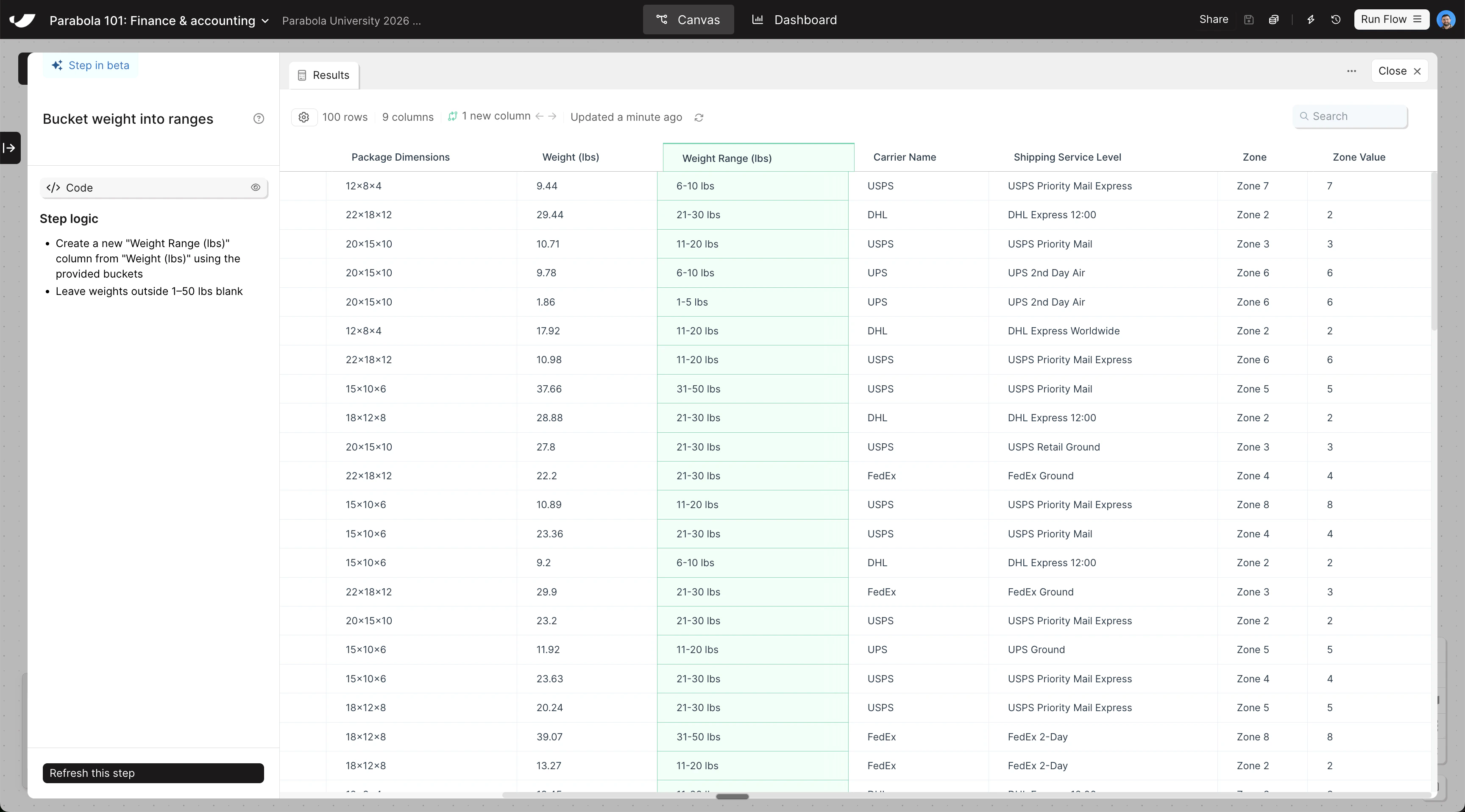
Finally, categorize "Weight (lbs)" into a new column called "Weight Range (lbs)" using these buckets: 1-5 lbs, 6-10 lbs, 11-20 lbs, 21-30 lbs, 31-50 lbs.
The steps added to your canvas and their exact documentation may differ from what you see below — every AI response is unique. The important thing is that your resulting data set matches what you see here.
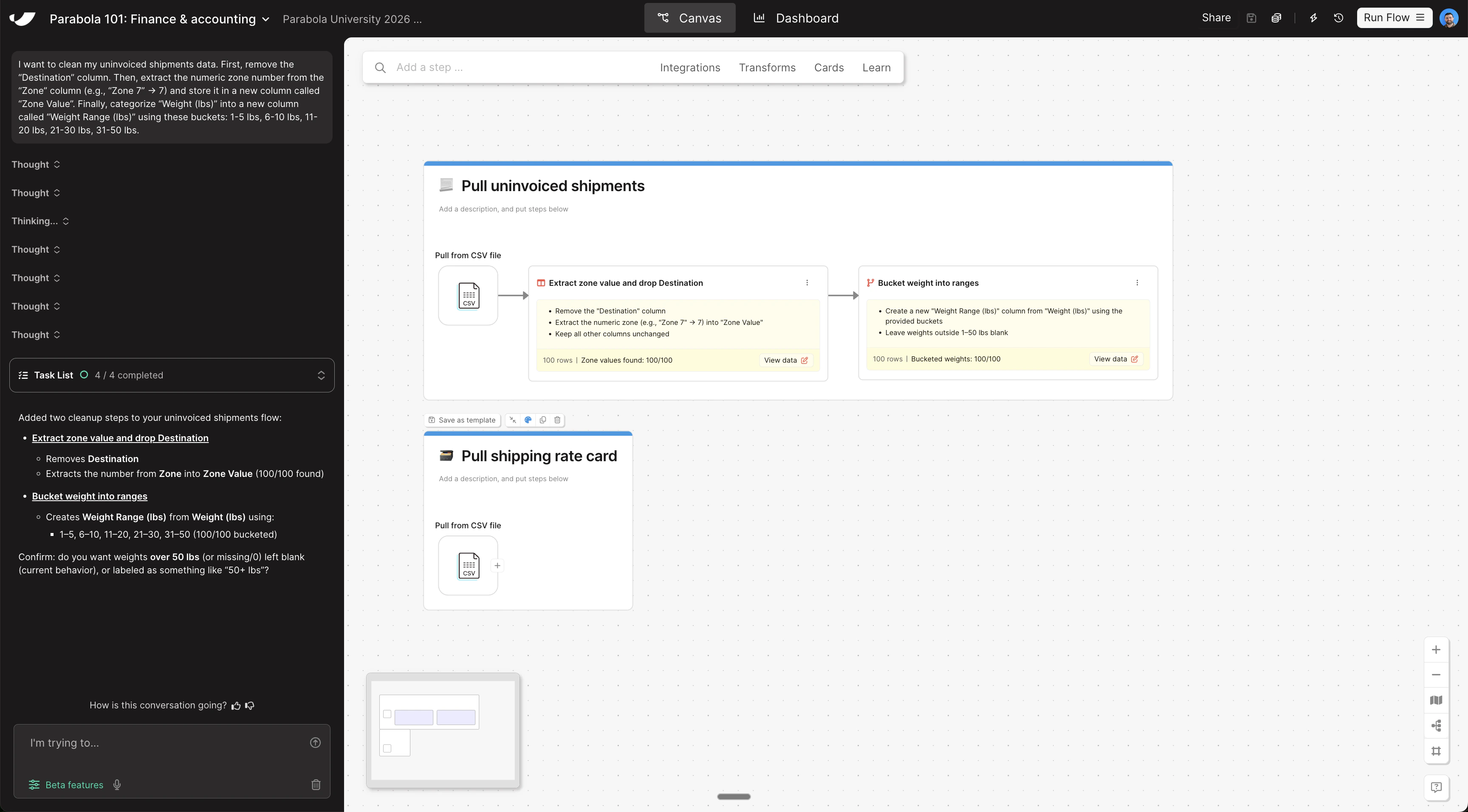
Clean data canvas viewClean data step results
Last modified on May 4, 2026