
Work is scattered.
ERP. Warehouse. Spreadsheet. PDF. Email. Partner portal. Every process spans a different mix of systems, formats, and teams.

Prowork by Parabola
Prowork is built to automate, and fully document, the complex reconciliations, audits, and reports that growing consumer brands perform.




7 lines are ready to release, 1,080 units.
11 are held, 7 high severity. Owners and next actions are in the sheet, urgent first.



The fastest-growing brands accelerate with Prowork.































Work is scattered.
ERP. Warehouse. Spreadsheet. PDF. Email. Partner portal. Every process spans a different mix of systems, formats, and teams.
Logic isn't documented.
What to match, what to ignore, what to override, and what to investigate lives only in your team's heads.
Process keeps changing.
New customers, vendors, exceptions, and campaigns keep things in flux. Experts need to own the changes.
Prowork helps you automate each piece, stitch it all together, and continuously improve the end-to-end process.
...unsiloed financial operations.
PO matching, accounts receivable, and sales reporting run on demand, in the open, with logic you can see and trust.
See more finance use cases...a continuous close.
The reconciliations and accruals that used to eat close week run behind the scenes, so the numbers are current whenever you look.
See more accounting use cases...shortfalls caught while you can still act.
Inventory, orders, and supplier feeds reconciled across every system. Variances get flagged before they turn into a stockout or a scramble.
See more supply chain use cases...exceptions caught before they cost you.
Every shipment and freight invoice checked against your rates and rules, so the ones that need a human get flagged while there's still time to act.
See more logistics use cases...launches that land on time.
Every style tracked from PO to 3PL receipt against its available-to-sell date. Slips show up when they happen, not on launch day.
See more merchandising use casesCompare orders, receipts, and invoices.


SKU: AV-1001

SKU: AV-2001
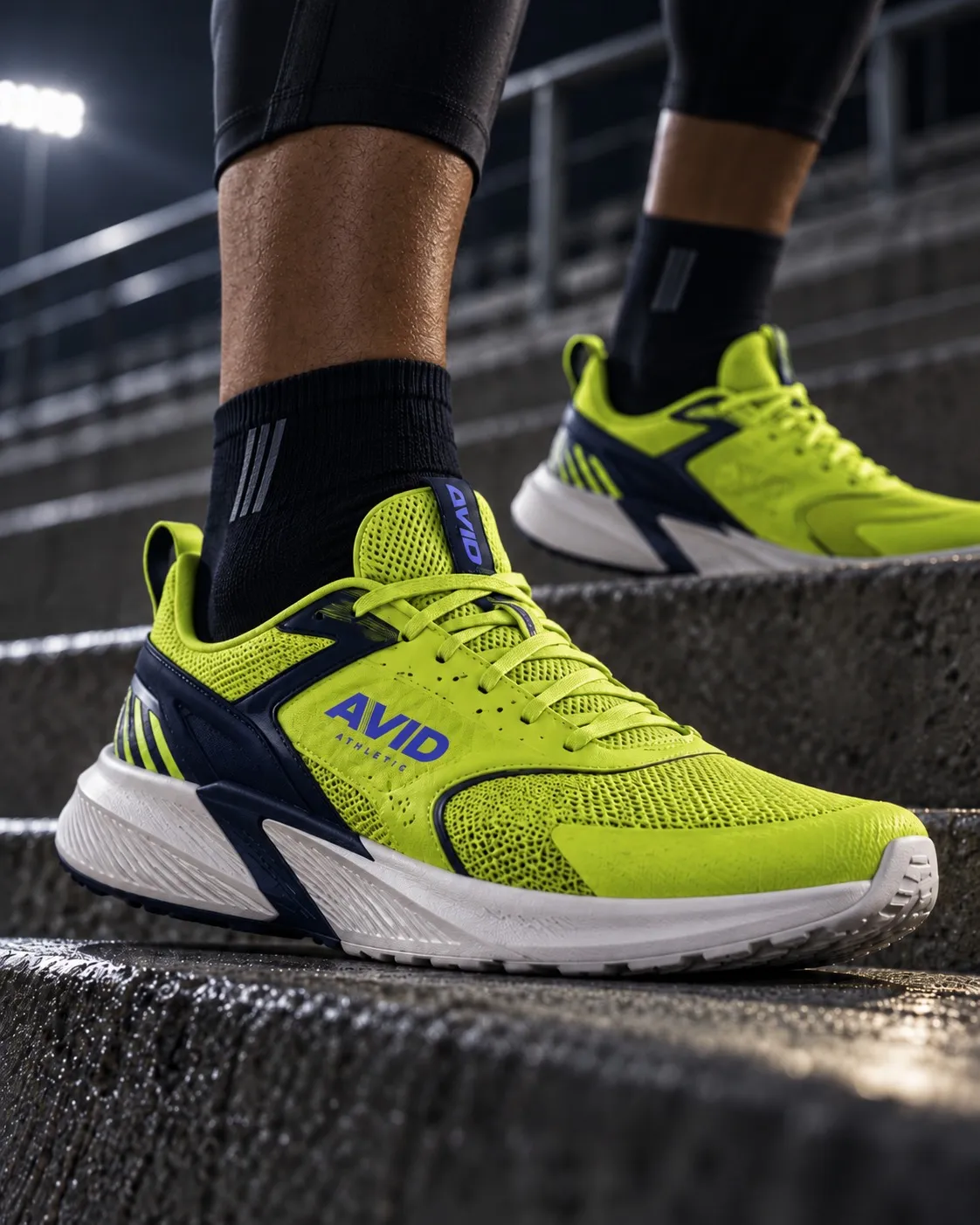
SKU: AV-1002
| PO | SKU | Vendor | Receipt match | Invoice match | Ordered | Received | Receipt gap ▼ | Days to receipt |
|---|---|---|---|---|---|---|---|---|
| PO1883 | AV-1002 | XYZ Enterprises | Over-delivered | Waiting on invoice | 713 | 1,967 | 1,254 | -40.0 |
| PO1653 | AV-1002 | Superior Solutions | Over-delivered | Waiting on invoice | 738 | 1,895 | 1,157 | 23.0 |
| PO1436 | AV-1002 | Alpha Enterprises | Over-delivered | Waiting on invoice | 807 | 1,706 | 899 | 20.0 |
| PO6314 | AV-2008 | Prime Products | Over-delivered | Waiting on invoice | 326 | 1,025 | 699 | 20.0 |
| PO1028 | AV-2002 | MegaCorp Ltd. | Correct | Waiting on invoice | 910 | 910 | 0 | 23.0 |
| PO1177 | AV-1002 | MegaCorp Ltd. | Correct | Waiting on invoice | 663 | 663 | 0 | 20.0 |
| PO1418 | AV-2001 | MegaCorp Ltd. | Correct | Waiting on invoice | 351 | 351 | 0 | 20.0 |
| PO1457 | AV-3001 | ABC Corp | Correct | Waiting on invoice | 119 | 119 | 0 | 33.0 |
| PO1653 | AV-2001 | Superior Solutions | Correct | Waiting on invoice | 62 | 62 | 0 | 20.0 |
| PO1825 | AV-2002 | Superior Solutions | Correct | Waiting on invoice | 454 | 454 | 0 | 30.0 |
| PO1967 | AV-2004 | Globex Industries | Correct | Waiting on invoice | 929 | 929 | 0 | 20.0 |
| PO222 | AV-2004 | ABC Corp | Correct | Waiting on invoice | 515 | 515 | 0 | 18.0 |
| PO2385 | AV-2009 | Innovative Technologies | Correct | Waiting on invoice | 173 | 173 | 0 | 20.0 |
| PO2530 | AV-2008 | XYZ Enterprises | Correct | Waiting on invoice | 970 | 970 | 0 | 18.0 |
| PO2675 | AV-2002 | Globex Industries | Correct | Waiting on invoice | 763 | 763 | 0 | 31.0 |
| PO2868 | AV-2002 | ABC Corp | Correct | Waiting on invoice | 661 | 661 | 0 | 18.0 |
| PO2923 | AV-1001 | Globex Industries | Correct | Over-invoiced | 899 | 899 | 0 | 27.0 |
| PO2923 | AV-2001 | Globex Industries | Correct | Correct | 134 | 134 | 0 | 28.0 |
| PO2923 | AV-1002 | Globex Industries | Correct | Correct | 329 | 329 | 0 | 29.0 |
| PO30 | AV-2011 | Alpha Enterprises | Correct | Waiting on invoice | 596 | 596 | 0 | 20.0 |

Bank of America ···4321
Period ended September 30, 2026
Differences before adjustments; all amounts in USD. Difference = Bank − Ledger. Expand a JE reference to inspect supporting lines.
| JE ref | G/L account | Description | Bank activity | Ledger activity | Difference | Tickmark |
|---|---|---|---|---|---|---|
| JE-1 | 4000 Revenue | Material discrepancy | 79,138.00 | 117,378.12 | (38,240.12) | ⓙ |
Bank statement linesSeptember 2, 2026 Stripe Payout – Order #12903 38,240.12 September 6, 2026 Shopify Payout 12,954.00 September 22, 2026 Stripe Payout – Order #12971 27,943.88 G/L entries in scopeSeptember 1, 2026 Stripe Order Batch – Early September 22,480.00 JRN-15276 September 2, 2026 Stripe Order #10037 390.19 JRN-25012 September 2, 2026 Stripe Order #10024 576.47 JRN-54057 September 2, 2026 Stripe Order #10033 585.21 JRN-71261 September 2, 2026 Stripe Order #10011 327.95 JRN-80008 September 2, 2026 Stripe Order #10048 399.63 JRN-97670 September 3, 2026 Stripe Order #10022 237.14 JRN-50768 September 4, 2026 Stripe Order #10003 172.77 JRN-85470 124 more ledger entries in scope. Proposed entry lines4000 Revenue Dr 38,240.12 1100 Bank Account Cr 38,240.12 | ||||||
| JE-2 | 4200 Refunds | Material discrepancy | (180.00) | (1,764.50) | 1,584.50 | ⓙ |
Bank statement linesSeptember 17, 2026 Customer Refund – Order #12847 (180.00) G/L entries in scopeSeptember 10, 2026 Customer Refund – Order #13001 (75.00) JRN-37742 September 14, 2026 Customer Refund – Order #13002 (220.00) JRN-31632 September 17, 2026 Customer Refund – Order #12847 (1,080.00) JRN-54236 September 18, 2026 Customer Refund – Order #13003 (105.50) JRN-95426 September 21, 2026 Customer Refund – Order #13004 (189.00) JRN-33834 September 29, 2026 Customer Refund – Order #13005 (95.00) JRN-66179 Proposed entry lines4200 Refunds Cr 1,584.50 1100 Bank Account Dr 1,584.50 | ||||||
| JE-3 | 5500 Bank Fees | Small discrepancy | (75.00) | (90.00) | 15.00 | ⓙ |
Bank statement linesSeptember 15, 2026 Monthly Account Fee (75.00) G/L entries in scopeSeptember 13, 2026 Bank Fee – ACH Processing (35.00) JRN-13365 September 24, 2026 Bank Fee – Wire Transfer (55.00) JRN-69087 Proposed entry lines5500 Bank Fees Cr 15.00 1100 Bank Account Dr 15.00 | ||||||
| JE-4 | 6700 Advertising Expense | Missing from G/L | (6,000.00) | 0.00 | (6,000.00) | ⓙ |
Bank statement linesSeptember 11, 2026 Facebook Ads – September Billing (6,000.00) G/L entries in scopeProposed entry lines6700 Advertising Expense Dr 6,000.00 1100 Bank Account Cr 6,000.00 | ||||||
Period activity before proposed adjustments, by account. All amounts in USD; Difference = Bank − Ledger.
| Account | Name | Bank activity | Ledger activity | Difference | Status |
|---|---|---|---|---|---|
| 4000 | Revenue | 79,138.00 | 117,378.12 | (38,240.12) | |
| 4200 | Refunds | (180.00) | (1,764.50) | 1,584.50 | |
| 5000 | Payroll | (48,000.00) | (48,000.00) | 0.00 | Tied |
| 5100 | Shipping Expense | (3,874.00) | (3,874.00) | 0.00 | Tied |
| 5200 | Software Subscriptions | (1,450.00) | (1,450.00) | 0.00 | Tied |
| 5300 | Rent Expense | (22,000.00) | (22,000.00) | 0.00 | Tied |
| 5500 | Bank Fees | (75.00) | (90.00) | 15.00 | |
| 6700 | Advertising Expense | (6,000.00) | 0.00 | (6,000.00) | |
| Total | (2,441.00) | 40,199.62 | (42,640.62) | Σ | |

47 of 300 SKUs miss by more than 2% · 3 likely causes across 3 teams





315 invoice lines above contract · $324.72
All 1,043 lines shown. Above the diagonal means billed above contract; tolerance is not applied.
$324.72 in all positive differences · $322.17 above tolerance (headline) · $2.55 within tolerance. No underbilling is netted.
Fernwood Goods · Holiday 2026

Launch groups by status through the selected date · Replay reveals the season day by day
How it works
Explore
Point Prowork at your files, inboxes, and business systems. Ask a question, investigate an issue, or open an existing Flow to see how it works. Nothing has to move into a new system first.
Validate
Run every step against live data. Trace every result and add the edge cases only your team knows. Nothing gets reinterpreted, nothing gets invented.
Build
The documentation writes itself. You talk through the work, and Prowork turns each piece — sources, rules, calculations, exceptions — into a step you can read and change.
Expand
Real runs surface the cases you didn't think of, so you add them as you go. Once your systems are connected, the next workflow starts from there, not from zero.
Govern
Prowork runs inside your existing permissions and SSO, and logs every action. Ops moves fast without landing back on IT's plate.

“Prowork is ready for anything that we’re going to throw at it. And I trust it.”
 Benny Fellows Financial Analyst
 Prowork vs. general-purpose AI
General-purpose AI helps you delegate work.
Use general-purpose AI when…
Prowork lets you see and change the rules behind the work.
Use Prowork when…
Prompt library
The Applied AI team
Identify the recurring processes with the biggest payoff.
Workshops use your data and your processes, not canned demos.
Expertise, playbooks and community to go from one workflow to dozens.
Customer stories


.DVABUZQA.png)