Documentation Index

Fetch the complete documentation index at: https://parabola.io/docs/llms.txt

Use this file to discover all available pages before exploring further.

In this lesson, you’ll learn the three methods for combining data in Parabola — joining on shared IDs, stacking tables, and comparing tables to find overlap.

Building challenge

Now that your shipments data is prepared, join it to the rate card to look up the expected shipping cost for each uninvoiced shipment.
1

Copy and paste this prompt into Parabola to combine your data sets

Join my uninvoiced shipments with my carrier rate card on the following fields:

- "Weight Range (lbs)" → "Weight Range (lbs)"
- "Package Dimensions" → "Package Dimensions"
- "Zone Value" → "Zone"
- "Carrier Name" → "Carrier Name"
- "Shipping Service Level" → "Service Level"
2

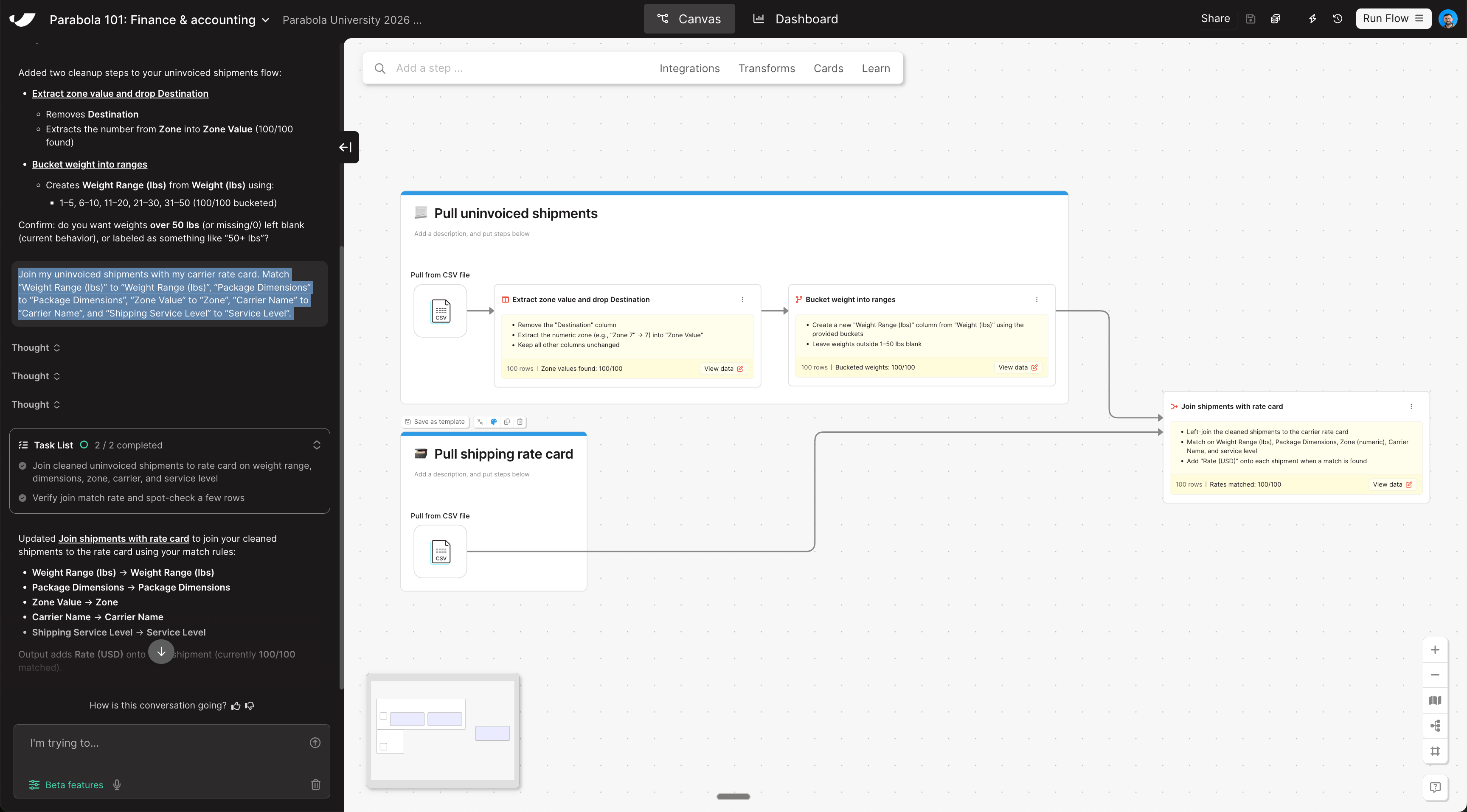
Rearrange the combined step so it sits to the right of your two pull data cards

The join step should live outside of any card, connected directly to the outputs of both pull steps.
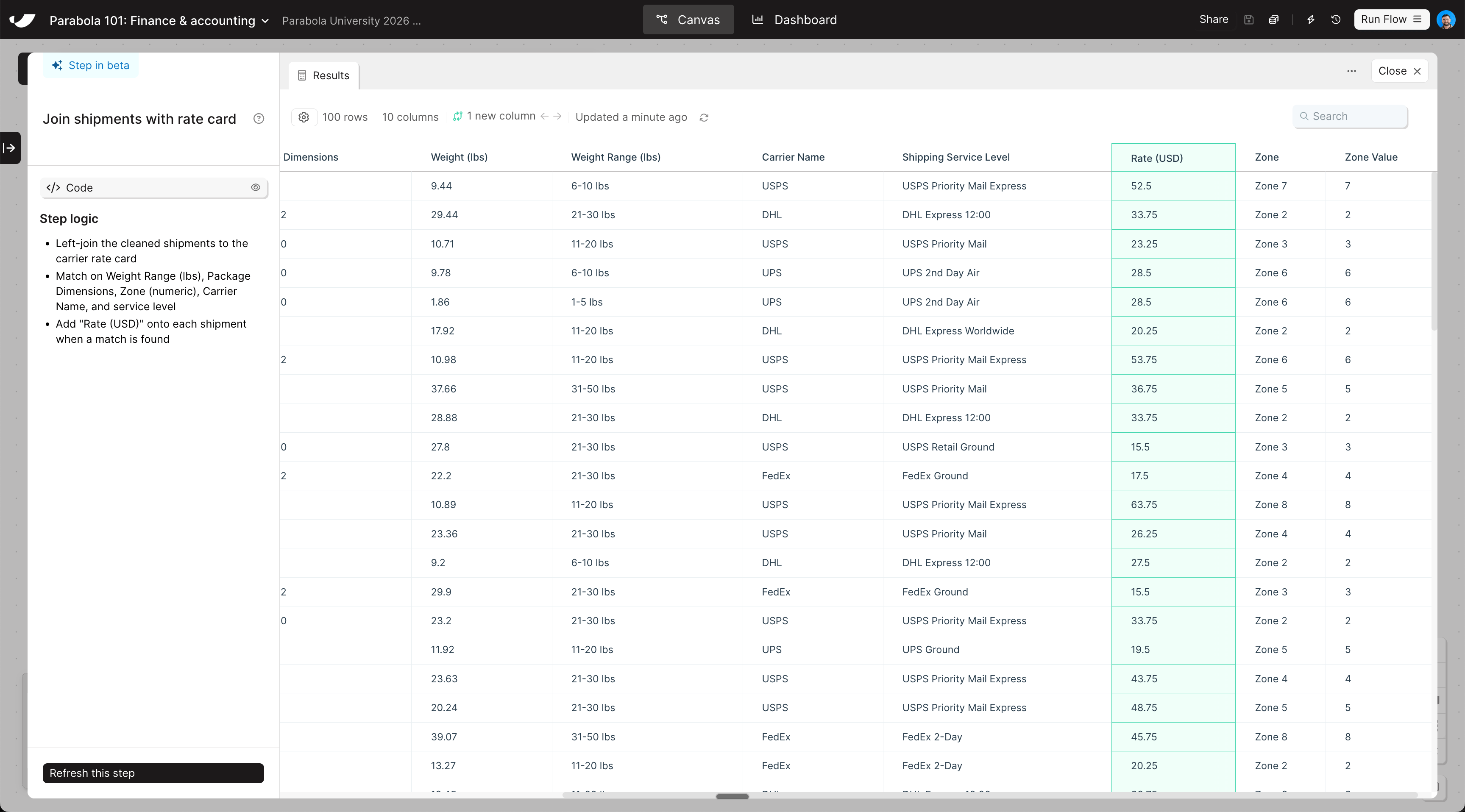
The steps added to your canvas and their exact documentation may differ from what you see below — every AI response is unique. The important thing is that your resulting data set matches what you see here.
Combine data canvas viewCombine data step results
Last modified on May 4, 2026