Use this file to discover all available pages before exploring further.
In this lesson, you’ll learn the three broad categories of data transformations — calculations, business logic, and formatting — and see how to apply them in your flow.
Building challenge
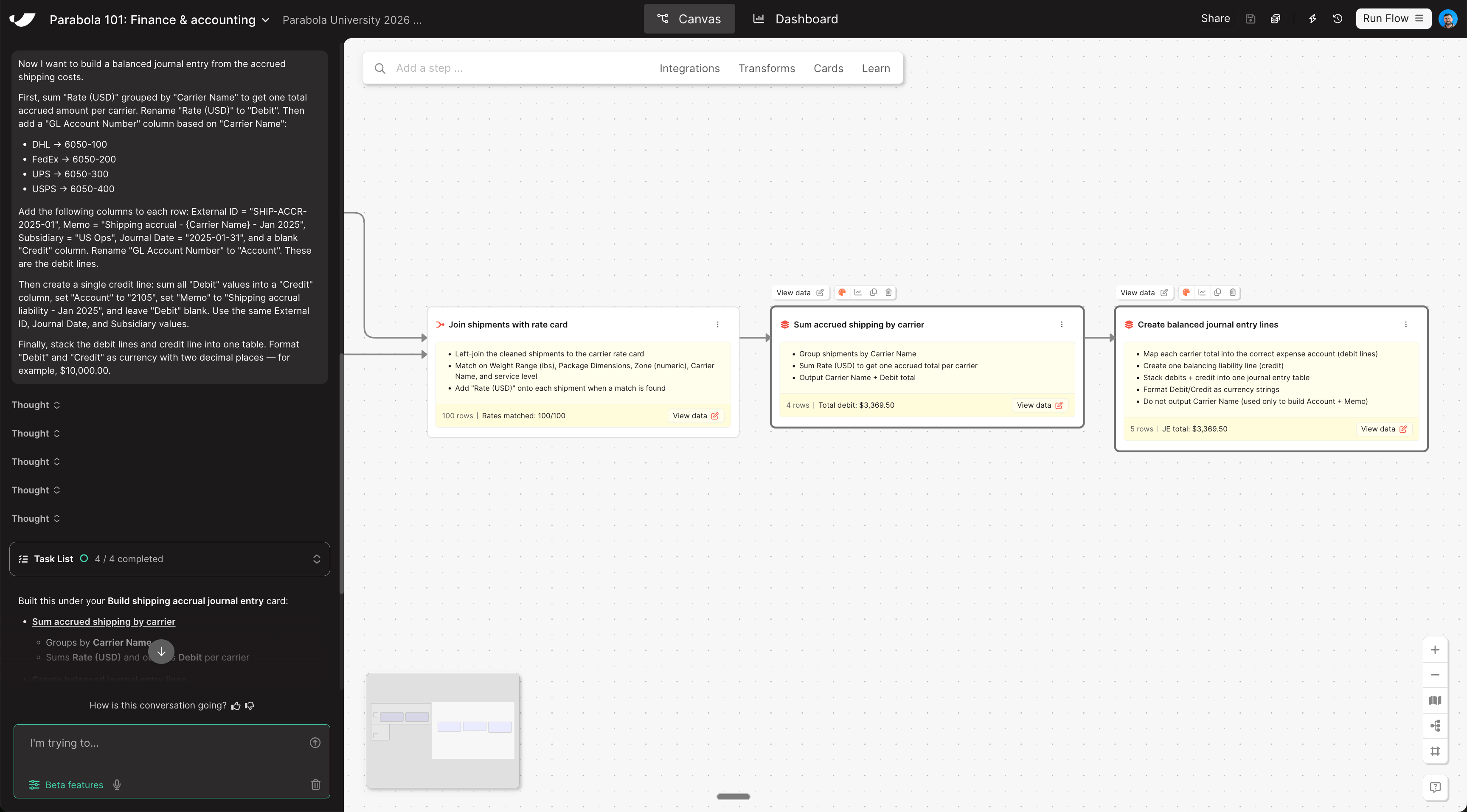
With each shipment matched to its rate, roll up the accruals by carrier, map them to GL accounts, and shape the data into a balanced journal entry ready for ERP upload. Copy and paste this prompt into Parabola:
Now I want to build a balanced journal entry from the accrued shipping costs.First, sum "Rate (USD)" grouped by "Carrier Name" to get one total accrued amount per carrier. Rename "Rate (USD)" to "Debit". Then add a "GL Account Number" column based on "Carrier Name":- DHL → 6050-100- FedEx → 6050-200- UPS → 6050-300- USPS → 6050-400Add the following columns to each row: External ID = "SHIP-ACCR-2025-01", Memo = "Shipping accrual - {Carrier Name} - Jan 2025", Subsidiary = "US Ops", Journal Date = "2025-01-31", and a blank "Credit" column. Rename "GL Account Number" to "Account". These are the debit lines.Then create a single credit line: sum all "Debit" values into a "Credit" column, set "Account" to "2105", set "Memo" to "Shipping accrual liability - Jan 2025", and leave "Debit" blank. Use the same External ID, Journal Date, and Subsidiary values.Finally, stack the debit lines and credit line into one table. Format "Debit" and "Credit" as currency with two decimal places — for example, $10,000.00.
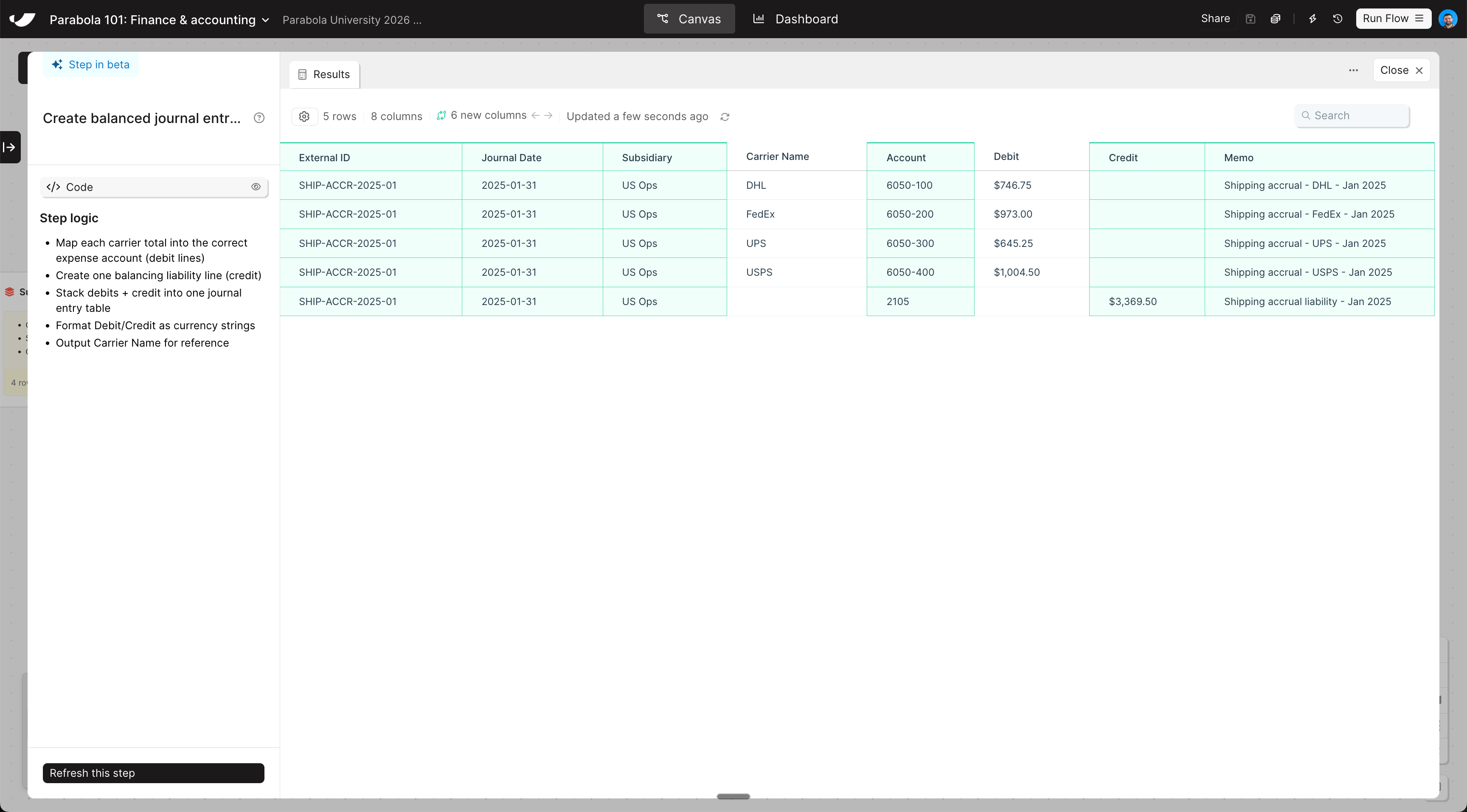
Check your work
The steps added to your canvas and their exact documentation may differ from what you see below — every AI response is unique. The important thing is that your resulting data set matches what you see here.