

Input/output
For our input data, we’ll use a list of nine Webinar IDs. The number displayed after the hyphen ”-” is the number of attendees that can sign up for the Webinar. We’re looking to extract the Webinar ID and display it in a new column.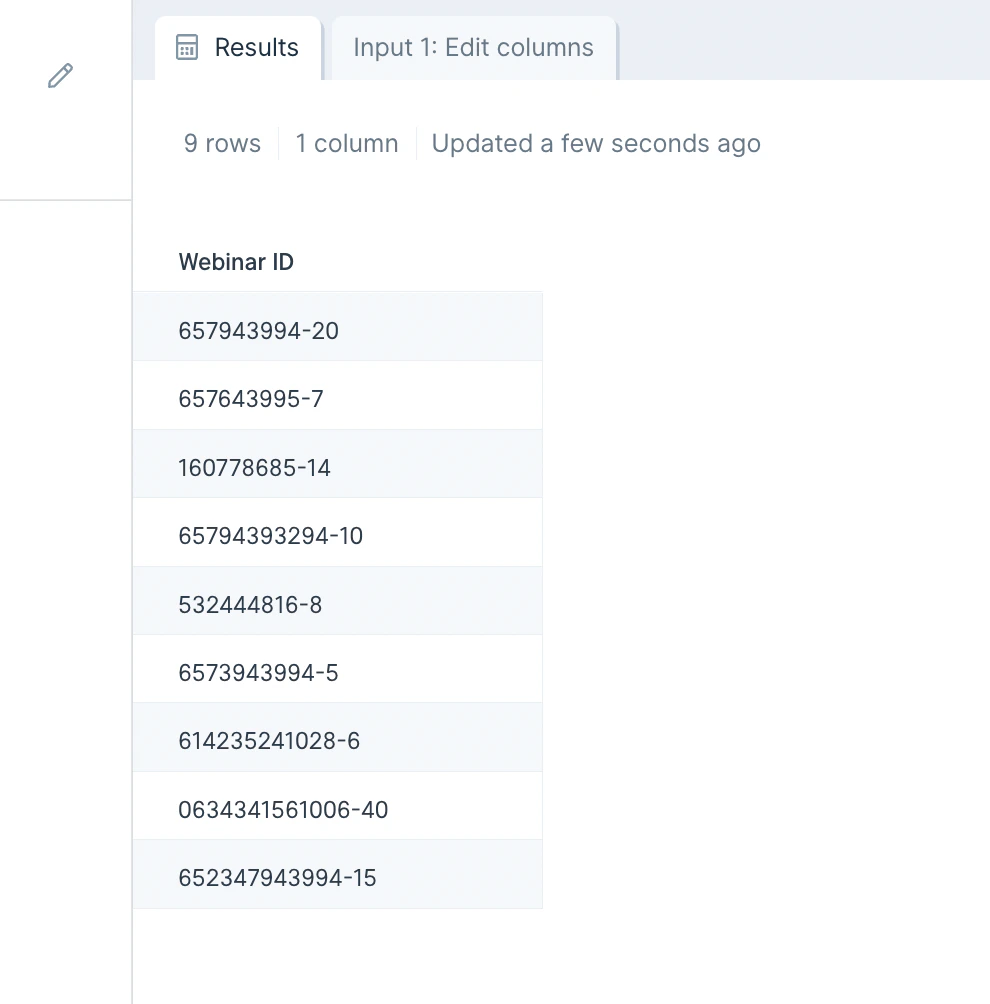
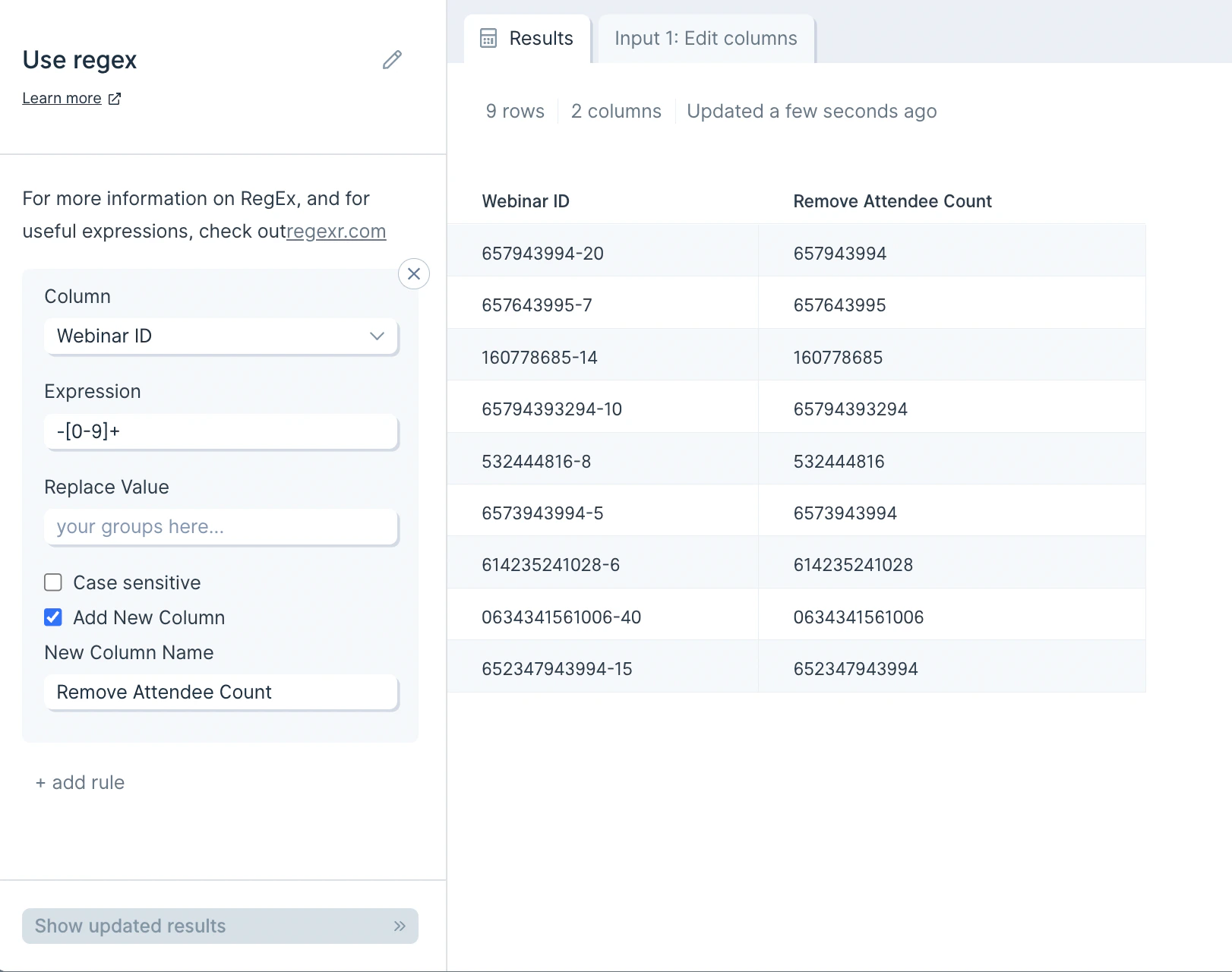
Custom settings
To start configuring your first rule, you’ll select the column we should apply the RegEx too. You can also select to search through All from the Column dropdown.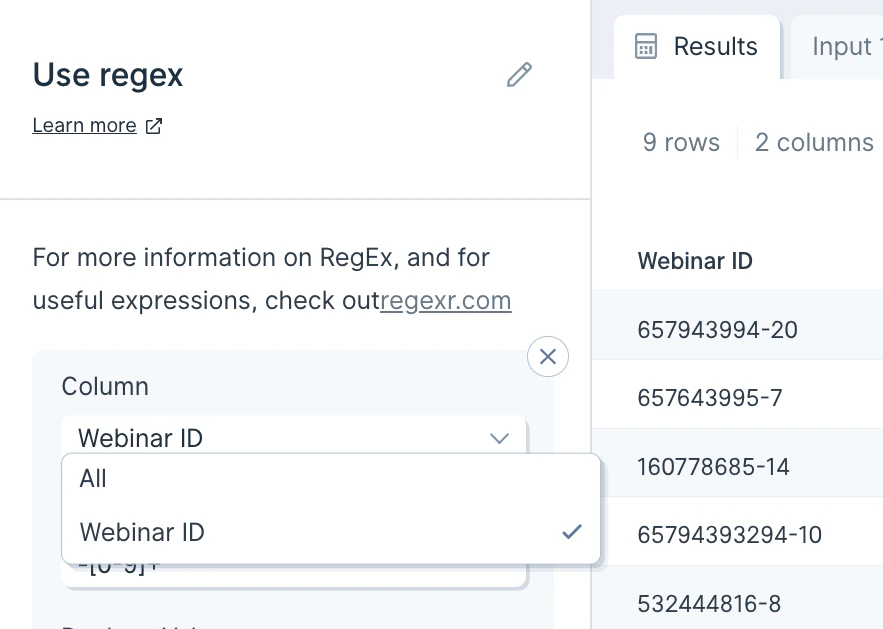
Helpful tips
Again, we recommend RegExr.com as a useful tool when working with RegEx. We particularly find their “Community Patterns” section useful where you can find RegEx patterns that others have used before. You can also consider experimenting with AutoRegex.xyz, which is a useful app that uses GPT-3 to convert plain English to RegEx.Characters
.any character, except a newline\\wany word\\dany digit\\sany whitespace\\Wanything except a word\\Danything except a digit\\Sanything except whitespace\[abc\]any of a, b, and/or c - you can use dashes in here too such as\[a-z\]or\[0-9\]\[^abc\]not a, b, nor c - you can use dashes in here too such as\[a-z\]or\[0-9\]\[a-g\]any character between a and g\[0-5\]any digit between 0 and 5
Quantifiers and Alternators
a\*any amount of the letter a in a row. 0 or morea+1 or more of the letter a in a rowa?0 or 1 of the letter aa{5}exactly 5 of the letter a in a rowa{2,}2 or more of the letter a in a rowa{1,3}between 1 and 3 (inclusive) of the letter a in a rowa+?1 or more of the letter a in a row, but match as few as possiblea{2,}?2 or more of the letter a in a row, but match as few as possibleab|cdmatch either ab or cd in a cell
Anchors
Anchors help you define how an expression is related to the beginning or end of a cell^abcthe cell that starts with abcdef$the cell that ends with def^$a blank cell
Escaped characters
Using a backslash, you can indicate invisible characters, or escape any character that normally has a special purpose\\.escape a dot so that it is seen as an actual dot\\\*escape an asterisk so that it is seen as an actual asterisk\\\\escape a backslash so that it is seen as an actual backslash\\tfind a tab in your text\\rfind a newline in your text\\nfind a different type of newline in your text
Groups & Lookarounds
Groups are used to capture bits of text and then interact with them in the replacement function.(abc)capture the group that contains abc within a cell$1reference the first capture group (in the “replace” field). Use$2for the second capture group, etc.$&reference all capture groups (in the “replace” field)(?:abc)non-capturing group that contains abc within a cell(?:abc)non-capturing group that contains abc within a cell**(?=abc)positive lookahead**(?!abc)negative lookahead
Frequently asked questions
When should I use Replace with regex versus Find and replace? Use Find and replace for literal substitutions. Reach for Replace with regex when the text you’re matching follows a pattern — like phone numbers, IDs, or anything with variable parts. Why isn’t my regex matching anything? Test your expression on RegExr.com first. Common gotchas: special characters need to be escaped with a backslash (e.g.\\. to match a literal period), and Parabola requires double-escaping (\\\\ for a backslash) inside the Expression field.
How do I keep the matched text and remove the rest?
Wrap the part you want to keep in a capture group (...), then put $1 in the Replace Value field. The output will contain only the captured portion.
Related steps
- Extract text from column — pull substrings without writing regex.
- Find and replace — handle exact-match replacements.
- Clean data — apply common cleanup rules without patterns.
- Split column — divide a column when delimiters are consistent.
- Filter rows — keep rows whose values match a regex pattern.