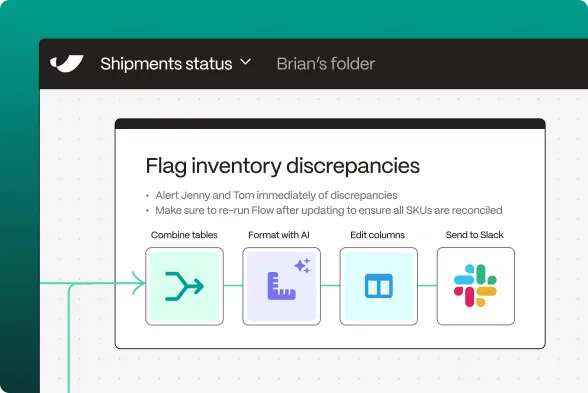
Looker's API gives you direct access to your business intelligence and analytics data. By pulling Looker data into Parabola, you can create smarter, more efficient processes for managing your reporting and data analysis workflows.
How to pull data from Looker into Parabola via API
- Connect your Looker account to Parabola through the API page
- Authenticate using your credentials and configure API permissions
- Select desired data streams (dashboard data, report metrics, user analytics, etc.)
- Configure your flow in Parabola by adding transformation steps
- Set up automated triggers for real-time data processing
What can I do after connecting Parabola to Looker?
Dashboard Analytics
Monitor and optimize your business intelligence operations with comprehensive dashboard data. The API provides detailed insights into dashboard usage and performance, helping you deliver more effective analytics.
Essential dashboard data includes:
• Usage statistics
• Query performance
• User engagement
• Content popularity
Report Management
Access detailed information about your reporting infrastructure and effectiveness. Track report usage patterns and maintain optimal performance across your analytics platform.
Key reporting metrics available:
• Query execution times
• Data freshness
• User access patterns
• Schedule status
User Insights
Transform your usage data into actionable insights about analytics adoption. Analyze trends in user behavior and report utilization to optimize your business intelligence strategy.
Track important metrics such as:
• Active user rates
• Feature adoption
• Query patterns
• Data exploration
What is Parabola?
Parabola is a powerful no-code automation platform that helps businesses work smarter with their data. We make it easy to:
• Pull data from various sources, including APIs like Looker
• Transform and clean data automatically
• Create custom workflows without coding
• Schedule automated data updates
• Build powerful business solutions
What is Looker?
Looker is a modern business intelligence and analytics platform that helps organizations explore, analyze, and share business insights. It's particularly valuable for companies seeking to build a data-driven culture through self-service analytics.
What does Looker do?
Looker transforms raw data into actionable insights through its powerful analytics platform. The system enables organizations to explore data, create visualizations, and share insights across teams.
The platform focuses on:
• Data modeling
• Visual analytics
• Report automation
• Embedded analytics
These features work together to help organizations make better decisions through data-driven insights.