
Free template
Automate ABM Funnel Stages in Salesforce
Automatically update ABM funnel stages in Salesforce as accounts progress from cold to closed using live engagement data.
Trusted by ops & finance teams at hundreds of leading brands




























How it works
How to Automate ABM Funnel Stages in Salesforce in 5 Steps
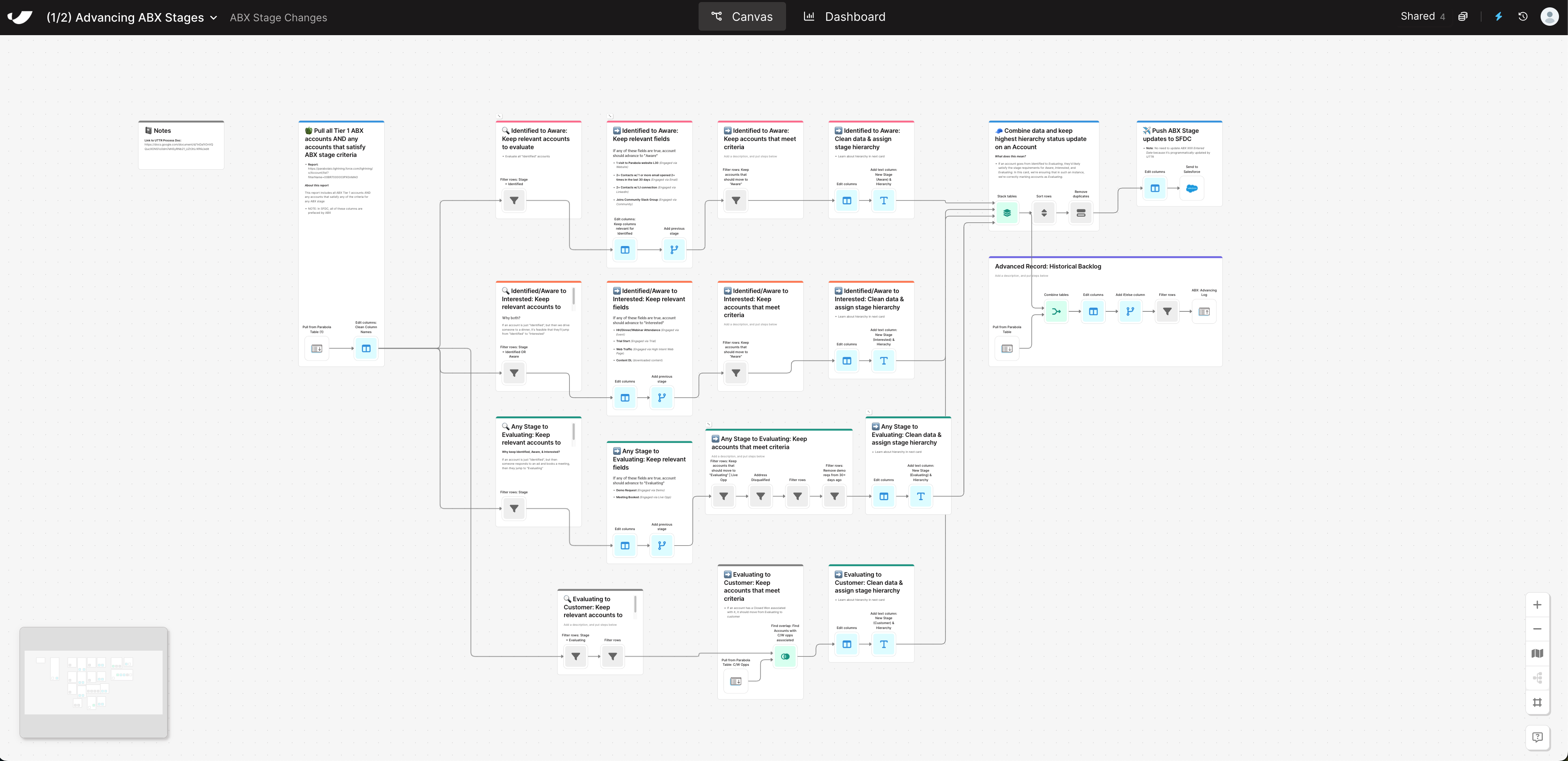
- 1Import your target account list from Salesforce or your data warehouse alongside engagement signals from platforms like LinkedIn or 6sense.
- 2Apply logic to identify which accounts qualify for a stage update based on intent scores, ad engagement, or campaign activity.
- 3Assign the correct funnel stage (e.g., Aware → Interested → Evaluating) based on engagement depth or opportunity activity.
- 4Combine and standardize data across multiple sources to ensure clean updates without duplicates or overwrites.
- 5Send all validated stage updates directly to Salesforce, giving sales and marketing teams real-time visibility into where each account stands.
Why this template
Why Automate ABM Funnel Orchestration
Managing ABM funnel stages manually across Salesforce, LinkedIn, and intent data sources can lead to messy data and lagging updates. Parabola automates the process so your funnel reflects account movement based on engagement and intent signals.
With Parabola, Marketing Ops and RevOps teams define the logic behind each funnel stage, automate stage progression, and sync those updates to Salesforce. Sales and marketing see the same stage data on which accounts to prioritize.
By automating ABM funnel orchestration with Parabola, you’ll:
- Keep your ABM funnel up to date: Advance accounts based on engagement and activity.
- Unify sales and marketing views: Both teams see the same stage data inside Salesforce.
- Replace manual reporting: Spreadsheet-driven stage updates become a repeatable, automated flow.
Keep going