Automatically Sync Event Registrants from Google Sheets to Salesforce
Automatically create contacts and update campaign statuses in Salesforce using registrant data from Google Sheets.
Automatically create contacts and update campaign statuses in Salesforce using registrant data from Google Sheets.
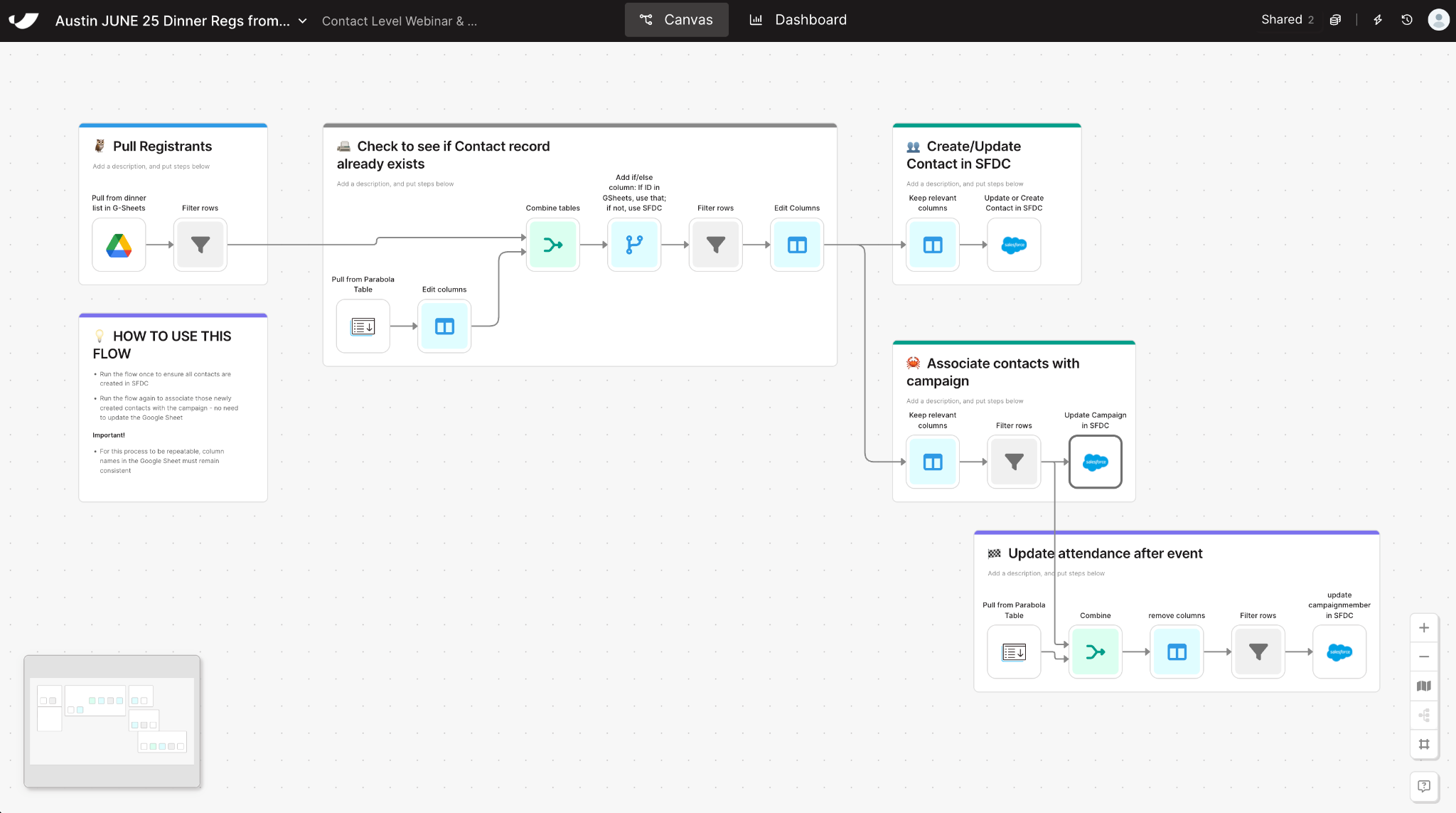


























Keeping event attendance data clean and up to date across marketing systems can be painful. This Parabola automation streamlines the entire process—pulling registrants from a Google Sheet, creating or updating their Salesforce records, and assigning them to the correct campaign with accurate statuses.
Manually updating event data between Google Sheets and Salesforce is slow, error-prone, and unsustainable as your marketing programs scale. With Parabola, RevOps and Marketing Ops teams can automate this entire process—no code required.
Parabola connects your event registration data directly to Salesforce, allowing you to automatically create contacts, associate them with the right campaigns, and update campaign member statuses in real time. This ensures your CRM always reflects the latest event activity and your marketing team can trust the data driving their decisions.
By automating this workflow with Parabola, you’ll:
Whether you’re managing dinner events, webinars, or conferences, Parabola makes it easy to automate and scale your event-to-Salesforce workflows—so your team can focus on driving pipeline, not data cleanup.