
How to Automate Account Assignment in Salesforce
Automatically assign accounts to the right reps or account managers in Salesforce with data-driven routing logic powered by Parabola.
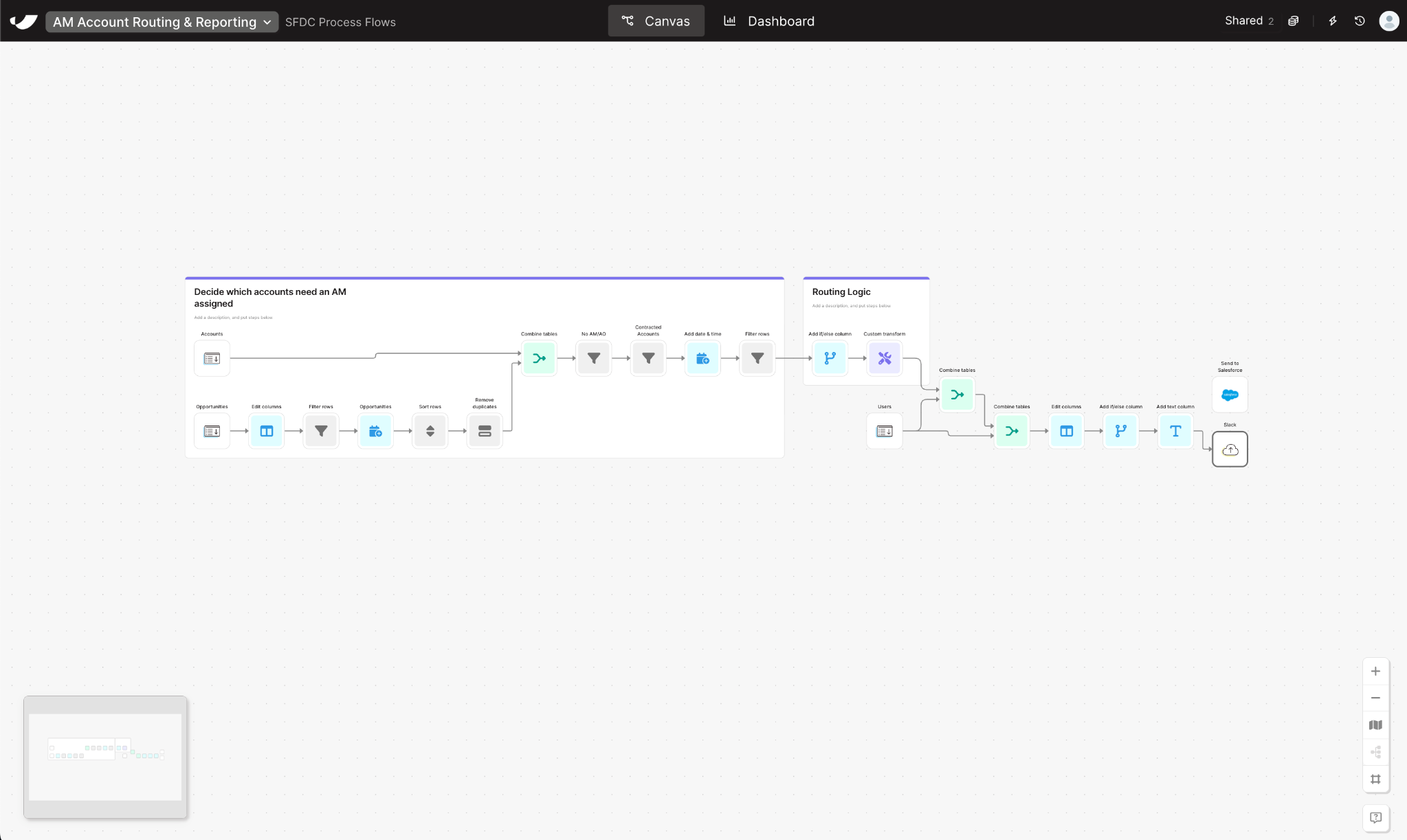




























Automate Account Assignment in Salesforce in 5 Steps
- 1Import all active accounts and related opportunities to identify which records require owner assignment.
- 2Remove duplicates and exclude accounts that already have an assigned Account Manager (AM) or owner.
- 3Use rules-based logic to determine which AM or sales rep should be assigned based on criteria like region, deal size, or account status.
- 4Match each unassigned account to the appropriate user record to prepare for ownership updates.
- 5Push the finalized account-owner mappings back into Salesforce to complete the assignment process automatically.
Why Automate Salesforce Account Assignment
Account routing is critical for sales efficiency—but doing it manually wastes time and leads to uneven workloads or missed handoffs. With Parabola, RevOps teams build an automated account assignment process that updates Salesforce whenever new accounts need owners.
Parabola connects account, opportunity, and user data, applies routing logic, and pushes updates back into Salesforce—without code or manual exports. Sales teams stay focused on pipeline, not data management.
By automating account assignment with Parabola, you’ll:
- Drop manual routing delays: Assign accounts based on your business rules.
- Distribute work fairly: Use data-driven criteria to balance workloads across reps.
- Keep Salesforce data current: Ownership fields and account records stay up to date.
Whether you’re assigning new customers post-sale, rebalancing territories, or maintaining AM coverage, Parabola turns account routing into a repeatable, automated Salesforce process.