
Free template
Sync LinkedIn Engagement Data to Salesforce Accounts
Automatically connect LinkedIn engagement data to Salesforce accounts to track performance and prioritize high-interest prospects.
Trusted by ops & finance teams at hundreds of leading brands




























How it works
Sync LinkedIn Engagement Data to Salesforce Accounts in 5 Easy Steps
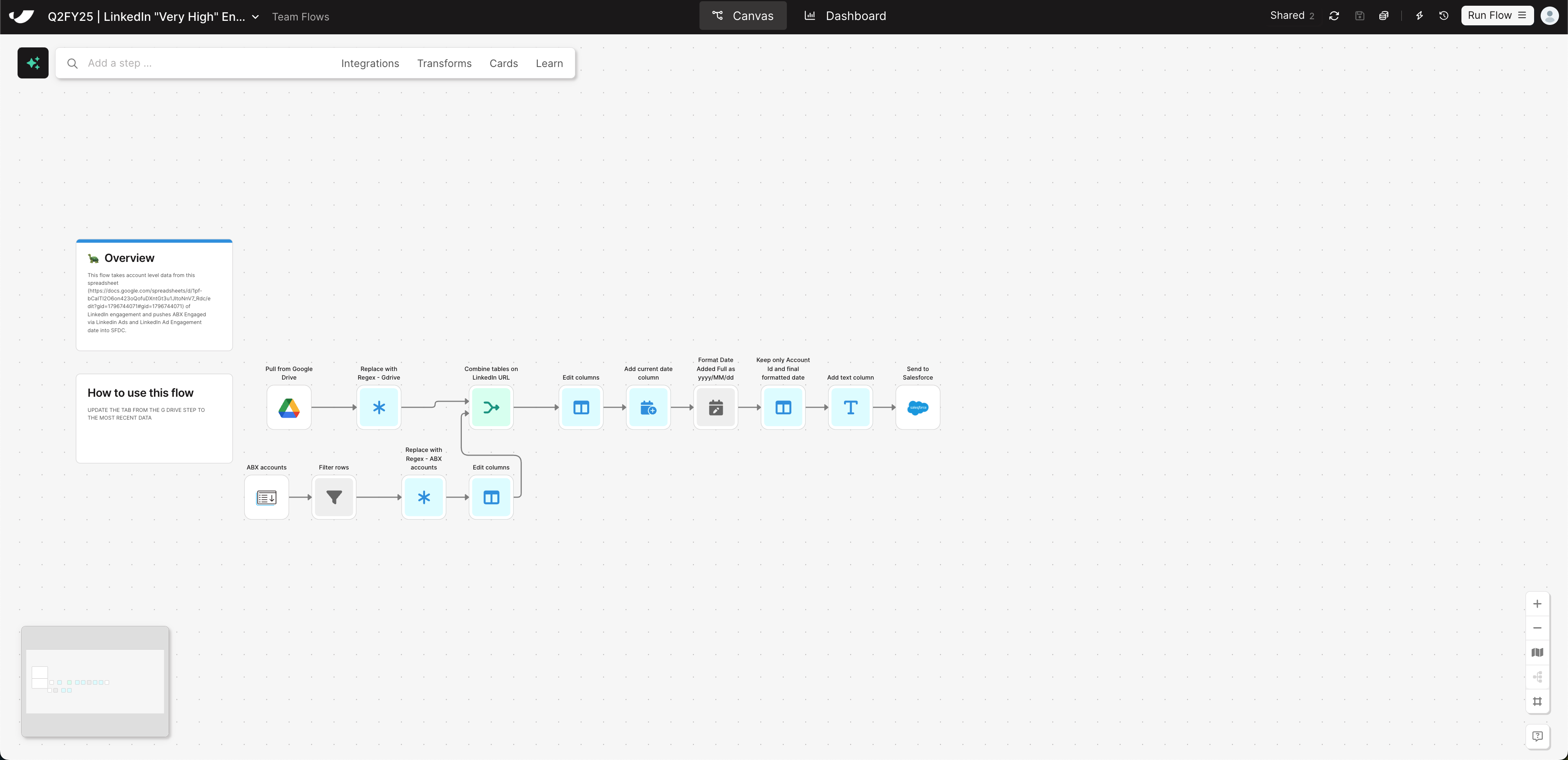
- 1Import your latest engagement report from LinkedIn Campaign Manager or Ads Manager, stored in Google Drive.
- 2Import your list of target accounts or ABM accounts from Salesforce or a stored CSV to serve as the matching dataset.
- 3Combine both datasets using company names or LinkedIn URLs to connect engagement data to the right Salesforce accounts.
- 4Add standardized engagement metrics and timestamps to ensure Salesforce receives clean, formatted data.
- 5Push the matched and formatted engagement data back into Salesforce—automatically updating account records with recent LinkedIn activity.
Why this template
Why Automate LinkedIn-to-Salesforce Engagement Tracking
Most teams struggle to connect marketing engagement from LinkedIn with account-level insights in Salesforce. Parabola automates that process—removing manual CSV matching so every rep and marketer can see which accounts are engaging with your brand.
By syncing LinkedIn engagement data to Salesforce, Parabola gives Marketing Ops and RevOps teams a current view of ABM performance and intent signals. You’ll know which accounts are interacting with ads and content—so your team can prioritize outreach and attribute pipeline accurately.
By automating this workflow with Parabola, you’ll:
- Gain visibility into ABM performance: See which accounts are engaging with your brand directly inside Salesforce.
- Better sales alignment: Give reps current engagement insights to guide timely outreach.
- Replace manual matching and imports: CSV merges become a recurring data flow.
Keep going