
Free template
Automatically Analyze Email Subject Line Performance Using Outreach Data
Identify your best email subject lines by analyzing Outreach performance data—automate tracking and insights with Parabola.
Trusted by ops & finance teams at hundreds of leading brands




























How it works
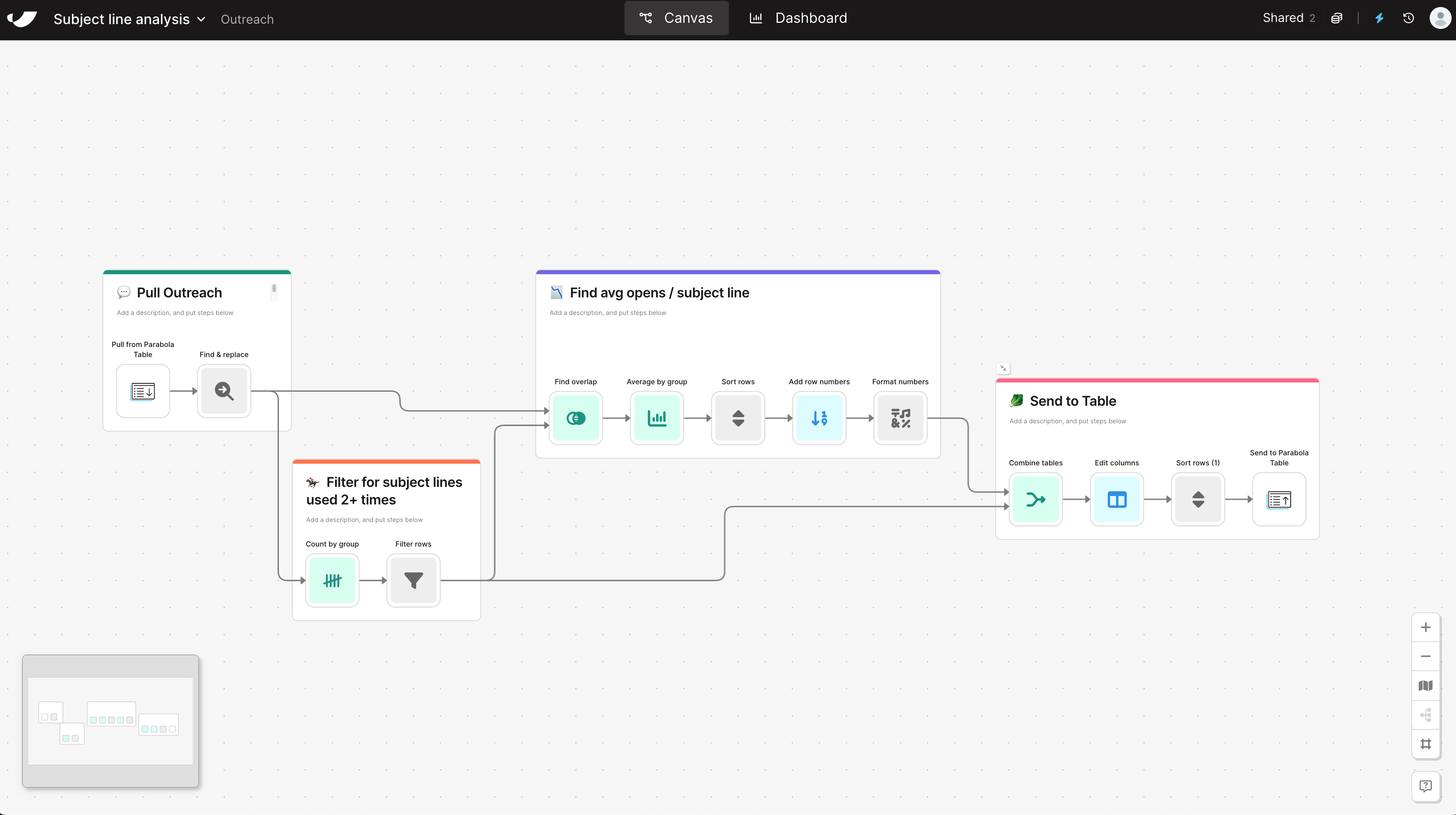
How to Analyze Email Subject Line Performance Using Outreach Data in 5 Steps
- 1Import your email performance data from Outreach to access subject lines, open rates, and send counts.
- 2Use find-and-replace logic to normalize subject line variations caused by small formatting differences.
- 3Identify subject lines that have been used multiple times to ensure you’re comparing meaningful performance data.
- 4Group and aggregate Outreach data to calculate the average open rate for each subject line, surfacing your best performers.
- 5Combine all data into a formatted, sortable table in Parabola for easy sharing, comparison, and reporting.
Why this template
Why Automate Email Subject Line Analysis
Manually tracking and analyzing subject line performance across Outreach sequences is tedious and error-prone. With Parabola, Marketing and Sales Ops teams uncover their best email subject lines without spending hours in spreadsheets or downloading CSVs.
Parabola connects directly to Outreach and processes large datasets—cleaning, grouping, and averaging metrics like open rates and send frequency. Each campaign can use proven, high-performing subject lines.
By automating this workflow with Parabola, you’ll:
- Surface top-performing subject lines: Spot what drives opens across sequences, reps, or audiences.
- Drop manual analysis: Skip Excel formulas and sorting—Parabola updates insights automatically.
- Fuel A/B testing and outreach strategy: Use data-backed insights to craft subject lines that consistently perform.
Keep going