
Free template
Automatically Sync Event Registrants from Google Sheets to Salesforce
Automatically create contacts and update campaign statuses in Salesforce using registrant data from Google Sheets.
Trusted by ops & finance teams at hundreds of leading brands




























How it works
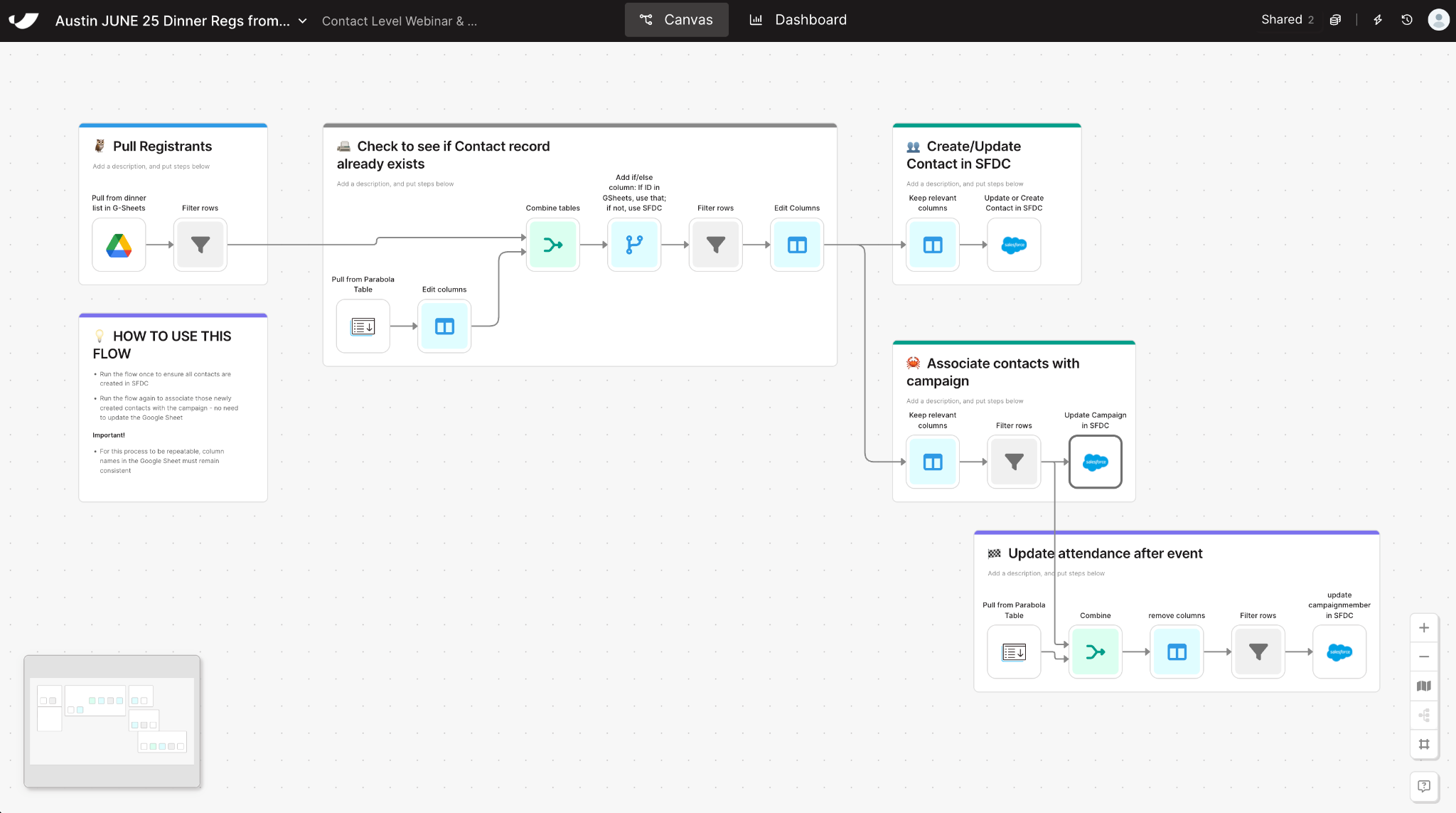
How to Sync Event Registrants from Google Sheets to Salesforce in 5 Steps
- 1Import your event sign-up list from a shared Google Sheet as the source of truth for registrant information.
- 2Cross-reference your sheet against Salesforce to identify whether each registrant already has a contact record.
- 3Automatically create new contacts for registrants not yet in Salesforce, or update existing records with the latest information.
- 4Add all contacts to the event campaign in Salesforce, ensuring each registrant is properly tied to your marketing initiative.
- 5Once attendance is confirmed, re-run the flow to mark who attended, keeping campaign performance data accurate and actionable.
Why this template
Why Automate Your Google Sheets to Salesforce Event Workflow
Manually updating event data between Google Sheets and Salesforce is slow, error-prone, and unsustainable as marketing programs scale. With Parabola, RevOps and Marketing Ops teams automate the process—no code required.
Parabola connects your event registration data directly to Salesforce, so you create contacts, associate them with the right campaigns, and update campaign member statuses on each run. The CRM reflects the latest event activity.
By automating this workflow with Parabola, you’ll:
- Drop manual uploads: Skip the CSV exports and imports—Parabola updates Salesforce automatically.
- Keep contact and campaign data synced: Contact and campaign records match across Sheets and Salesforce.
- Speed up event ROI tracking: See campaign performance, attribution, and follow-up opportunities on each run.
Whether you’re managing dinner events, webinars, or conferences, Parabola automates and scales event-to-Salesforce workflows.
Keep going