

Sharing an Artifact
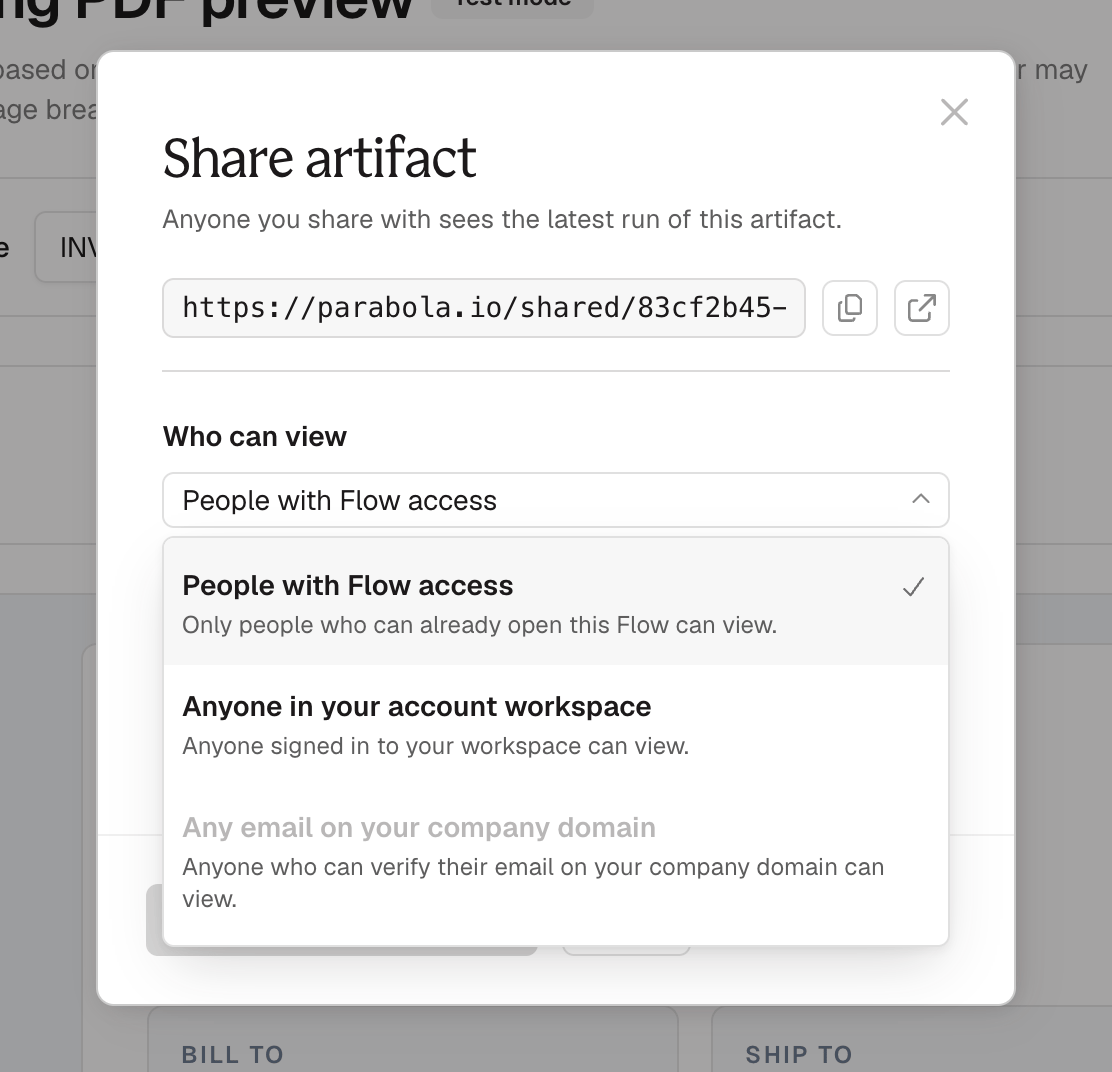
Open the Artifact and click Share artifact, or click Share on the Artifact’s card on the canvas. You get a copyable link (plus an Open in a new tab option), a Who can view picker, and a Share by email field.
People you share with by domain or email don’t need a Prowork account.
This option requires a verified domain. If your workspace doesn’t have one yet, the option is unavailable. To verify your domain, contact Parabola support. In the meantime, you can share by email.
You can invite anyone, including people outside your company. People you invite keep access even if you leave Who can view set to People with Flow access.
What the people you invite see
- They open the link from their email, or the Artifact link you sent them.
- If they aren’t verified yet, they enter their email and click Send link.
- They click the link in the verification email. That link expires after 20 minutes and works only once.
Managing access
- Remove a person. Open Share artifact, click the × next to their email, then click Save sharing settings. They lose access right away.
- Narrow access. Choose a narrower Who can view option and save. The change takes effect right away.
- The link stays the same. Changing who can view doesn’t change the Artifact’s link, so any link you’ve already sent keeps working for the people who still have access.
Permissions to know
- Anyone with Editor access to the flow can share an Artifact and change who can view it.
- People you share with can only view the Artifact. They can’t see or edit the flow behind it.
Refreshing an Artifact
Each time the flow runs, the Artifact regenerates on the latest data. The interactivity (filtering, sorting, and searching) works on the snapshot from that run, and new data shows up the next time the flow runs. Recipients open the Artifact inside Prowork’s own viewer page. It’s titled with the name of the flow the Artifact came from, so recipients can tell what they’re looking at without having to ask. The page also shows when the Artifact last ran, a Download menu, and a Refresh button.Share with your company domain
This option requires a verified domain. If your workspace doesn’t have one yet, the option is unavailable. To verify your domain, contact Parabola support. In the meantime, you can share by email.1
Open sharing
Click Share artifact on the Artifact.
2
Choose the domain option
Under Who can view, choose Any email on your company domain. Your verified domains are listed below the option.
3
Save and send
Click Save sharing settings, then copy the link and send it to the people you want to share with.
This option requires a verified domain. If your workspace doesn’t have one yet, the option is unavailable. To verify your domain, contact Parabola support. In the meantime, you can share by email.
Share with specific people
1
Open sharing
Click Share artifact on the Artifact.
2
Add emails
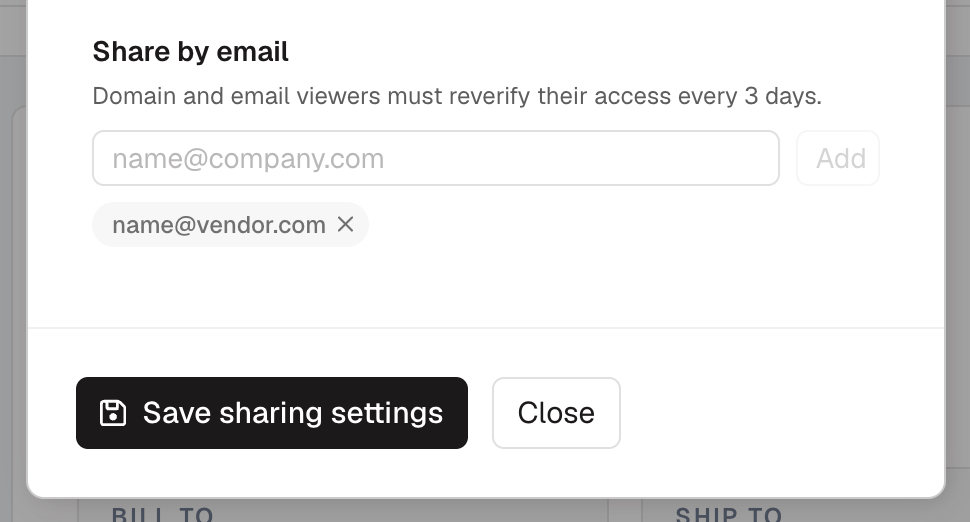
Under Share by email, type an email address and click Add. Repeat for each person, up to 20.
3
Save
Click Save sharing settings. Each new person gets an email with a link to the Artifact.
What people outside your workspace see
- They open the link from their email, or the Artifact link you sent them.
- If they aren’t verified yet, they enter their email and click Send link.
- They click the link in the verification email. That link expires after 20 minutes and works only once.
Managing access
- Remove a person. Open Share artifact, click the × next to their email, then click Save sharing settings. They lose access right away.
- Narrow access. Choose a narrower Who can view option and save. The change takes effect right away.
- The link stays the same. Changing who can view doesn’t change the Artifact’s link, so any link you’ve already sent keeps working for the people who still have access.
Permissions to know
- Anyone with Editor access to the flow can share an Artifact and change who can view it.
- People you share with can only view the Artifact. They can’t see or edit the flow behind it.
Refreshing an Artifact
Each time the flow runs, the Artifact regenerates on the latest data. The interactivity (filtering, sorting, and searching) works on the snapshot from that run, and new data shows up the next time the flow runs. If you’re viewing an Artifact that has an update, click Refresh to see the latest version.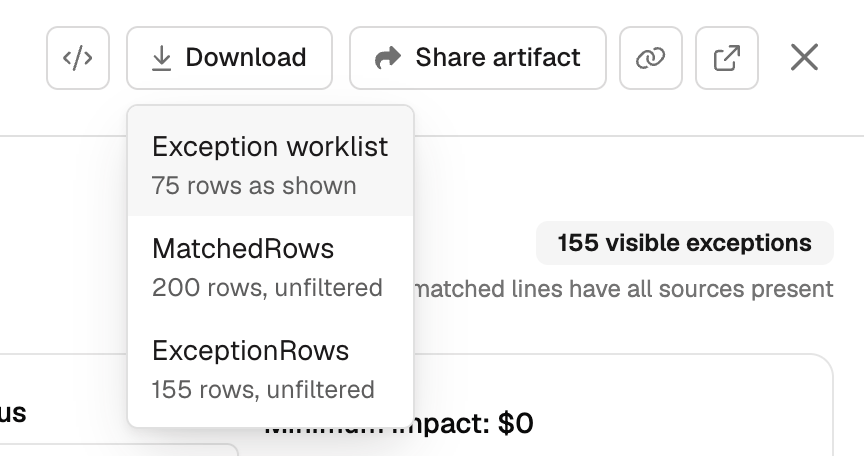
Download an Artifact’s data
Every table in an Artifact can be downloaded as a CSV. Two ways to get one:- Hover a table for its own download button.
- Open the Download menu beside Share at the top. It lists every table in the Artifact, plus the full set of input tables behind it.
FAQ
Someone didn't get the invite email. What do I do?
Someone didn't get the invite email. What do I do?
Send them the Artifact link. On that page they can enter their email and request a new verification link.
How do I add another company domain?
How do I add another company domain?
Contact Parabola support.