

The Home Page
When you log in, you’ll land on the Home Page. This is where you can see and manage the flows you’ve built and those that your team has shared with you.Create your first Flow
When you click to build a new flow, you will launch Prowork. Start with a prompt and Prowork will split into two distinct sections. For inspiration on common starting points, check out the prompt library.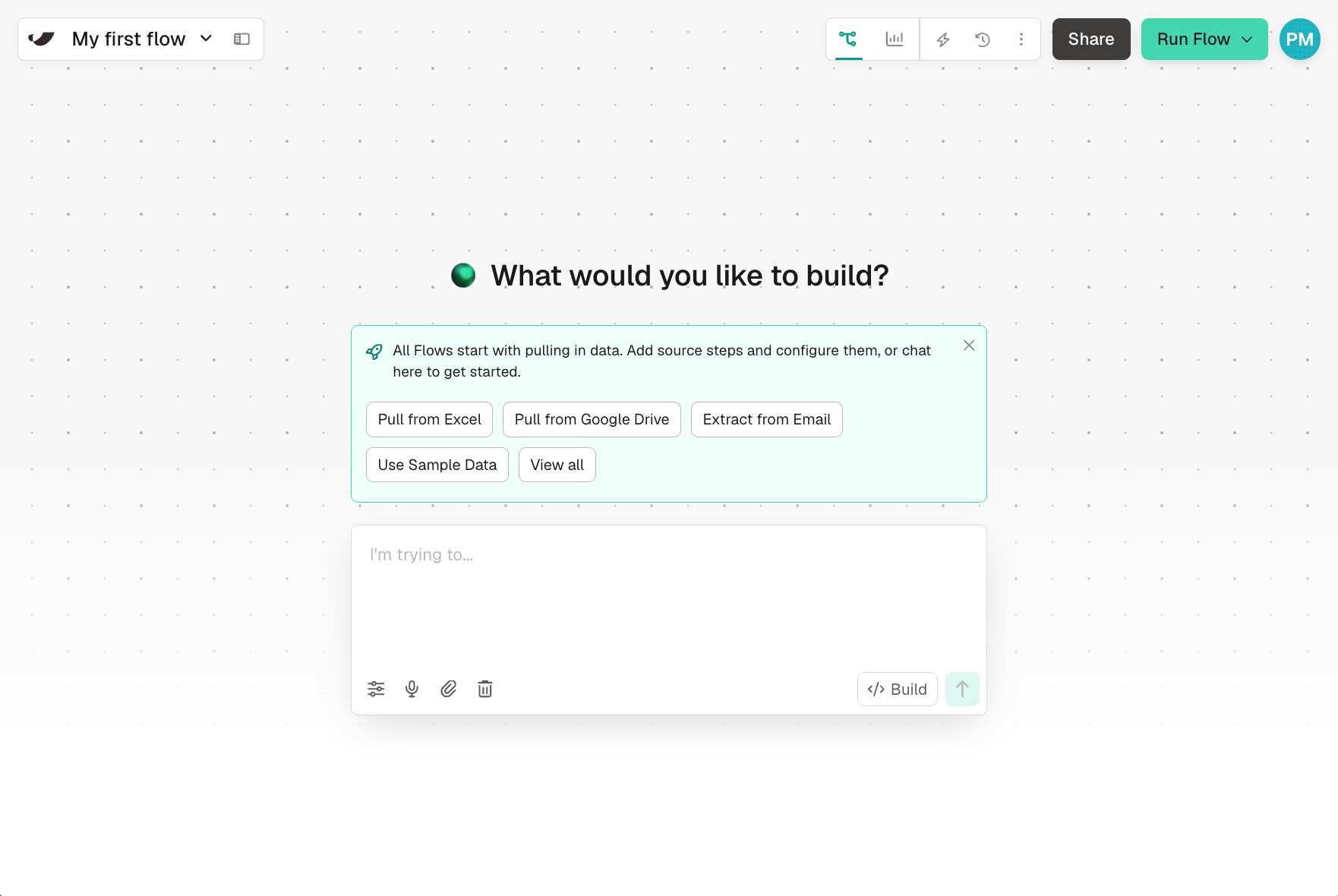
Chat
Use the left side of your screen to explain your process. Prowork will ask follow-up questions and guide you through building out a flow end-to-end. You can upload files, use voice dictation, or type in your prompts.Canvas
The canvas takes up the majority of your view. This is where Prowork builds your process end to end. Flows are made up of individual steps that are fully documented and visually connected. Data flows through each step in the same way the steps are connected on the canvas. Steps either import data, export data, create custom logic, or generate visualizations, called Artifacts.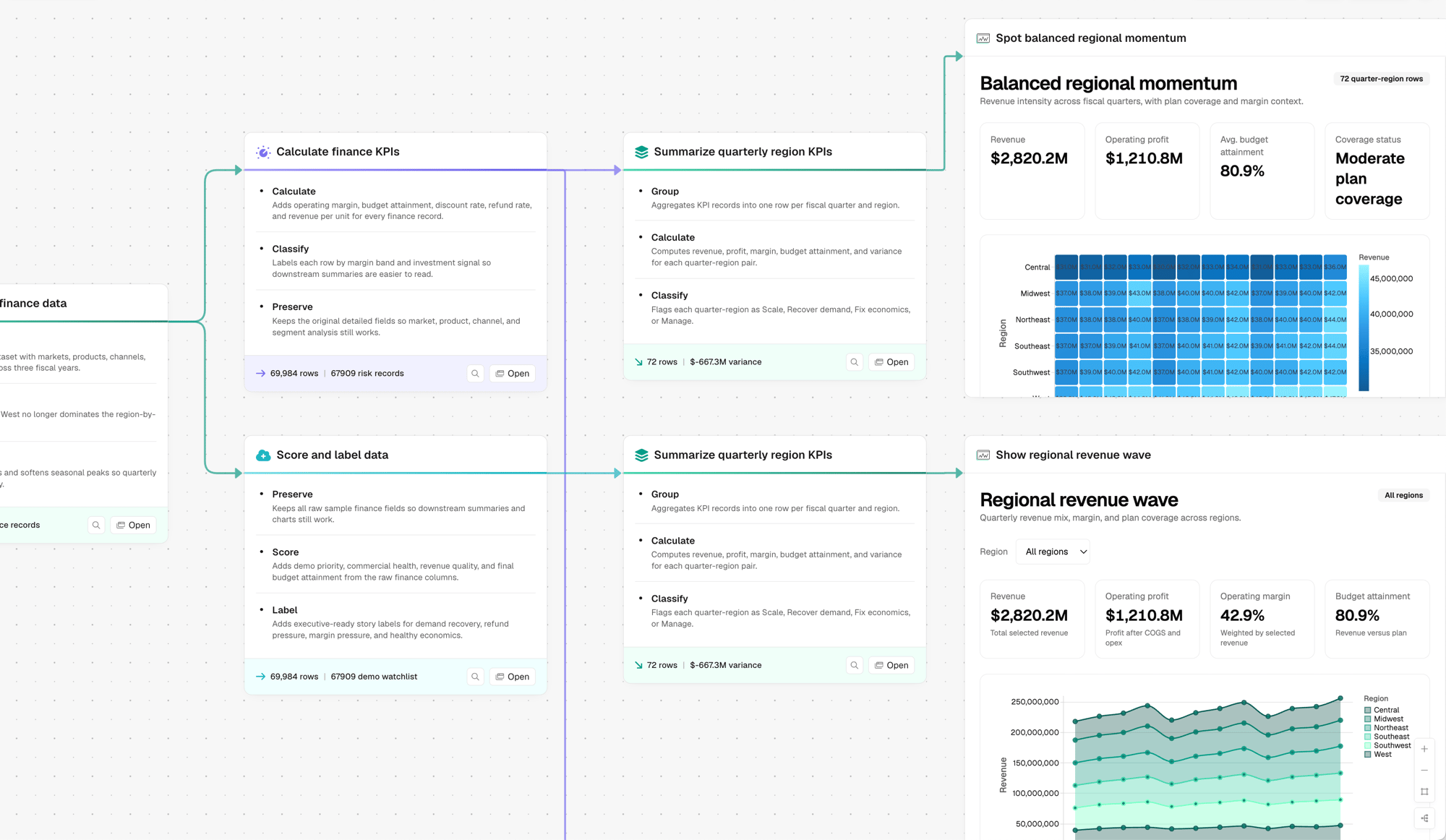
Configure Steps
Steps that bring in data or export data may require authentication. Prowork can guide you through connecting, but you can always click on source steps to authenticate with your systems (Google Sheets, Shopify, NetSuite, email, etc.).Understanding building
While you build, Prowork updates your flow in real time. Every update to your flow refreshes other steps so you’re always looking at accurate and up to date data. Prowork allows you to edit one step while other steps refresh.Create an Artifact
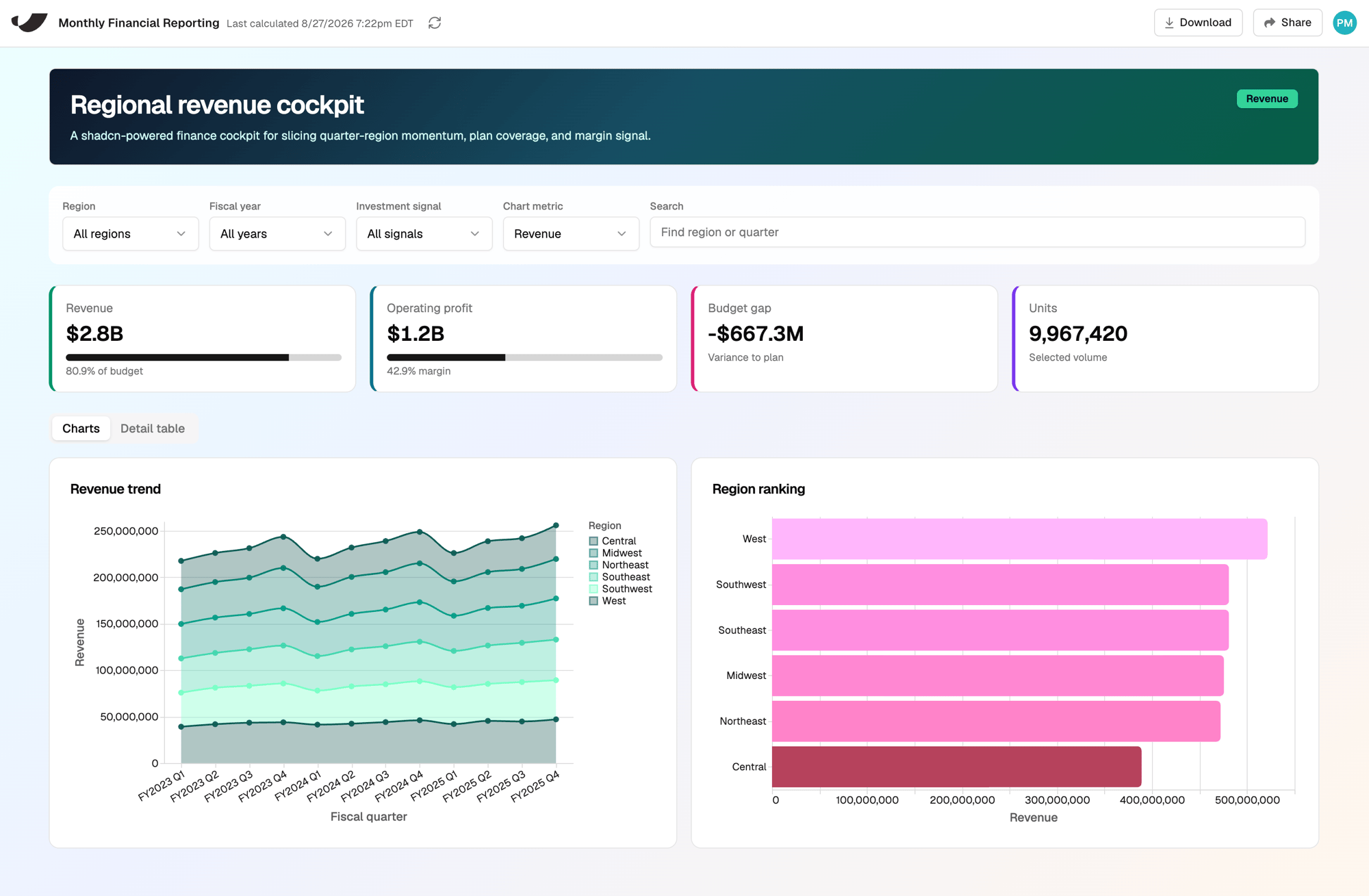
Build interactive and shareable displays for your data. Artifacts can hold any combination of the following:- Charts. Bar, line, area, pie/donut, and more, in themed colors.
- Interactive tables. Sortable columns, searchable, with rows you can click to open a detail panel.
- Controls. Filter bars, search boxes, tabs, toggles, sliders, expand/collapse, and drill-downs.
Flow Triggers and Schedules
Your flows can be triggered by inbound emails, webhooks, or on a schedule. You can also manually run flows by clicking Run Flow.Getting Help
Prowork chat in-app
Ask Prowork questions about your flow or about using Prowork in general.
In-app chat
Available on Business plans for real-time support.
The Home Page
When you log in, you’ll land on the Home Page. This is where you can see and manage the flows you’ve built and those that your team has shared with you.Create your first Flow
When you click to build a new flow, you will launch Prowork. Start with a prompt and Prowork will split into two distinct sections. For inspiration on common starting points, check out the prompt library.Chat
Use the left side of your screen to explain your process. Prowork will ask follow-up questions and guide you through building out a flow end-to-end. You can upload files, use voice dictation, or type in your prompts.Canvas
The canvas takes up the majority of your view. This is where Prowork builds your process end to end. Flows are made up of individual steps that are fully documented and visually connected. Data flows through each step in the same way the steps are connected on the canvas. Steps either import data, export data, create custom logic, or generate visualizations, called Artifacts.Configure Steps
Steps that bring in data or export data may require authentication. Prowork can guide you through connecting, but you can always click on source steps to authenticate with your systems (Google Sheets, Shopify, NetSuite, email, etc.).Understanding building
While you build, Prowork updates your flow in real time. Every update to your flow refreshes other steps so you’re always looking at accurate and up to date data. Prowork allows you to edit one step while other steps refresh.Create an Artifact
Build interactive and shareable displays for your data. Artifacts can hold any combination of the following:- Charts. Bar, line, area, pie/donut, and more, in themed colors.
- Interactive tables. Sortable columns, searchable, with rows you can click to open a detail panel.
- Controls. Filter bars, search boxes, tabs, toggles, sliders, expand/collapse, and drill-downs.
Flow Triggers and Schedules
Your flows can be triggered by inbound emails, webhooks, or on a schedule. You can also manually run flows by clicking Run Flow.Getting Help
Prowork chat in-app
Ask Prowork questions about your flow or about using Prowork in general.