This integration is currently in beta. Additional functionality is available via API.
Pull orders from Walmart
The Walmart API is used to programmatically interact with Walmart’s platform and provides access to various Walmart services including order managements, inventory and stock levels, product data, and customer insights. Walmart is a beta integrations which requires a slightly more involved setup process than our native integrations. Following the guidance in this document should help even those without technical experience to pull data from Walmart. If you run into any questions, shoot our team an email at support@parabola.io.Use Cases
🤝 Walmart | Integration configuration
Walmart API Reference:
Walmart Authentication Documentation
Instructions
1
Navigate to the Walmart Developer Portal.
2
Click My Account to log into your Marketplace.
3
Click Add New Key For A Solution Provider to set permissions for the provider to generate a Client ID and Client Secret.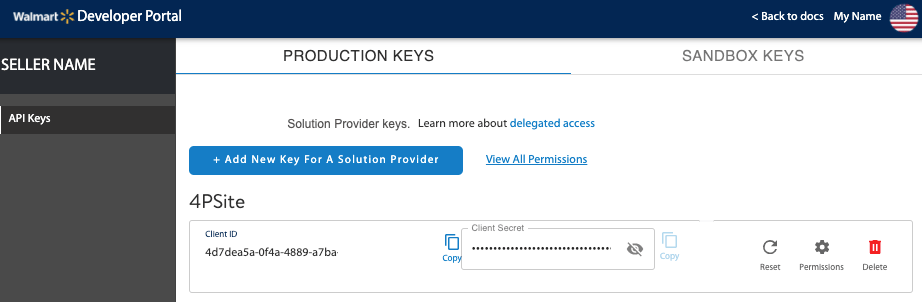
4
Select the Solution Provider from the drop-down list.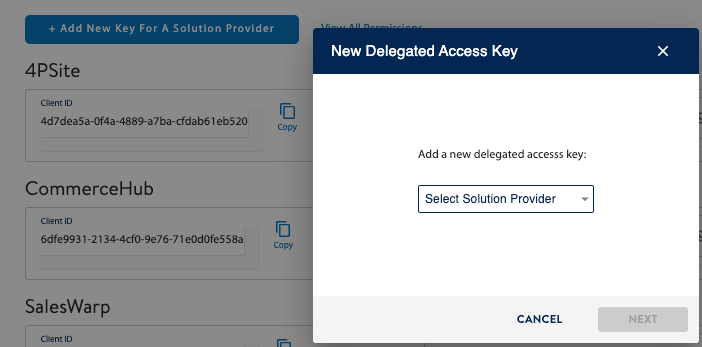
5
Specify specific permissions, or to take the defaults, click Submit.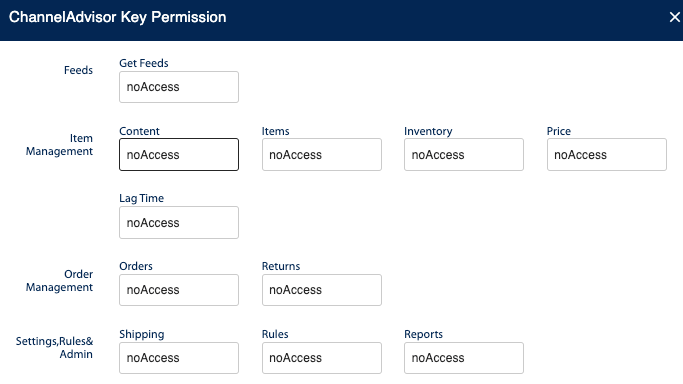
6
Configure an Expiring Access Token request to the Token API in Prowork.
🔐 Prowork | Authentication configuration
1
Add a Pull orders from Walmart step template to your canvas.
2
Click into any of the Enrich with API steps to configure your authentication.
3
Under the Authentication Type, select Expiring Access Token before selecting Configure Auth.
4
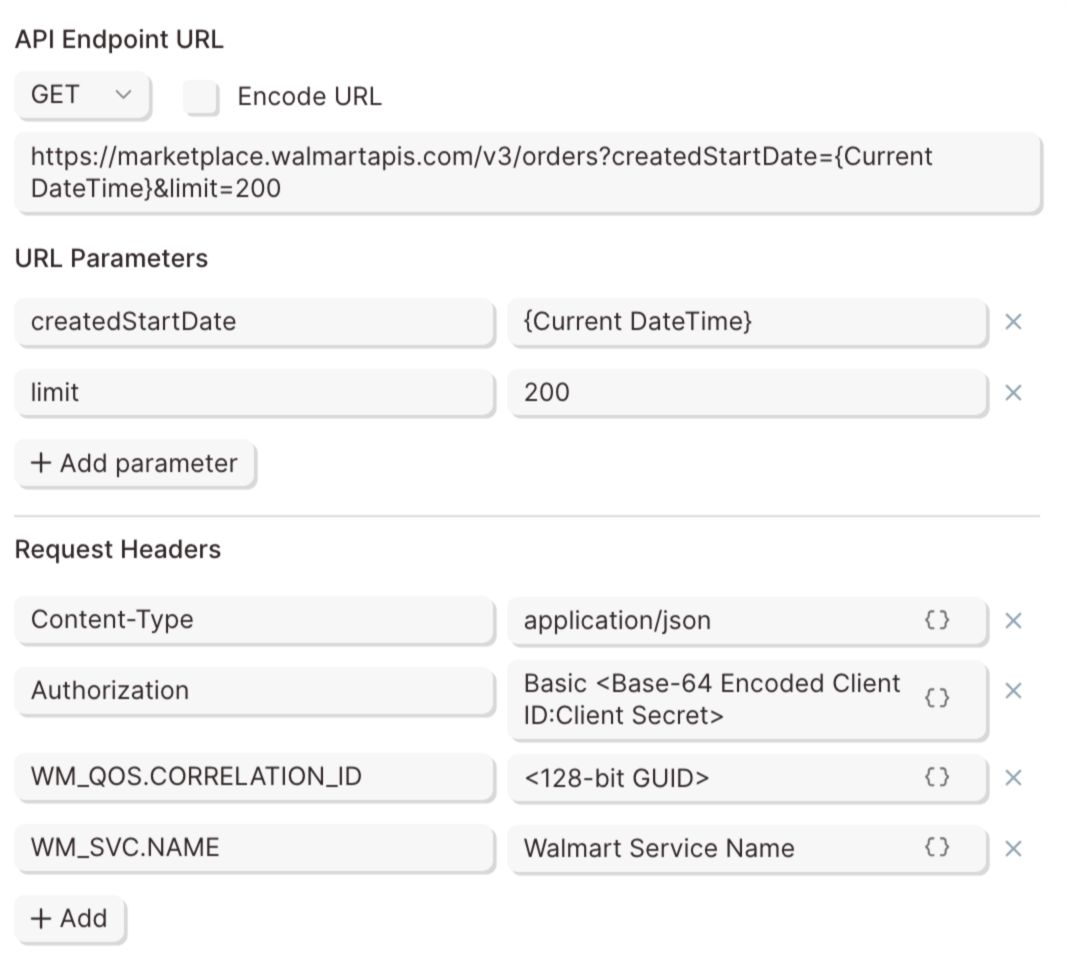
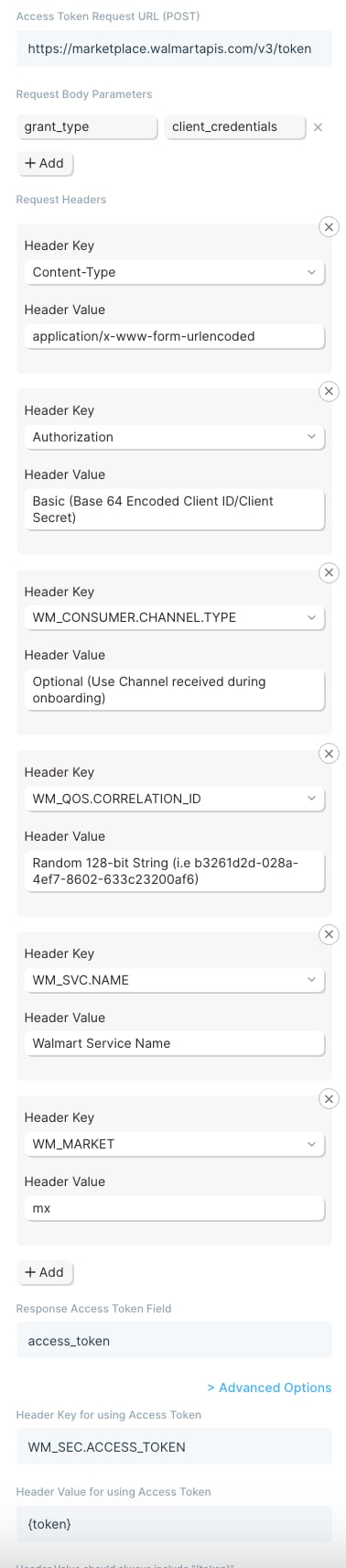
Enter your credentials to make a request to the Token API using the format below:Access token request URL (
Sandbox URL
Access token request URL (POST)
Sandbox URLhttps://sandbox.walmartapis.com/v3/tokenProduction URLhttps://marketplace.walmartapis.com/v3/tokenRequest Body Parameters
Request Headers
Response Access Token Field
access_token5
6
7
Click into the other Enrich with API steps and select the Expiring Access Token as your Authentcation Type to apply the same credentials.
🌐 Walmart | Sample API Requests
List orders using a dynamic date range
Get started with this template.1
Add a Start with date & time step to the canvas to define the earliest order date.
2
Connect it to a Format dates step to format the Current DateTime into
yyyy-MM-dd.3
Connect it to the Enrich with API step.
4
Under Authentication Type, ensure Expiring Access Token is selected to use your authentication credentials.
5
6