

Pull from Facebook Ads
The Pull from Facebook Ads step pulls insights from any Facebook Ads account you have access to. You pick the columns (metrics) and breakdowns (dimensions) you want, set a date range, and the step returns a flat table ready to join with the rest of your stack.How to authenticate
1
Add a Pull from Facebook Ads step to your flow and click Login with Facebook.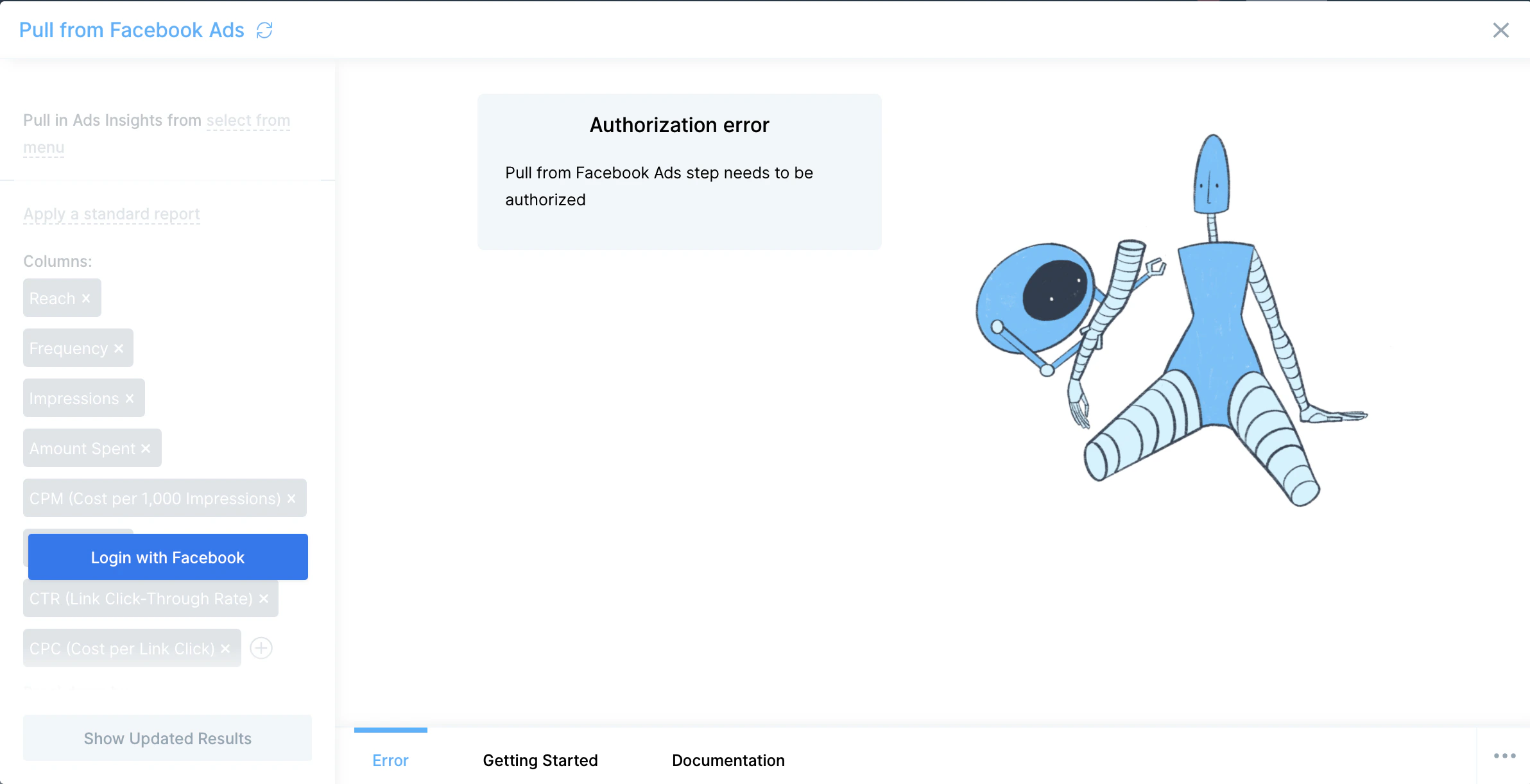
2
A pop-up window opens. Log in to your Facebook account and approve the connection. Prowork handles the OAuth handshake.
3
If you manage multiple Ads accounts, pick the right one in the Account dropdown at the top of the step. To connect additional accounts later, click Edit accounts at the top of the step.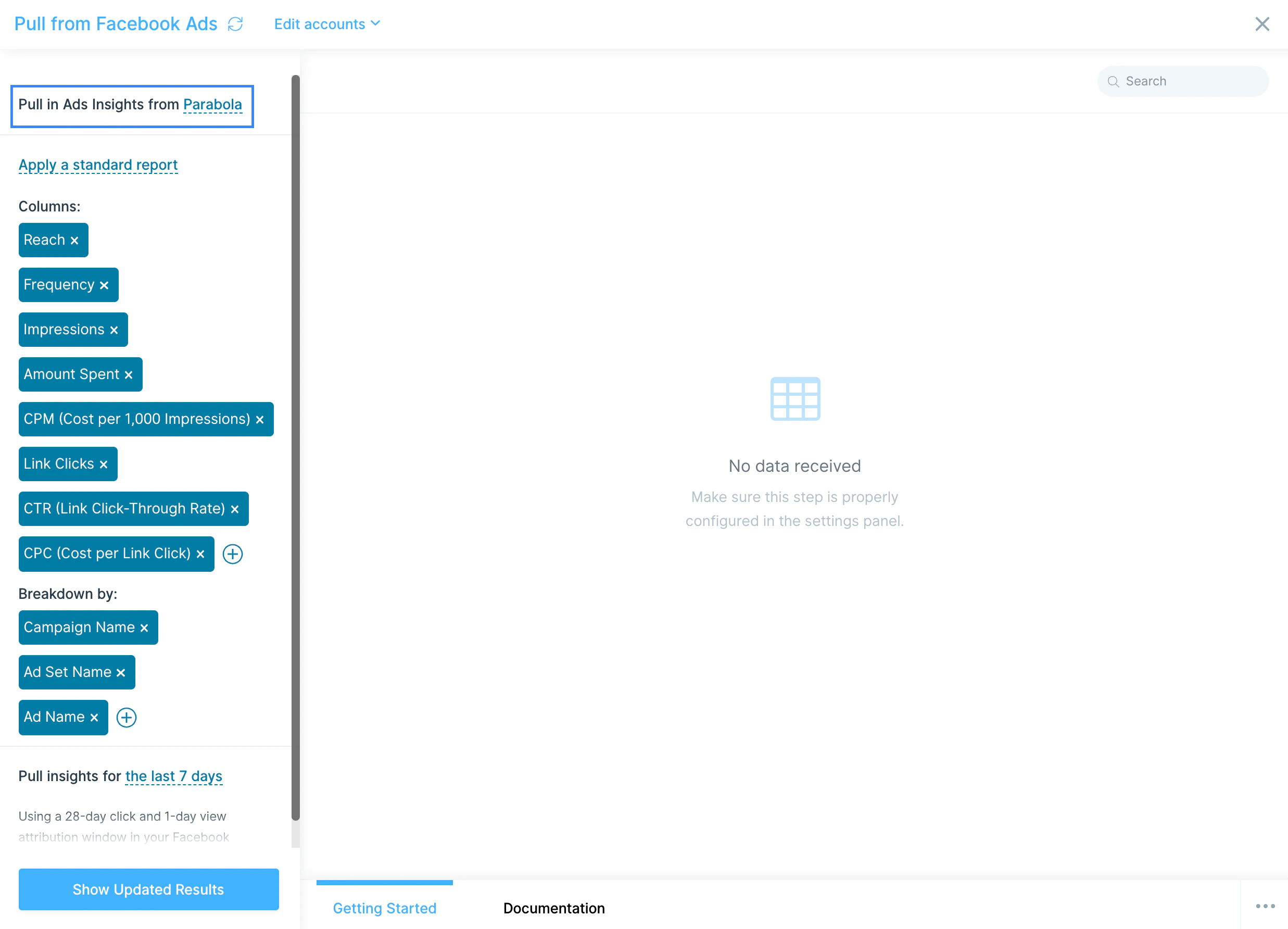
Configure your settings
The default configuration returns the most common metrics for the last 7 days, broken out by campaign, ad set, and ad. Adjust columns, breakdowns, and date range to fit your reporting.Default columns
- Reach
- Frequency
- Impressions
- Amount Spent
- CPM (cost per 1,000 impressions)
- Link Clicks
- CTR (link click-through rate)
- CPC (cost per link click)
Default breakdown
- Campaign Name
- Ad Set Name
- Ad Name
Presets
The step ships with the standard reports you’d find in Ads Manager. Picking one auto-populates the columns and breakdowns:- All Levels, Campaign, Ad Set, Ad, Objective
- Age, Gender, Age and Gender
- Country, Region, DMA Region, Business Locations
- Placement, Placement and Device, Platform, Platform and Device
- Time of Day (Ad Account), Time of Day (Viewer)
- Canvas Component, Conversion Device, Product ID, Carousel Card
- Reactions, Video View Type, Video Sound
Custom columns and breakdowns
To customize further, edit the Columns and Breakdowns fields directly. Each breakdown adds its own column and splits each row into multiple rows. For example, breaking Reach down by Campaign returns one row per campaign with that campaign’s reach.Custom date ranges
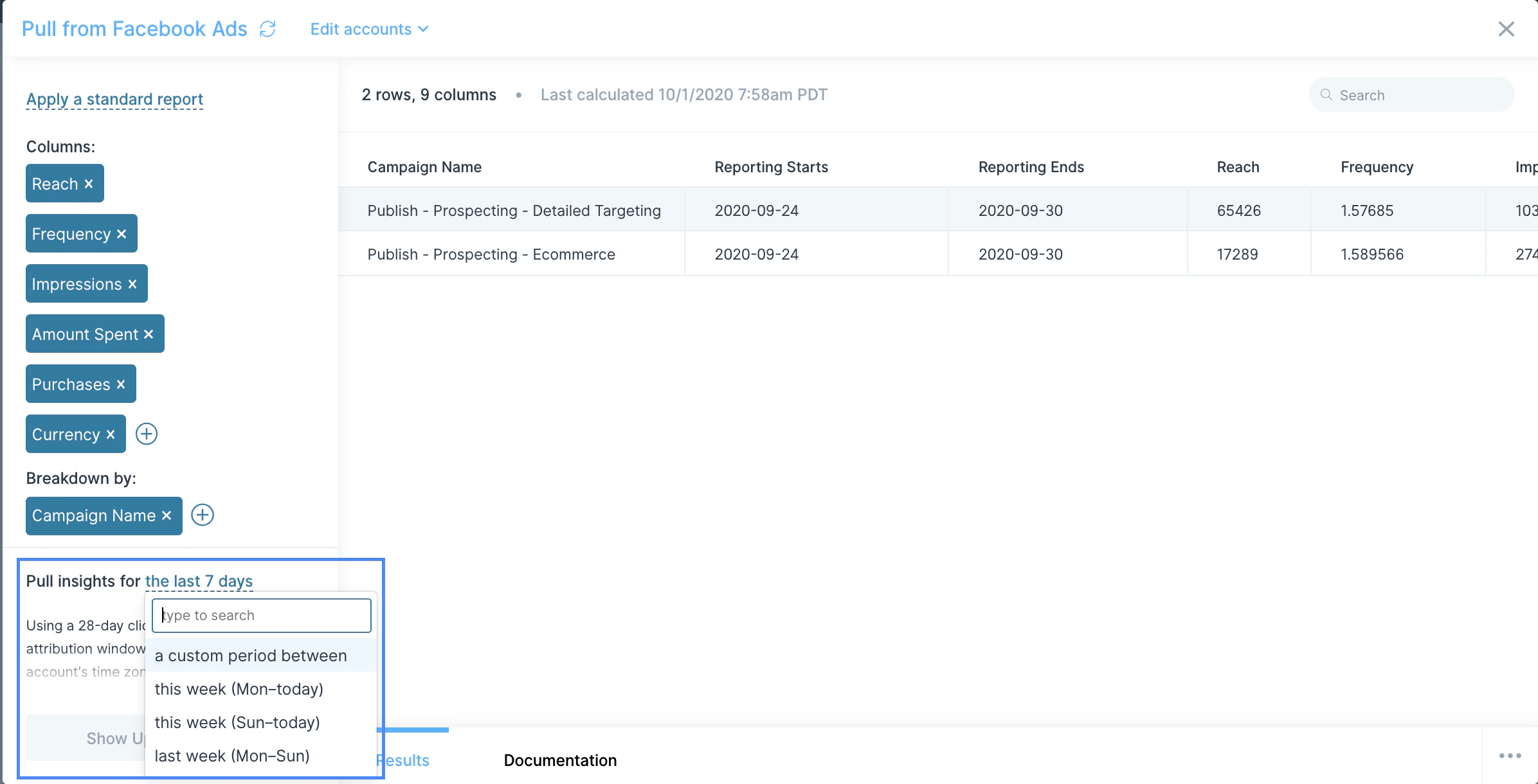
- Preset relative dates like Last 7 Days update every time the flow runs.
- Custom period between like September 17 – September 24, 2025 always pulls from that fixed range.
Available data
Facebook’s Marketing API exposes performance data at every level of the campaign hierarchy. The most common pulls:- Account-level insights: total spend, impressions, reach, and conversions across the whole ad account.
- Campaigns: campaign name, objective, status, lifetime budget, and aggregate performance.
- Ad sets: targeting, placement, optimization goal, daily/lifetime budget, schedule, and performance.
- Ads: creative, headline, copy, link URL, status, and per-ad performance.
- Insights breakdowns: slice any of the above by demographics (age, gender, country, region), placement, device, time of day, conversion device, and more.
- Conversions and events: link clicks, landing page views, purchases, leads, add-to-carts, and any custom Pixel events you’ve configured.
Common use cases
- Build blended CAC across paid channels: Combine Facebook Ads spend with TikTok and Google Analytics attribution alongside orders from Shopify or Amazon Seller Central to calculate a single blended customer acquisition cost.
- Reconcile ad spend in finance: Pull weekly Facebook Ads spend and push it into NetSuite or QuickBooks Online for clean marketing-expense reporting and accruals.
- Automate weekly performance reports: Roll up campaign performance and drop the result into Google Drive, Smartsheet, or a Slack message every Monday morning.
- Tie ad performance back to retention: Join Facebook Ads conversions with Klaviyo or Mailchimp lifecycle data to track which campaigns drive long-term customers vs. one-time purchasers.
- Feed ad data into your warehouse: Push insights into Snowflake, BigQuery, or Redshift for long-term cohort and channel-mix modeling.
- Trigger spend or performance alerts: Send a Slack message when daily spend exceeds a threshold, when CPM spikes on a key campaign, or when conversion volume drops vs. a 7-day baseline.
Tips for using Prowork with Facebook Ads
- This step starts on the Plus plan. Confirm your Prowork plan covers it. See Prowork pricing.
- Use the smallest date range that works. A 7-day pull comes back faster and uses less API quota than a 90-day pull. For long histories, run the flow on a daily schedule and union results into a warehouse.
- Avoid known API timeouts by trimming columns. Meta’s API occasionally times out on requests with many columns and breakdowns combined. If a pull is failing, remove a column or breakdown and try again.
- Watch the attribution window. Facebook defaults to 28-day click and 1-day view. If your finance team uses a different window, that mismatch will show up as variance. Note the window in your flow’s documentation.
- Pick breakdowns deliberately. Each breakdown multiplies row count. Combining placement, device, and age can produce thousands of rows per campaign: fine for analysis, slow for daily ops dashboards.
- Match cadence to use case. Hourly is overkill for ads. Daily for performance reporting and finance reconciliation, weekly for executive rollups.
FAQ
Why is my pull timing out or returning errors?
Meta’s Marketing API has a known issue where certain combinations of columns and breakdowns time out even when they should succeed. Remove a column or breakdown, or shorten the date range, and try again. Prowork’s team tracks the issue and will surface fixes when Meta resolves it.Can I push data back into Facebook Ads?
The native step is read-only. To update budgets, pause campaigns, or upload custom audiences, use a Send to an API step pointed at the Marketing API with a system user access token.Does Prowork support real-time Facebook Ads events?
The native step is API-pull only. Schedule the flow on a tight cadence (every 30–60 minutes) for near-real-time updates, or trigger it from another service via Prowork’s webhook trigger.Can I pull from multiple Facebook Ads accounts in one flow?
Yes. Add multiple Pull from Facebook Ads steps, authorize each against the right account, and union the results. Use Edit accounts at the top of the step to manage which accounts are connected.With Facebook Ads and Prowork connected, the spend, performance, and attribution rollups your marketing team rebuilds every Monday run themselves on a schedule, with clean data flowing into finance, BI, and the dashboards your team actually checks.