

Setting up the step
1
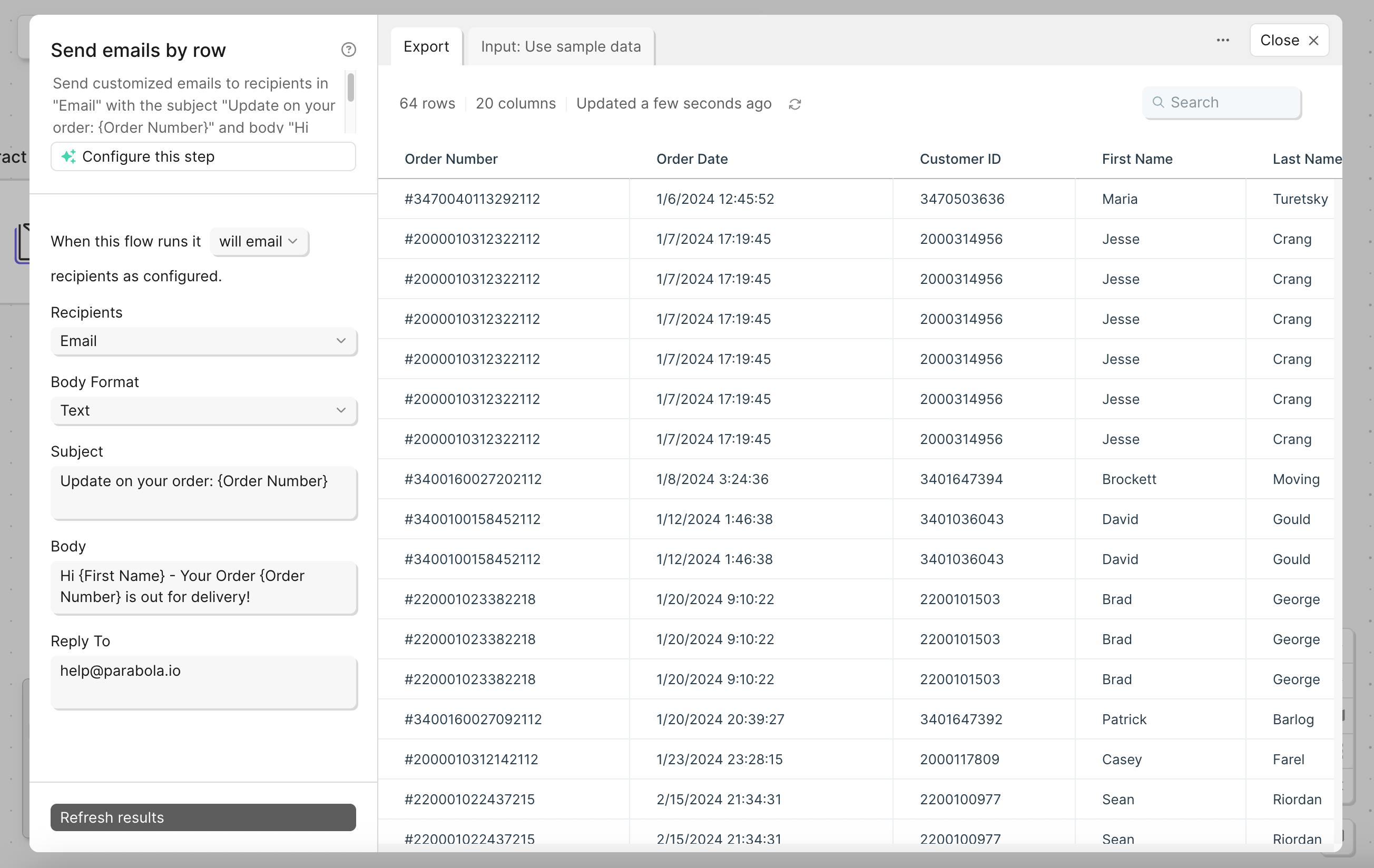
Add the step to your flow by dragging it onto the canvas.
2
Connect it to the step that holds your column of email addresses.
3
Open the step to configure settings.
4
Recipients: pick the column with the email addresses.
5
Body Format: plain text or HTML.
6
Email template: Prowork branded, or plain text with no branding. Choose plain text and the “Powered by Prowork” footer is left off the emails this step sends.
7
Subject and Body: required. Personalize them with merge tags from other columns using
{curly braces}.8
Reply To: the address replies should go to.
Using variables
Personalize subject and body with merge tags. Tags reference column names from the input table using{curly braces}.
For example, with columns named “Name” and “Order ID”:
- Subject:
Your order {Order ID} has shipped - Body:
Hi {Name}, your order is on the way!
Cell values can contain literal curly braces without breaking anything. Prowork only evaluates merge tags in the subject and body template fields, not in your data.
Preview
The Preview tab renders the actual email that goes out, updating live as you edit, so you can check the message before publishing. Email a PDF file and Email a file attachment have the same preview.Troubleshooting
My flow shows success but the email never arrived. Prowork’s step reports success once the send request is accepted. That isn’t the same as confirmed delivery. Check the recipient’s spam folder, verify the email address column doesn’t contain a typo or blank value, and check the step’s run history for that row. If everything looks right, contact support with your run ID. See the full email delivery troubleshooting guide for the complete checklist.Helpful tips
- HTML formatting: select HTML in the Body Format. Common tags like
<br>,<b>, and<a>are supported. - 75-recipient limit per run. Filter or batch upstream if your list is larger.
- One email per row. If you need to send a single email with a file attached to a fixed list, use Email a file attachment instead.
- Watch for empty rows. If the email column has blank cells, the step still tries to send. Filter blanks out with Filter rows first.
- Schedules apply to the parent flow. Pair this step with the flow’s schedule trigger to send recurring digests.
Related steps
- Email a file attachment: for one email with a file to a fixed recipient list
- Generate CSV file: when recipients prefer a downloadable file over inline content
- Filter rows: to drop rows with missing email addresses before sending
- Edit columns: to build the subject or body content from raw fields
- Send Slack message: when an internal channel is the better destination