Add rows
The Add rows step adds any number of rows to a table. You can include default values for each column to make it easier to build a large table with duplicated values.
Input/output
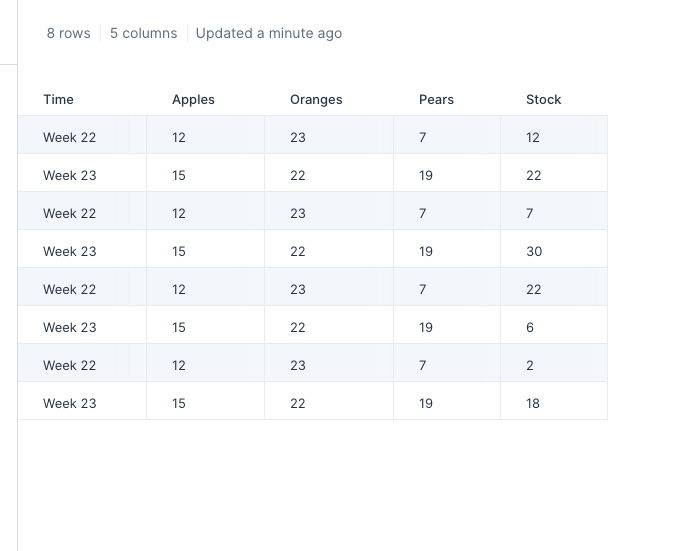
This table has 8 rows and 5 columns.
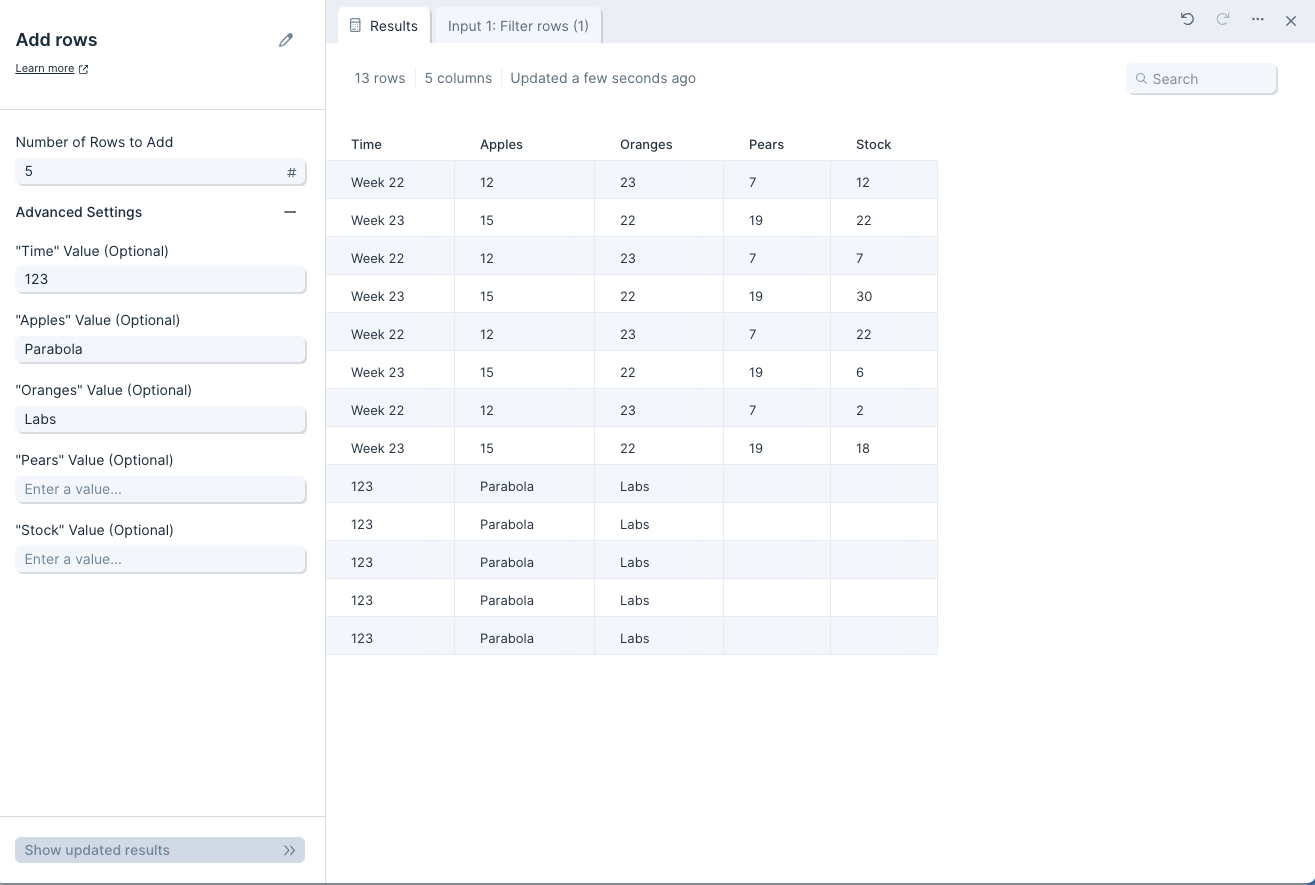
To add more rows with default values, use the Add rows step. The output table has 5 additional rows. The 'Time' column has a default value of '123', the 'Apples' column has a default value of 'Parabola', the 'Oranges' column has a default value of 'Labs', and the remaining columns are left blank
Custom settings
In the 'Number of Rows to Add' field, enter the total number of new rows to add to a table.
In the '"{Column}" Value (Optional)' fields, set the default value to be added to each cell in a column. The value can be a string or a number.