
Food & Beverage
CPG's hardest finance & ops work, run by agents they can trust.
Prowork by Parabola gives CPG finance and ops teams one shared place to build processes: co-packer reports, 3PL inventory, EDI orders, retailer deductions, and the promo calendar.
Trusted by the world's best CPG brands












The challenge
Where CPG work breaks down
Partner data arrives in different formats, on different schedules.
-
Co-packer and 3PL reports by email
Matching co-manufacturer and 3PL reports to POs and the ERP delays the close.
Flows to build
-
Deductions and OTIF fines
Manual checks leave valid deductions and OTIF disputes unfiled.
Flows to build
-
A promo calendar for every team
Separate promo calendars leave demand exceptions, accruals, and trade spend out of sync.
Flows to build
-
Allocation when supply runs short
Shortages mean stitching forecasts, open orders, and truck builds to allocate supply.
Flows to build
How it works
How CPG teams get started with Prowork.
- 01
Tell Prowork what you need
Explain what to check in co-packer reports, retailer files, and 3PL inventory.
- 02
Agents build it, your team checks it
Agents build the process for deductions and retailer scorecards, and your team checks the results against your data.
- 03
It runs on every new file
Set an email trigger to run the checks whenever a new partner file arrives.
On average, our enterprise customers see…
-
100–150%
increase in weekly active Prowork users after initial launch
-
100+ hours
saved in the first month from newly automated workflows
-
Immediate ROI
as teams shift from manual tasks to high-value work
Use cases by team
Keep every team working in the same shared home.
Bring partner reconciliations, retail orders, and inventory reporting together in Prowork.
-
Match retailer chargebacks to pricing rules and group violations for faster disputes.
See in the Prompt Library -
Check invoices against POs and receipts, and send AP only the mismatches.
See in the Prompt Library -
Roll up actual costs by SKU, channel, and period for a current margin view.
See in the Prompt Library -
Reconcile clearing accounts, post journal entries, and surface close exceptions.
See in the Prompt Library
-
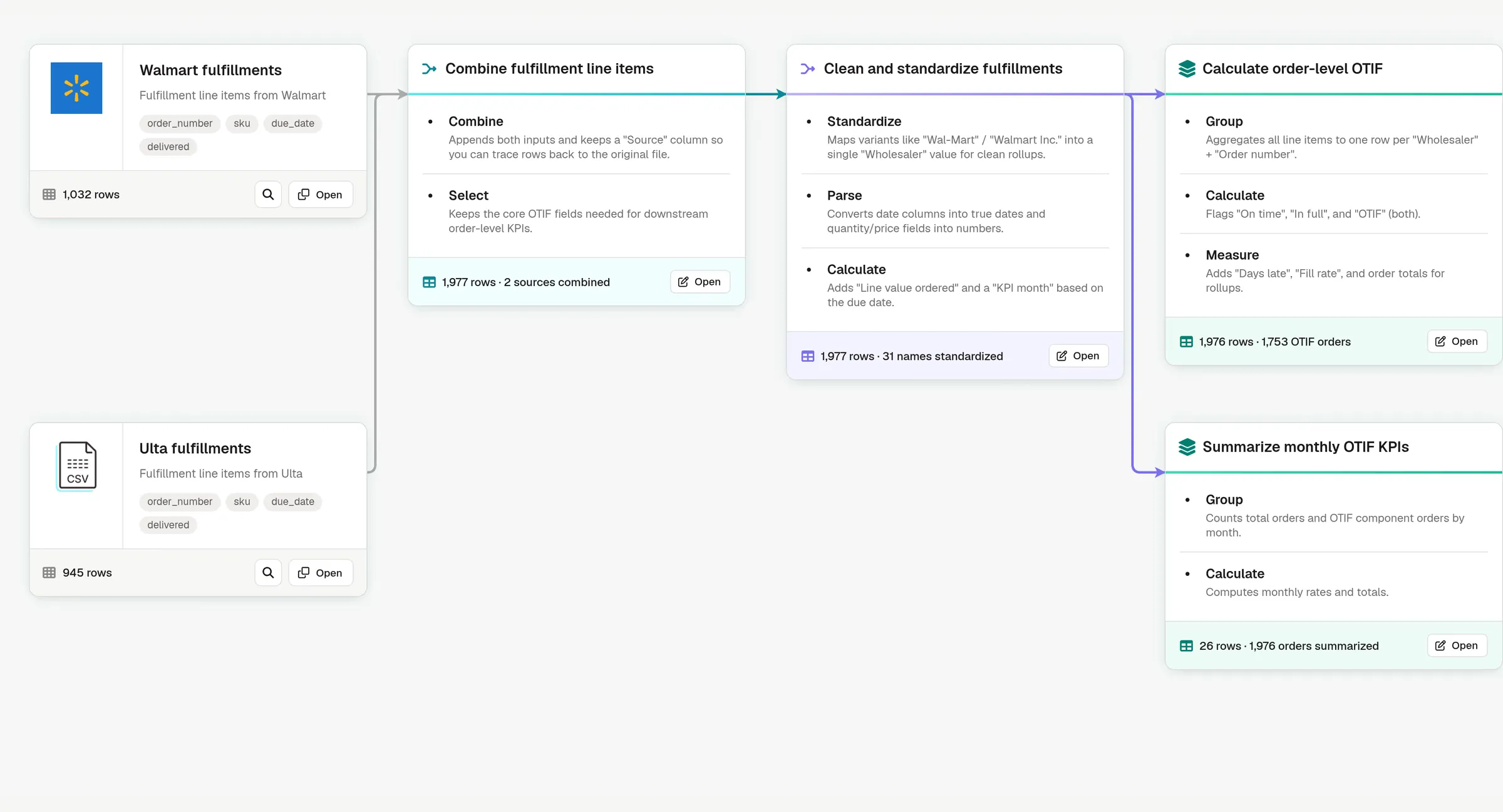
Track ship dates against commitments by partner and warehouse, in one scorecard.
See in the Prompt Library -
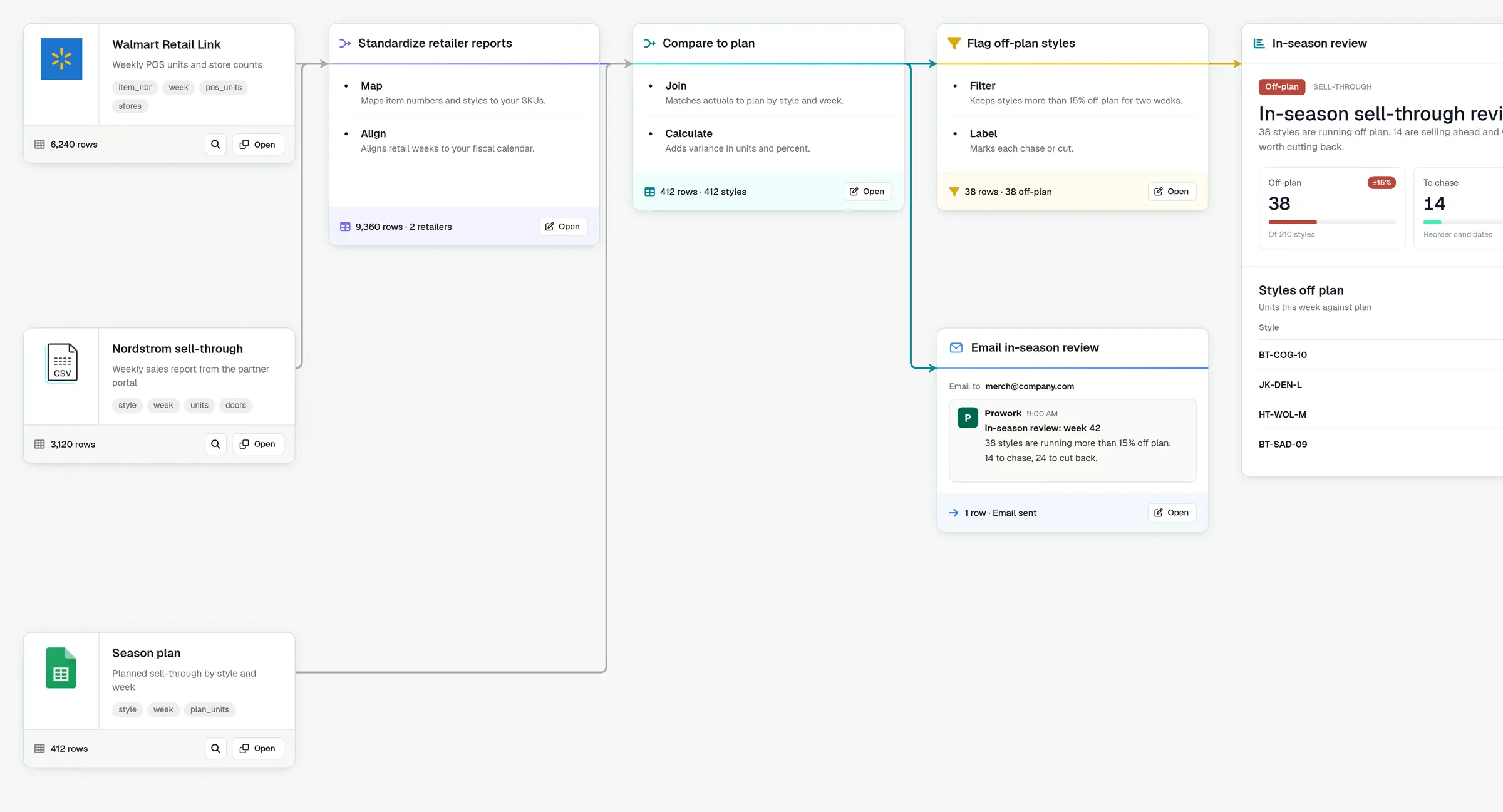
Combine retail partner sales into one report to spot sell-through changes.
See in the Prompt Library -
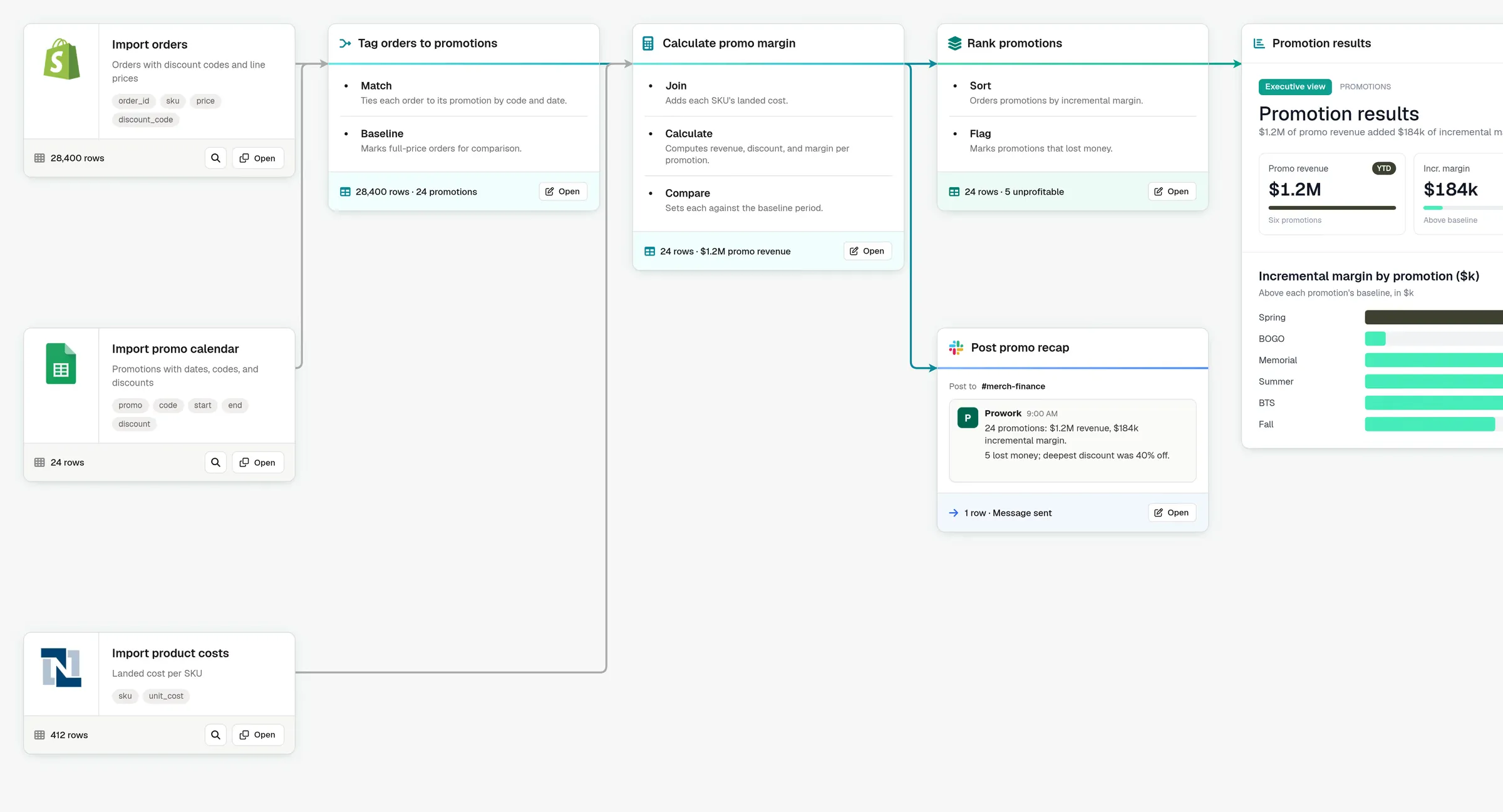
Compare promotional and regular sales to see each offer’s margin impact.
See in the Prompt Library -
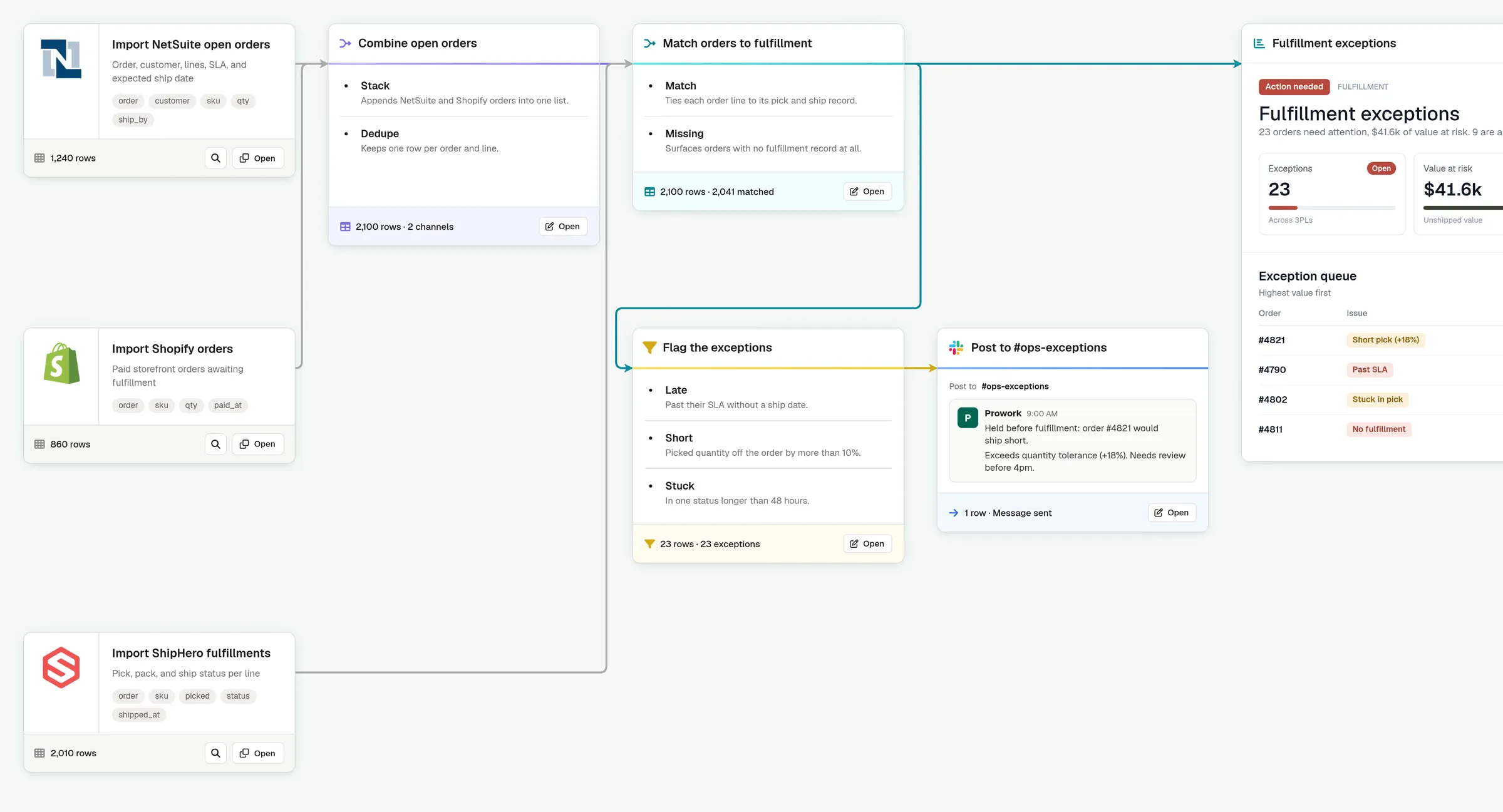
Match orders across systems and flag late shipments or quantity mismatches.
See in the Prompt Library
-
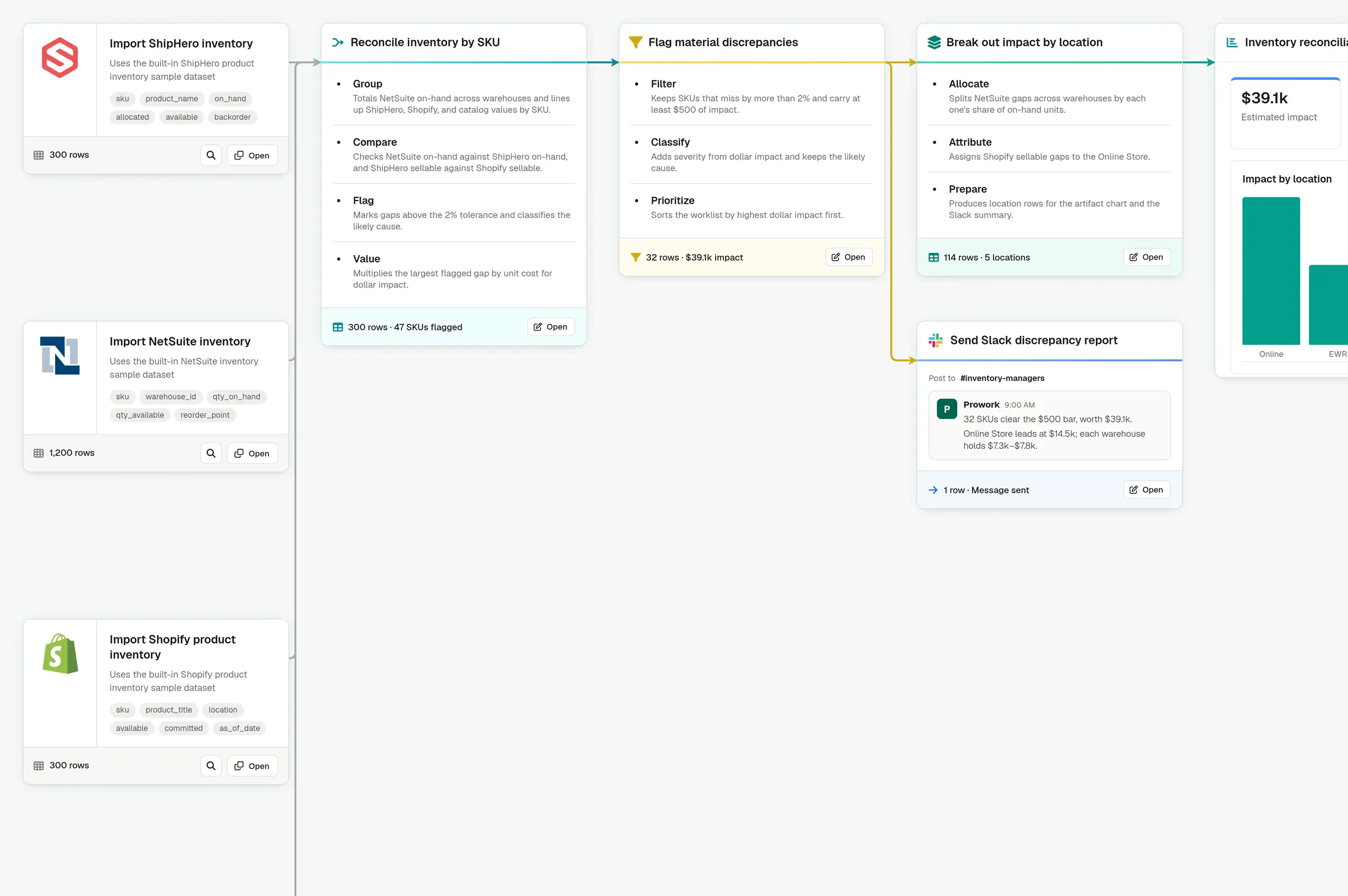
Compare ERP, warehouse, and storefront inventory, and flag every out-of-sync SKU.
See in the Prompt Library -
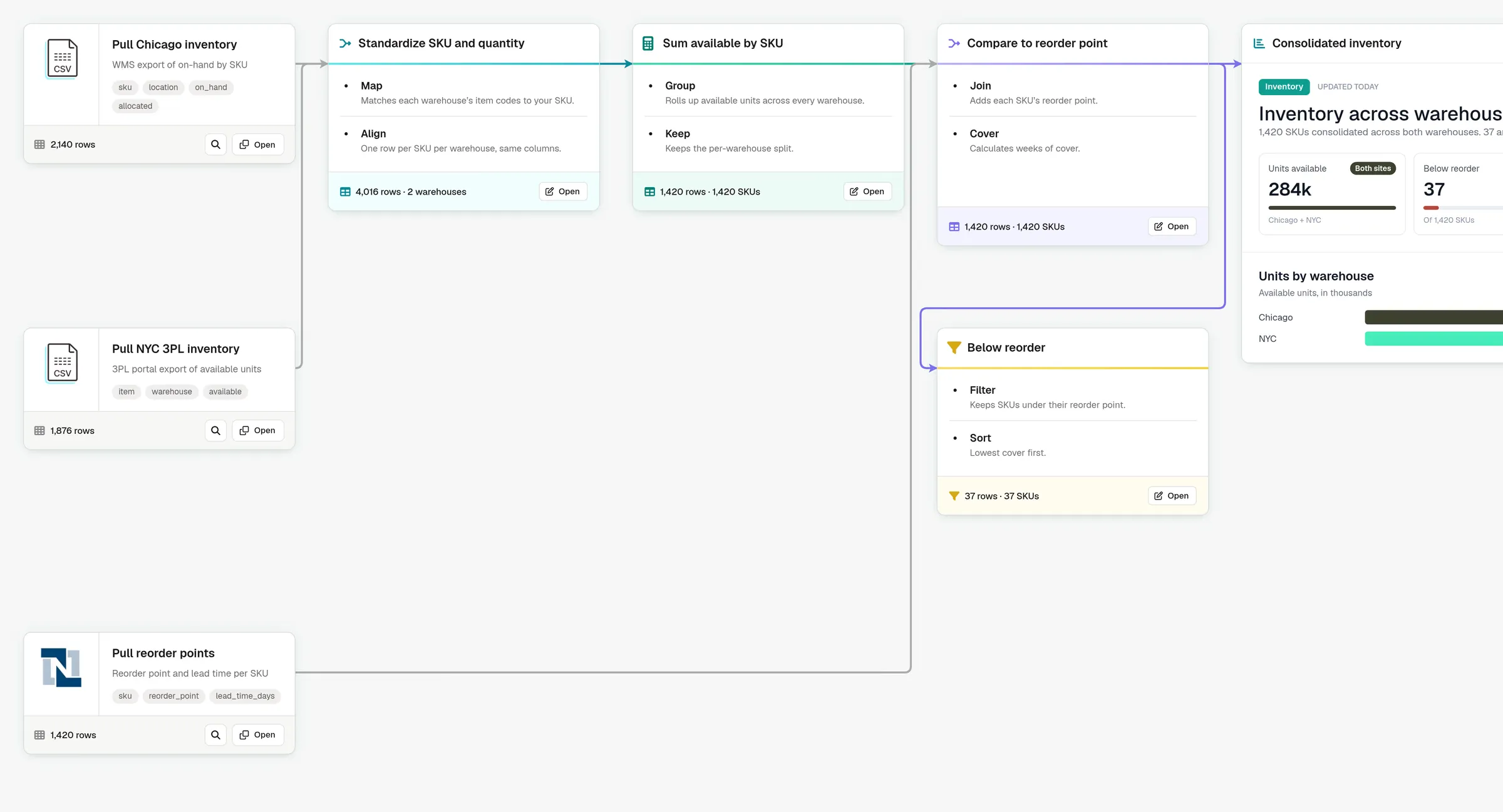
Combine inventory across warehouses and flag SKUs below their reorder points.
See in the Prompt Library -
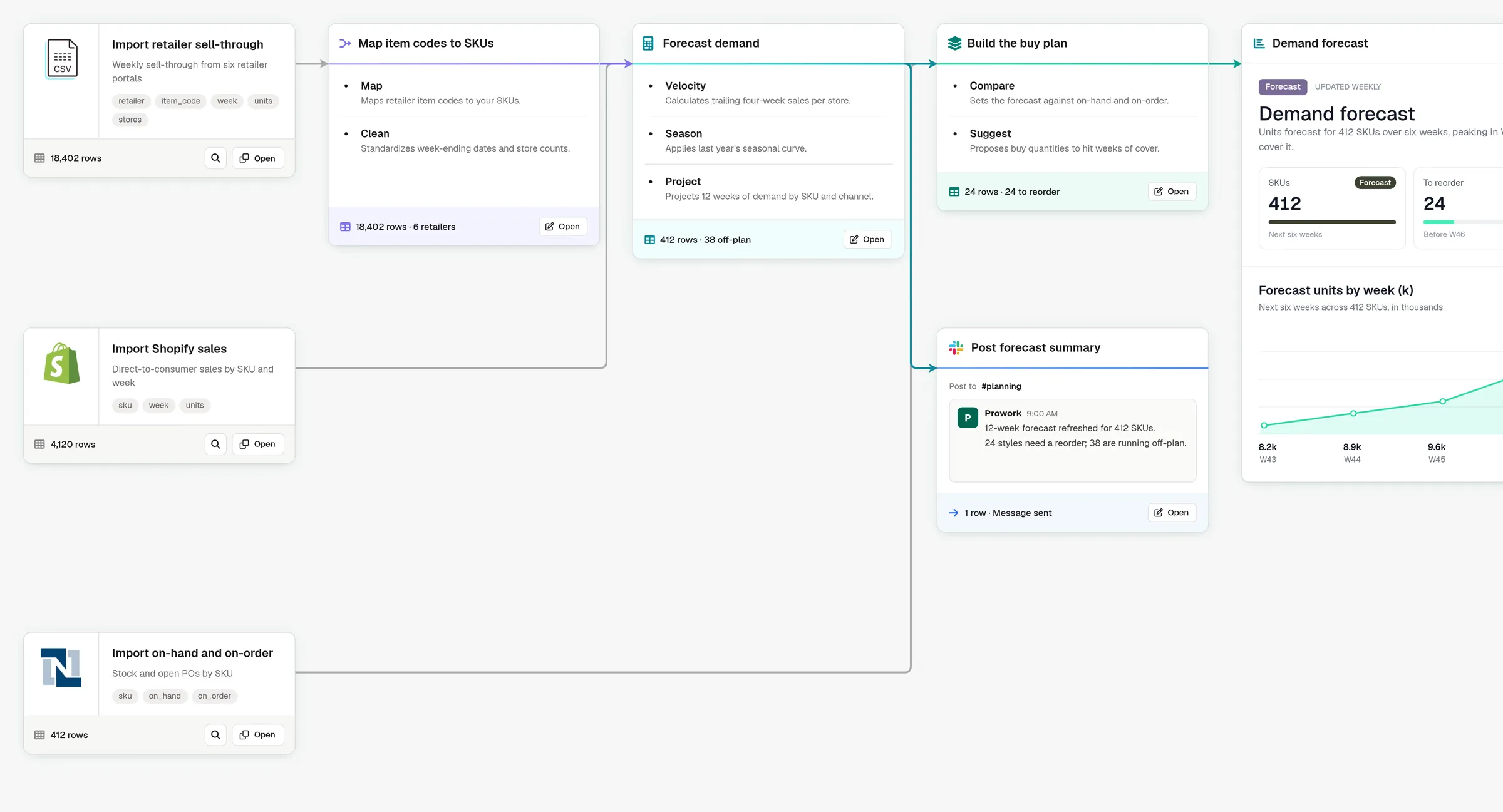
Project demand by SKU and channel from your latest retailer sell-through data.
See in the Prompt Library -
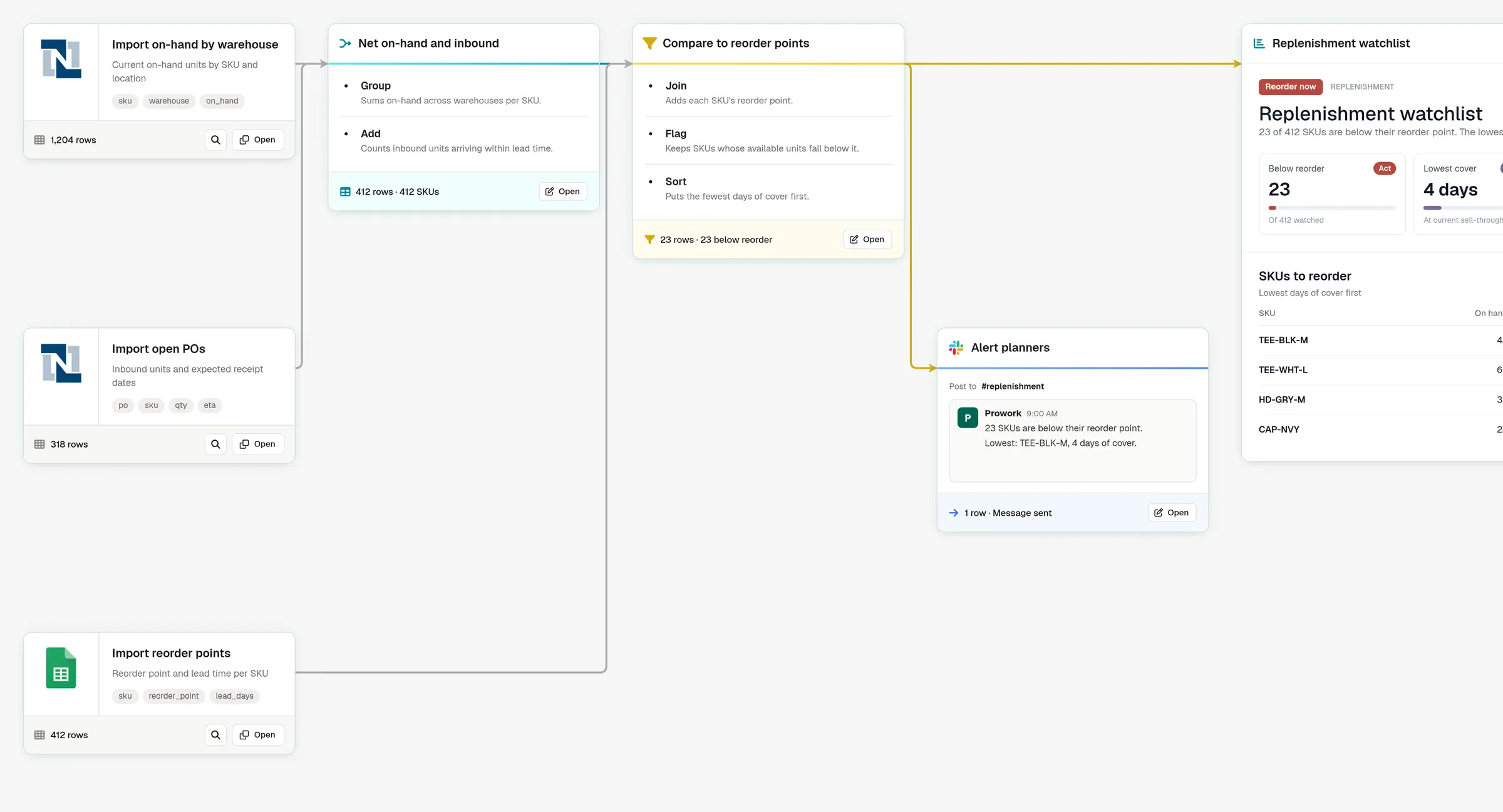
Compare stock to reorder points and alert planners when a SKU runs low.
See in the Prompt Library
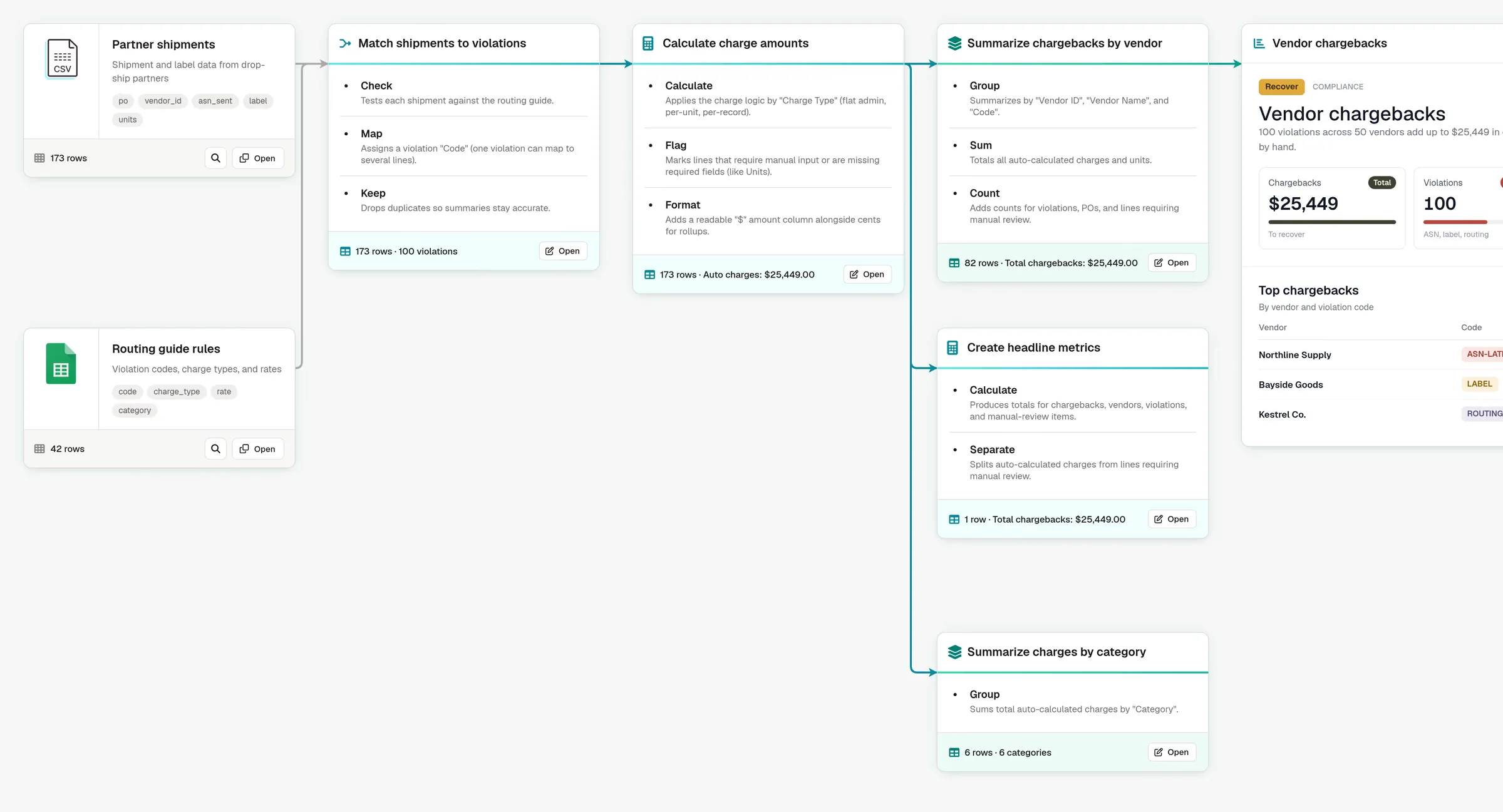
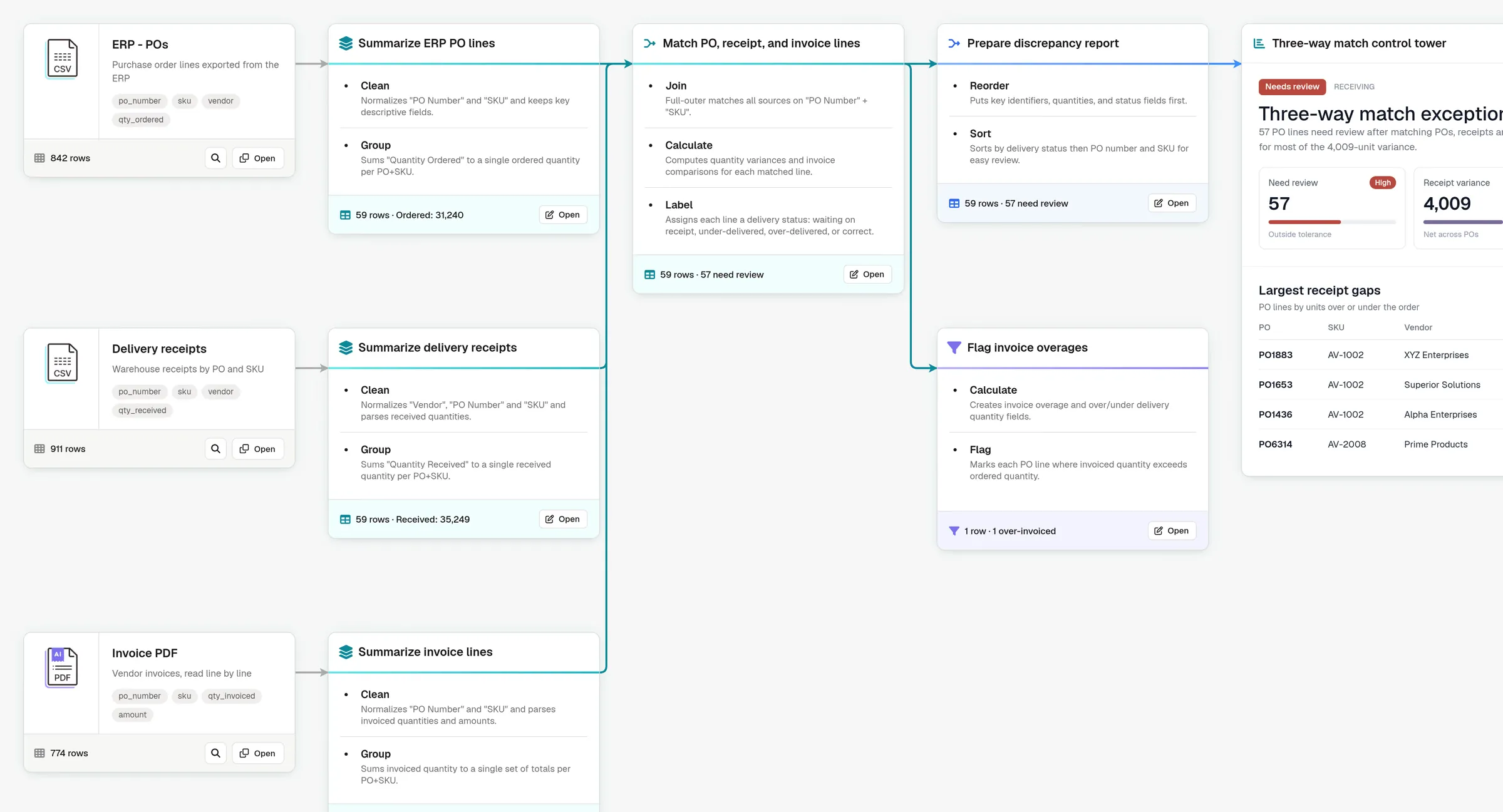
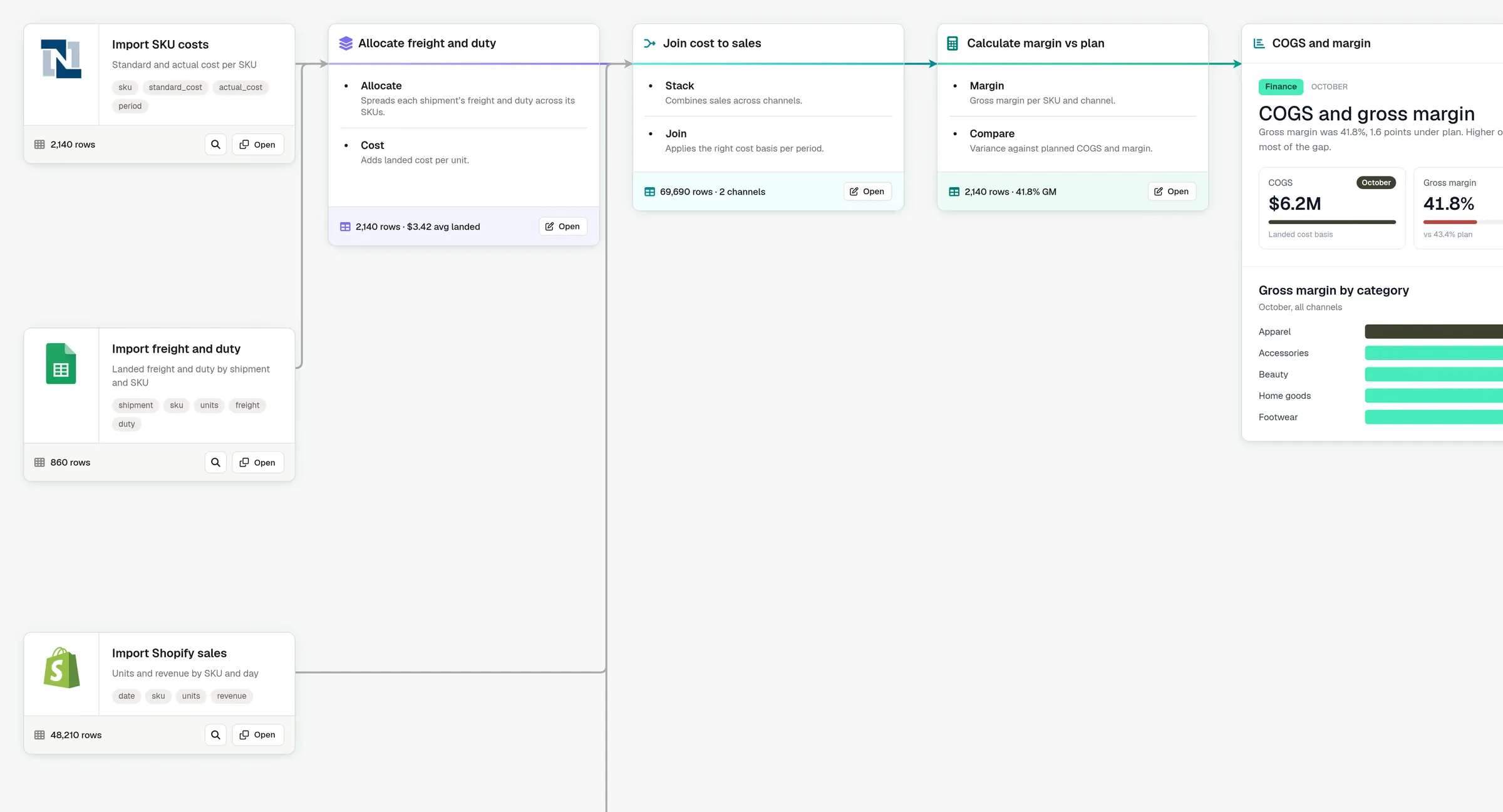
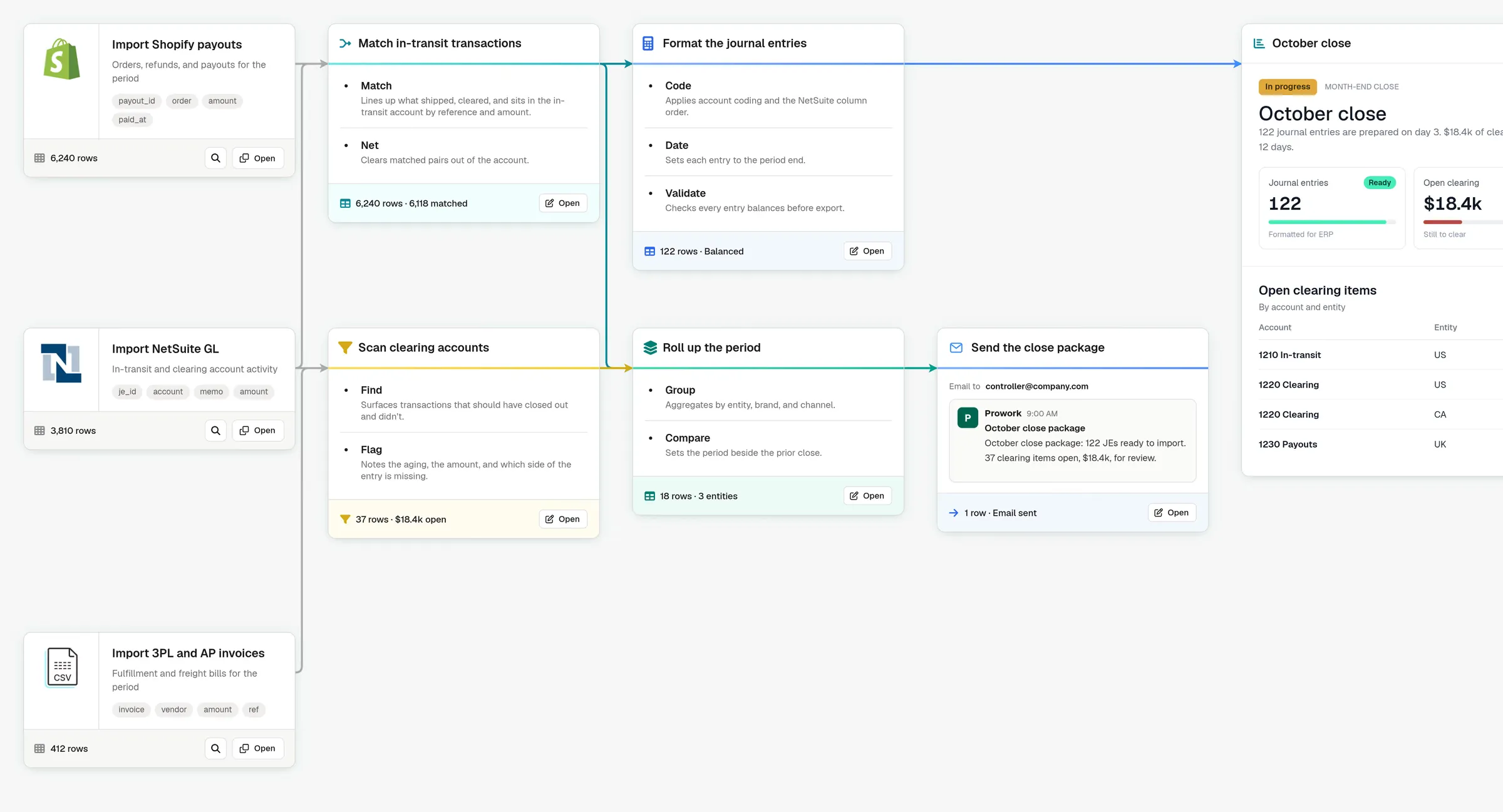
Customer stories
Real results from real teams



Why Prowork
Run partner checks with agents you trust.
Connect co-packer reports, inventory checks, and deductions in shared Flows.
-
Partner rules made explicit.
Keep PO matching, OTIF checks, and accrual rules visible for your team to review.
-
Connected teams.
Finance and ops share co-packer reports, deductions, and the promo calendar.
-
Fully documented.
Partner files and allocation rules are editable steps, with a record of each change.
-
Evidence you can trace.
Trace deductions and inventory variances to partner records, with audit trails.
Works with the systems CPG teams already use
See all integrations















The Applied AI team
A white-glove team that knows CPG.
-
Find the right opportunities
Find starting points in deductions and retailer scorecards.
-
Build and ship faster
Build with your partner files, invoice data, and OTIF rules.
-
Keep the momentum going
Extend your Flows across retail partners and 3PL reporting.
Enterprise-grade security
- SOC 2 Type II
- SSO & SAML
- Role-based access
- Data encryption
- Usage analytics
FAQ
Frequently asked questions.
Why use Prowork instead of Claude or ChatGPT?
Claude and ChatGPT are excellent when you want to hand off a task and let the agent choose how to get it done. Finance and operations work usually needs more: the team has to see, check, and change how each number was produced.
In Prowork, the work becomes a Flow your team owns. Sources, rules, calculations, and exceptions are visible steps you test on live data, and AI is used in the steps that need it, like reading a PDF.
Many teams explore in a general-purpose agent, then bring the work into Prowork when the business needs to stand behind it.
How do we get started? Do we build it ourselves?
You can do either. Most teams start with one process they run every week or month, like an inventory reconciliation or an allocation run.
Build it yourself on the free tier, or start with a proof of concept, where our Applied AI team builds the first Flows with you on your own data. Business plans include live training and deployment support after launch.
From there, your team owns the Flow, changes it as the work changes, and connects the next process.
How is Prowork priced?
There’s a free plan for individuals who want to build on their own, and Business plans for teams bringing Prowork into how a function runs, with deployment support from our Applied AI team.
Both are credit-based: credits are used when a Flow runs, not while you build, and there’s no cap on how many Flows you create. A simple Flow uses few credits per run, while heavier work, like extracting data from multi-page PDFs, uses more.
Business plans get credit volumes sized to your usage. The pricing page has the details.
Which systems does Prowork connect to?
ERPs like NetSuite, storefronts and marketplaces like Shopify, Amazon, and Walmart, 3PLs like ShipBob and ShipHero, warehouses like BigQuery and Snowflake, file storage like OneDrive, SharePoint, and Google Drive, and the spreadsheets, PDFs, and emails the work arrives in.
Systems without a pre-built connector can connect through an API, database access, or scheduled file exports, where the system offers them, and on Business plans our team helps set up custom integrations.
Results go back out the same way: to your ERP, a spreadsheet, Slack, or email. The integrations page has the full list.
How are access and data security handled?
Prowork is SOC 2 Type II compliant, and data is encrypted in transit and at rest. Business plans add SSO, viewer, editor, and admin roles, and one admin console for credentials and connections. Every run is recorded in an audit trail, which can be streamed to your own SIEM tools.