Pull from Amazon Seller Central
Use the Pull from Amazon Seller Central step to import Amazon reports into your flow.
Set up the step
- Drag the Pull from Amazon Seller Central step onto the canvas.
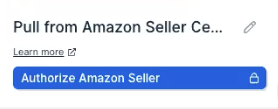
- Click "Authorize Amazon Seller".
- In the pop-up that appears, log in to your Amazon Seller Central account to connect it to Parabola.
Configure your settings
.png)
Troubleshooting "fatal error" response from Amazon
Potential reasons for fatal errors from Amazon
- No data is available for the date range specified.
- The date range doesn’t follow Amazon’s specifications. Some report types have minimum and maximum date range limits. Check the description of your selected report type for details.
- The connected seller account doesn’t sell in the marketplace(s) specified in the request.
- You’ve made the same exact report request too many times in a row. In rare cases, this can result in a fatal error response from Amazon.
Potential solutions
- Try adjusting your date range to a smaller or different window.
- Manually confirm in Amazon Seller Central that data exists for the date range you’re requesting.
- While this behavior isn’t confirmed in Amazon’s official documentation, several users have observed it. Try spacing out repeated report requests (try again in 24 hours) if you suspect that this might be the cause of the fatal errors.
Helpful tips
- This step pulls from Amazon’s Reporting API. If you need data from the Orders or Customers APIs, look for reports that already contain that information.
- At this time, we are unable to pull reports from the Easy Ship and Orders report categories. (Last update: October 7, 2025)
- There are two types of inventory reports: Inventory and Fulfillment by Amazon (FBA) Inventory. Check both if you’re unsure where your dataset lives. Inventory reports cover products you fulfill directly, while FBA Inventory reports cover products Amazon fulfills on your behalf.
- Amazon’s API can take up to an hour to return report results. Limit the timeframe or data size when possible to reduce wait times.
- The default timezone matches your browser. You can adjust this if needed. Parabola converts your timeframe and timezone to UTC when requesting the report.
- If a report exists in Amazon Seller Central but isn’t available in Parabola, contact us at help@parabola.io.