Merge duplicates
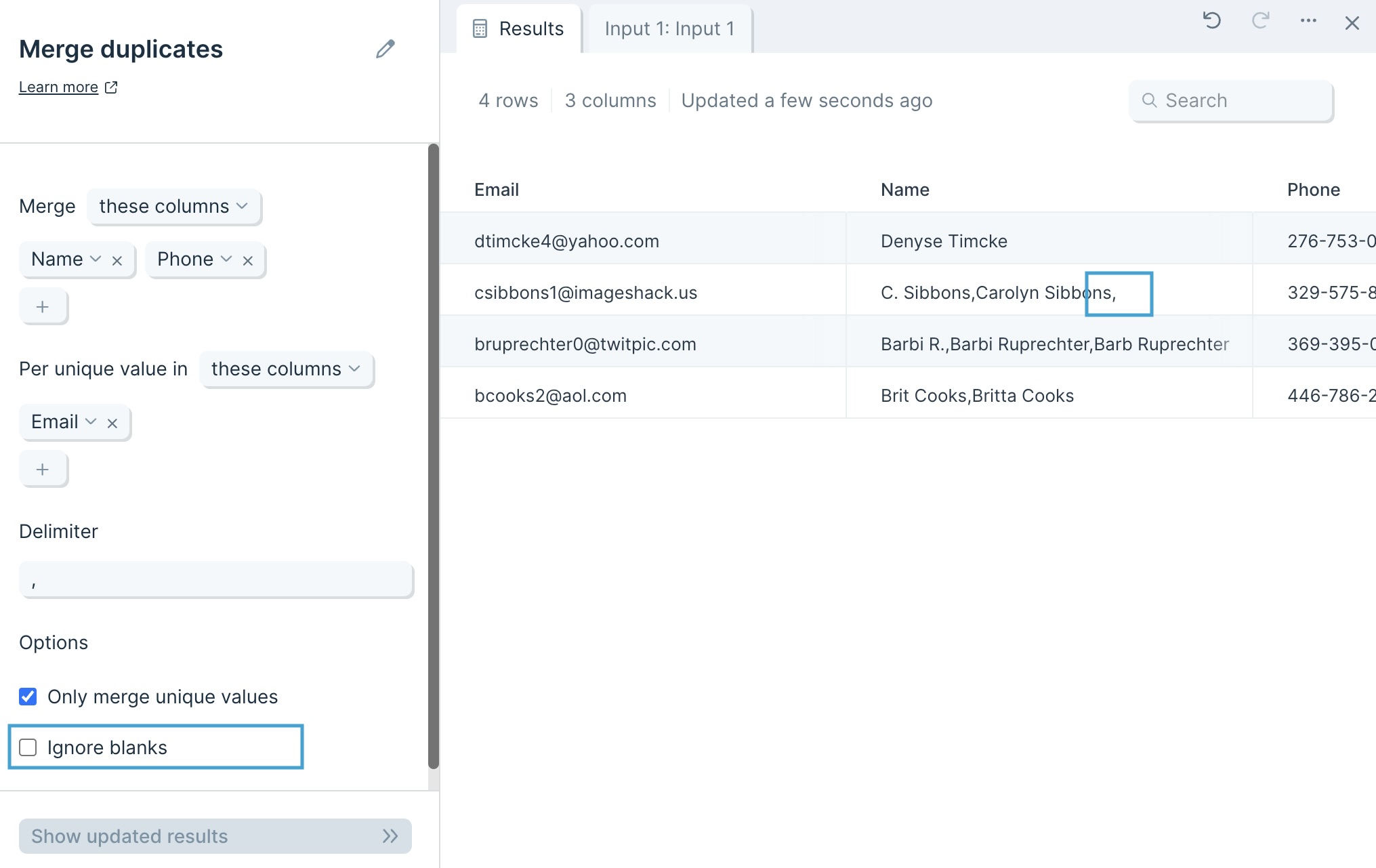
The Merge duplicates step allows you to group rows in one or more columns and merge their values.
Input/output
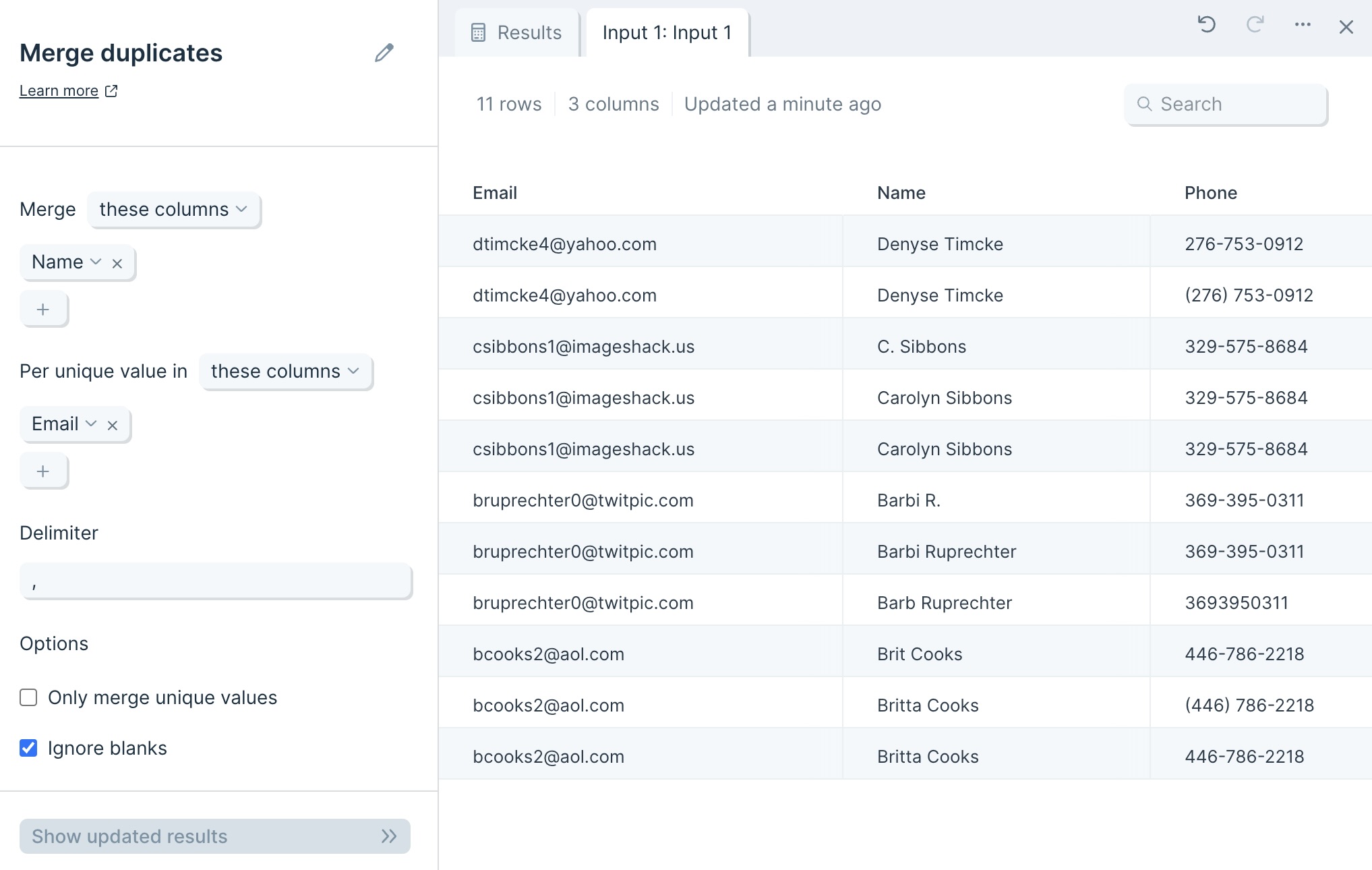
The data we'll input into this step has an identifier type to deduplicate and its corresponding columns of data.
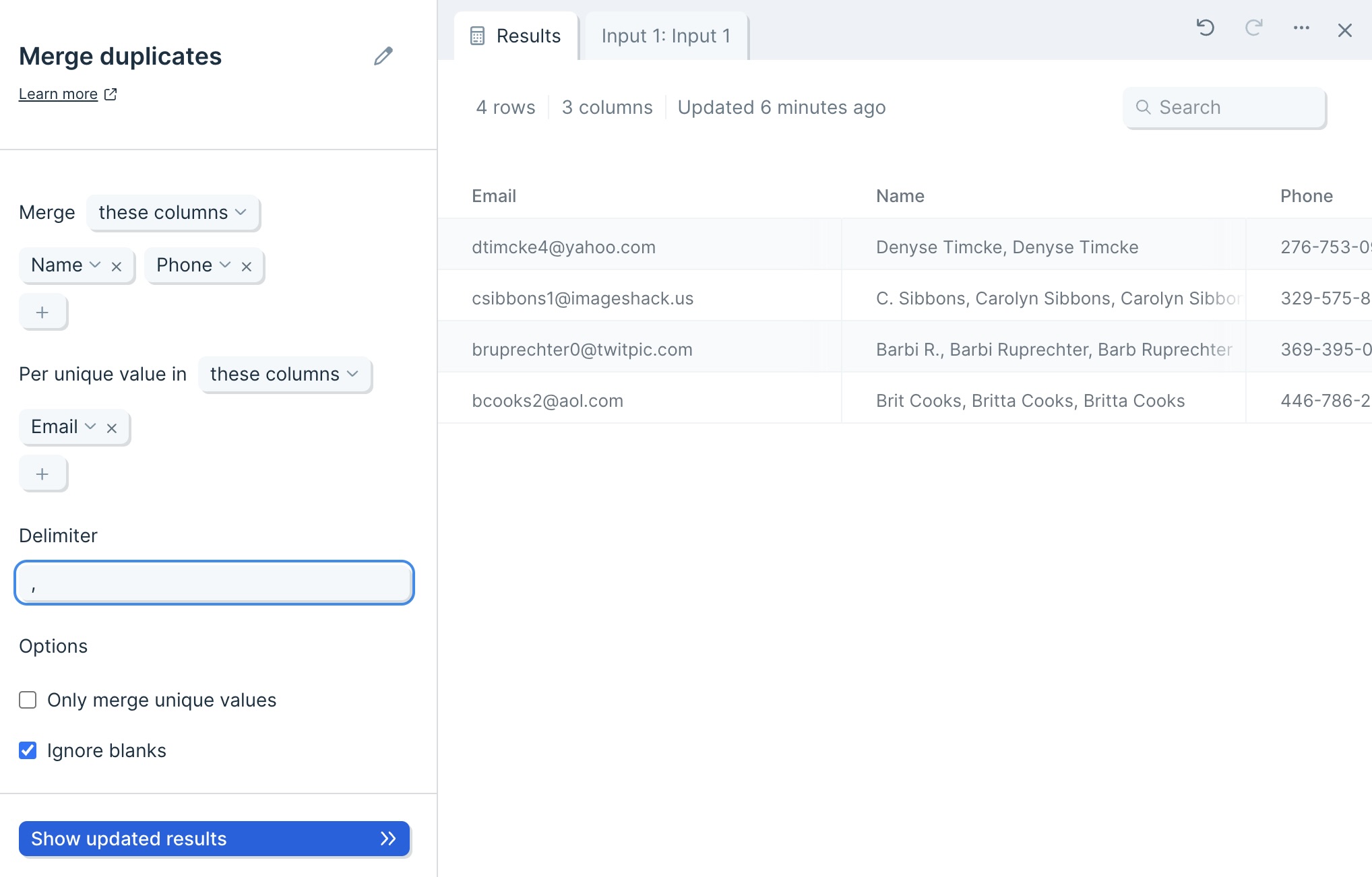
The step provides us with output of deduplicated data (based on a unique identifier value) with the merged values separated by a Delimiter in their corresponding columns.
Default settings
By default, Parabola will map your first column to the unique value selector, and your second column to your Merge selector.
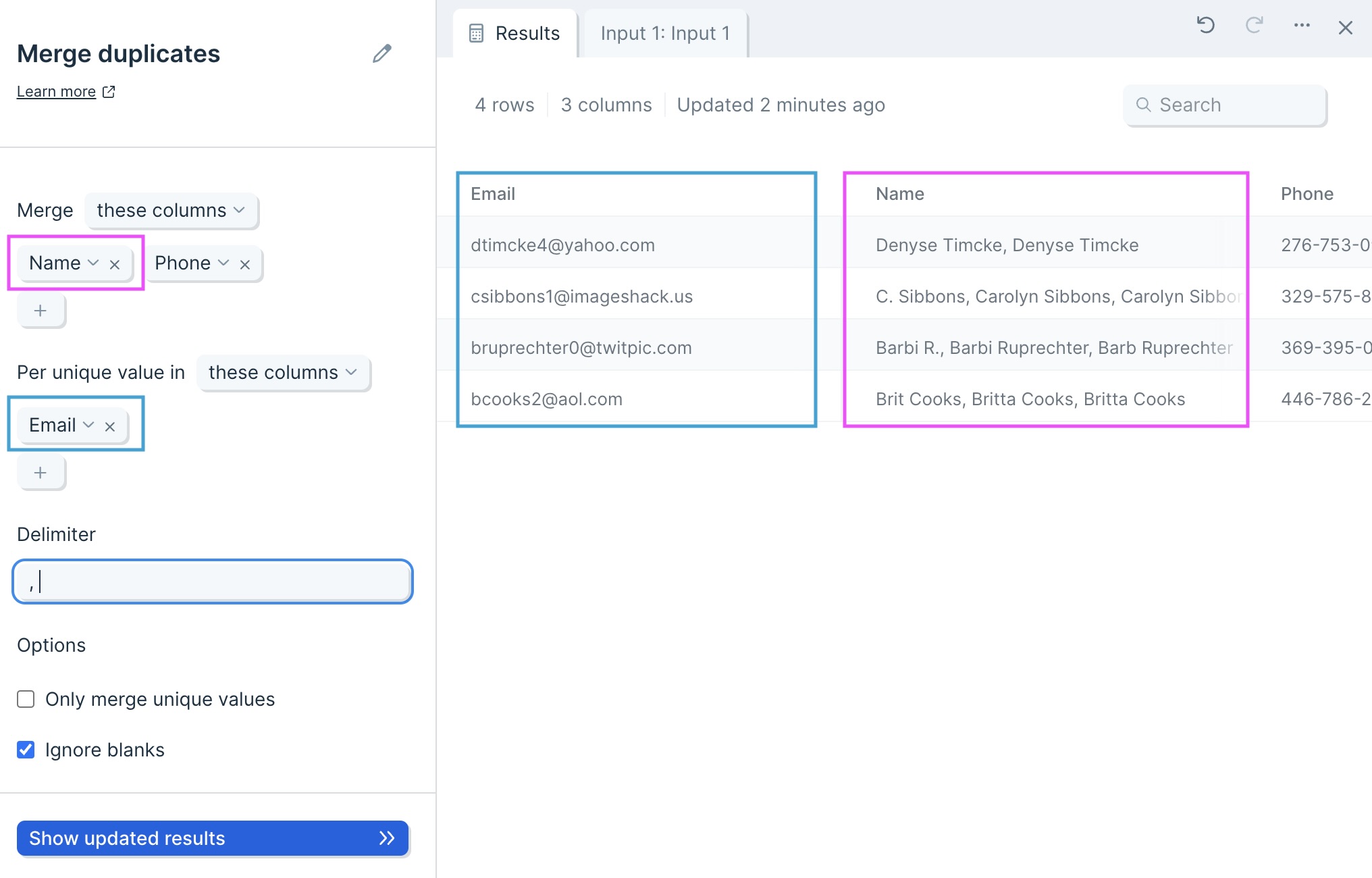
The Delimiter will be automatically set to a comma (,).

Lastly, the option to Ignore blanks will be auto-selected on.
Custom settings
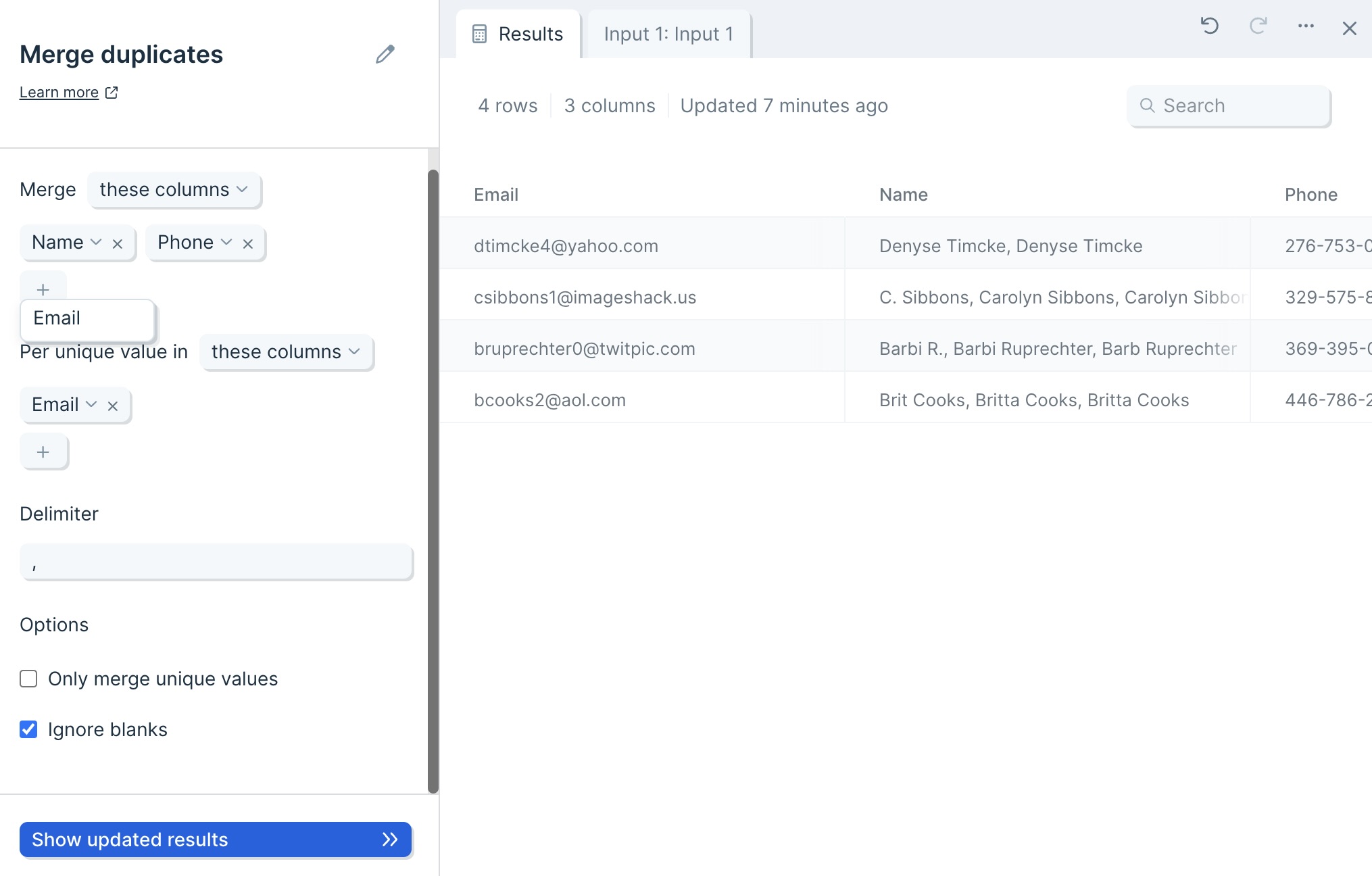
First, decide whether you want to include or exclude columns, by selecting these columns or all columns except.

Next, click the plus sign to select the columns you would like to merge.

Then, use the Per unique value in selector to set the column which will act as your unique identifier.
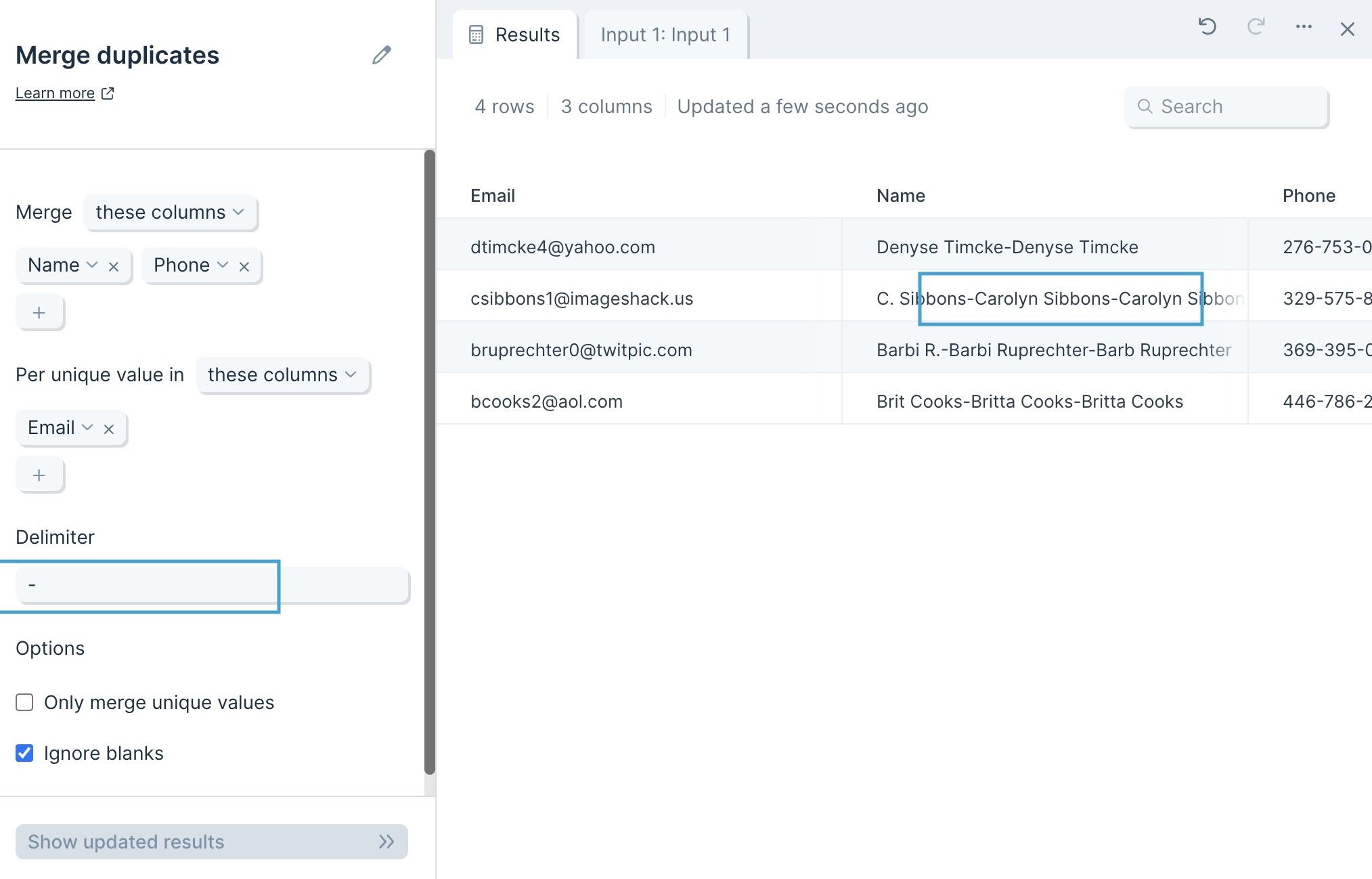
You can choose whatever Delimiter you want. By default, it is a comma (,) but you can choose whatever works best with your data, such as a space ( ), a dash (-), or more.
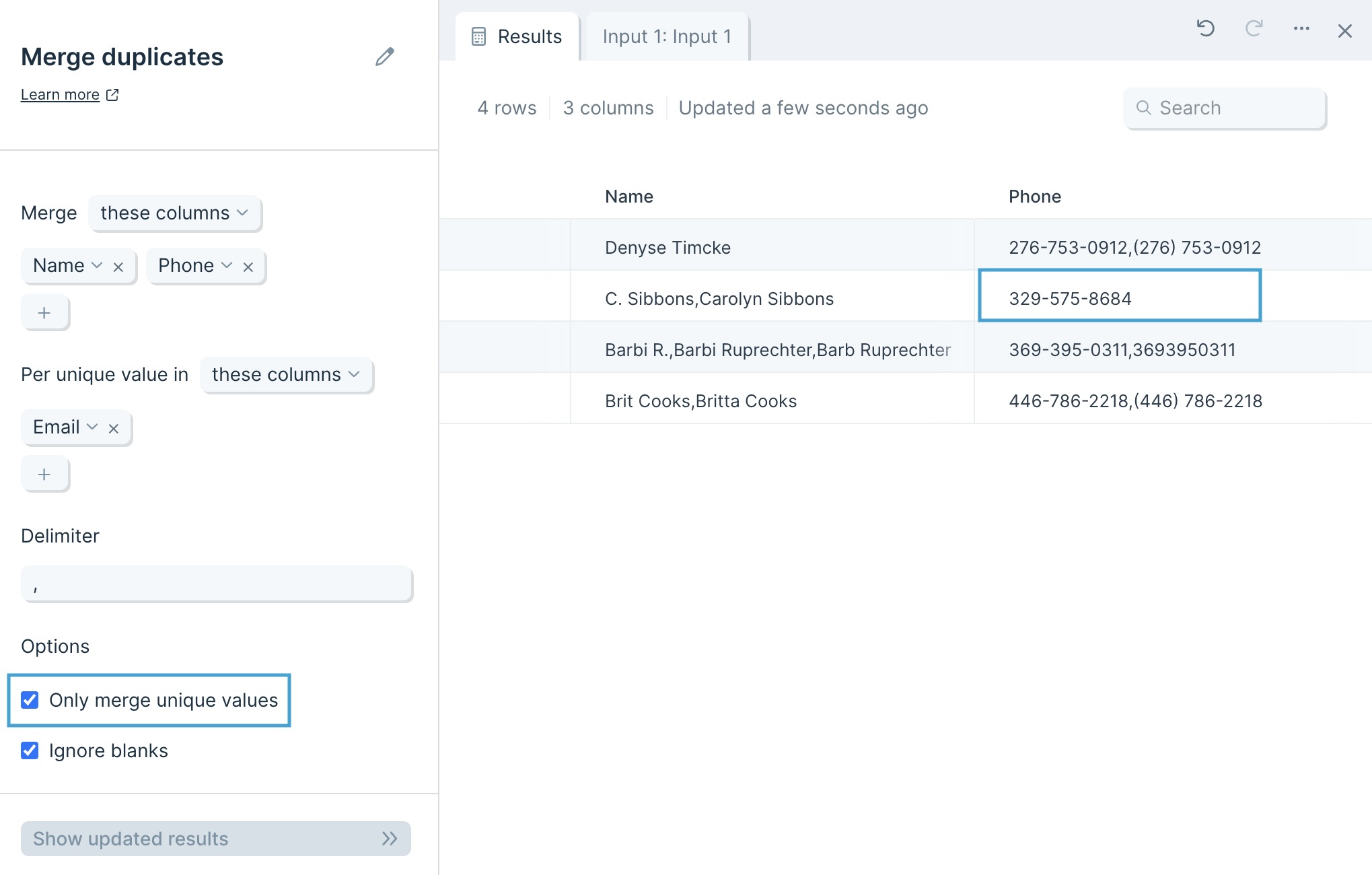
Selecting the option to Only merge unique values keeps all values unique. For example, differently formatted phone numbers will not roll up into one merged number.
Ignore blanks is selected by default and treats blank cells as if they are not data points. Unchecking this option includes blank cells into your merged values, separated by your Delimiter.